
iOS 11 has many new features, refinements, and enhancements for iPhone and iPad, but the question everyone really wants to know is; what are the new features that actually matter?
Keeping in mind that iOS 11 is currently in beta and thus features are subject to changes, we’ve gathered what we think are the eleven most significant additions to iOS 11 to regular people. These are features that real everyday users will enjoy and appreciate, ranging from giant leaps forward in iPad multitasking and productivity, to payments, Siri changes, drag and drop support, driver safety functions, file management, improved keyboards, a better and customizable Control Center, and more.
Let’s check them out one by one…
1: iPad Multitasking Gets Serious
Arguably the biggest changes in iOS 11 come to the iPad, which adds increased multitasking capabilities and abilities that are decidedly Mac-like.
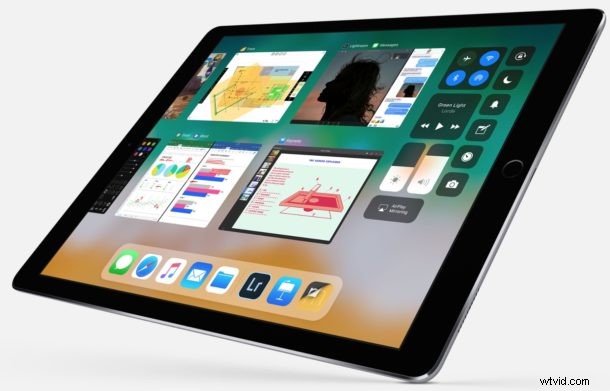
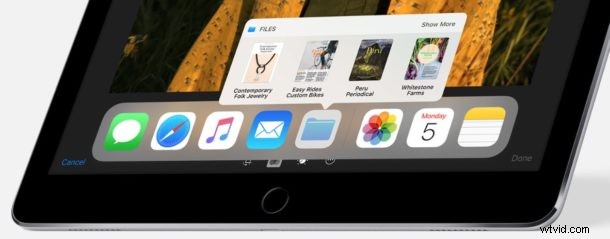
The new iPad dock behaves a lot more like the Dock in MacOS, automatically hiding when not in use, it allows for more apps for quick access, and shows recently used apps and files too.
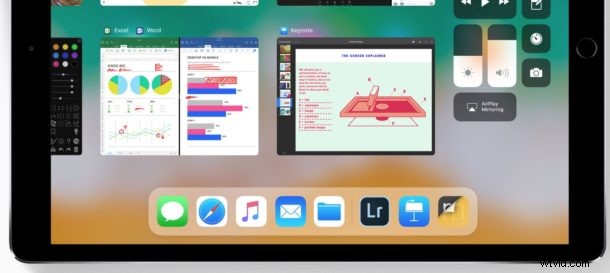
The app switcher on iPad in iOS 11 is also redesigned and looks and behaves much more like Mission Control on the Mac, allowing you to see a tiled preview of open apps, and also even drag and drop items between apps via that app switcher.
2: Drag & Drop by Touch
Drag and drop comes to iOS and it’s optimized for touch. You can drag and select multiple apps, files (more on that in a moment), move them around together, and even drag and drop text blocks, pictures, or data from one app into another.
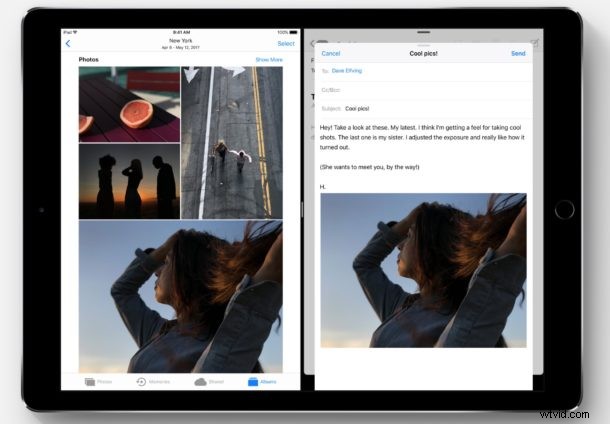
This is fantastic feature in iOS 11 and it works quite well. The full drag and drop capabilities are available to iPad in particular, and while it’s currently possible to use many of them on iPhone too, there are murmurs that some of the drag and drop capabilities will be removed from iPhone and be iPad exclusive. Let’s hope the best of touch based drag and drop comes to iPhone too…
3: Apple Pay Person-to-Person Payments
Apple Pay will allow you to send person-to-person payments, directly from iMessage. Need to send your friend $20 for your split of a dinner? No sweat, you can do it directly in a message.
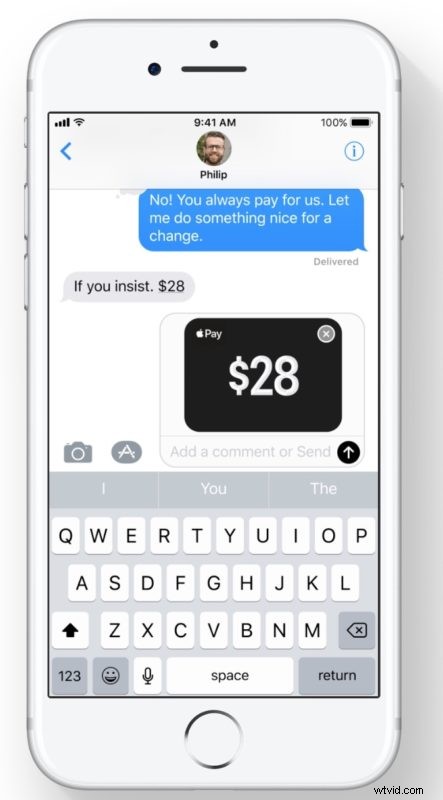
This should work similar to how PayPal or Venmo functions, except it will be native in the Messages app and likely only limited between Apple customers.
4: Live Photos Gets Long Exposure Ability, and Looping
Long exposure photography involves leaving a shutter open for a while and is generally considered to be an advanced photography skill – but now Live Photos will use built-in algorithms to create long exposures easily. This is perfect for pictures of things like water flowing, or something speeding by, and it gives that neat blurred long exposure effect.

Live Photos also gains an ability to continuously loop a picture taken with the feature (still no GIF output option though, however, so you will need to convert live photos to gifs on your own).
5: Do Not Disturb While Driving
How often is it that a new phone feature could save lives? Do Not Disturb While Driving is potentially one of those rare features, when activated it blacks out the iPhone screen and prevents notifications from showing up while driving. There’s an auto-responder to reply to messages automatically with an “I’m driving right now” message too, so you don’t have to worry about shunning people.
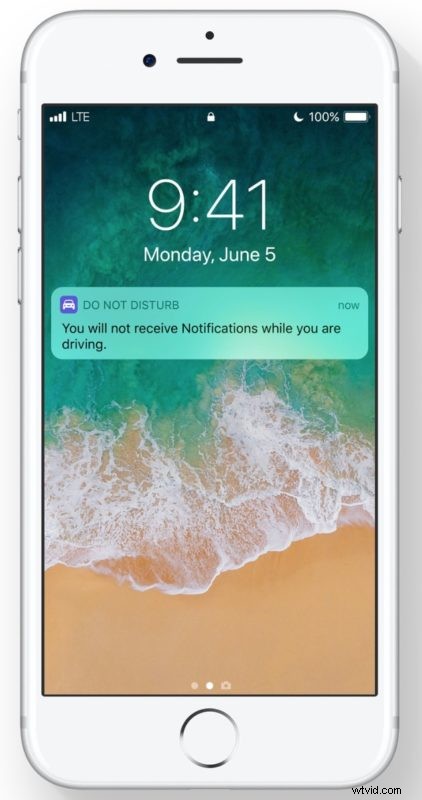
Of course emergencies and special people can be exempted by allowing them onto the same kind of white list that the general Do Not Disturb ability offers.
This feature could make a big difference in driver safety and could reduce distracted driving, let’s hope all other cell phones adopt a similar feature.
6: Notes App Document Scanner
Notes app gains a document scanner feature, which lets you scan documents using the iOS device camera. The scanned documents are then stored within the Notes app, and they can be edited, referenced, modified, or just kept for later easily there.
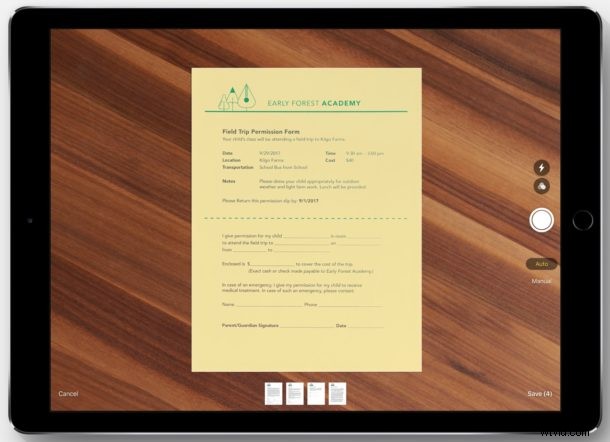
This excellent feature behaves similar to third party apps like Scanner Pro and is really nice for so many use cases, both personal and professional.
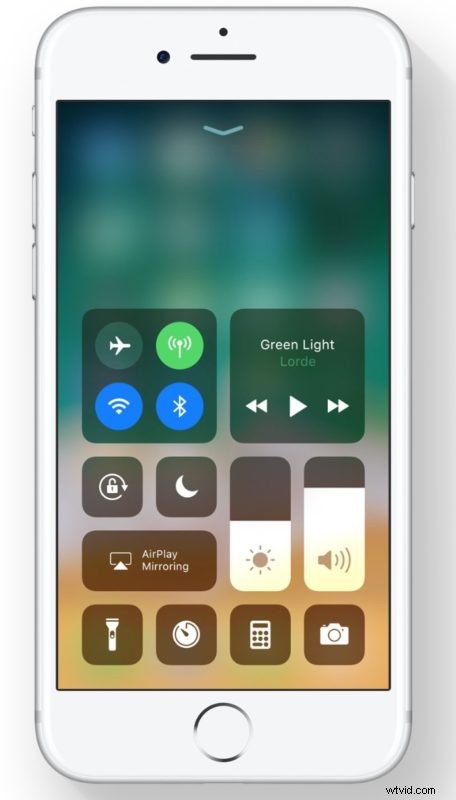
7: Redesigned Control Center
Control Center gets redesigned and an all new appearance which is nice, but the bigger perk is that the new Control Center allows for customizations. This means you can put features you use often in Control Center while also yanking out the stuff you don’t.
8: Files for iOS
iOS 11 gains a Files app, which, just as it sounds, gives you direct access in iOS to a file system of sorts. It’s not quite like Finder on the Mac, but it does allow you to access and interact with files directly, rename files and folders, create new folders, tag files, access third party cloud services, and even drag and drop to move files and folders around too. It’s all optimized well for touch too.
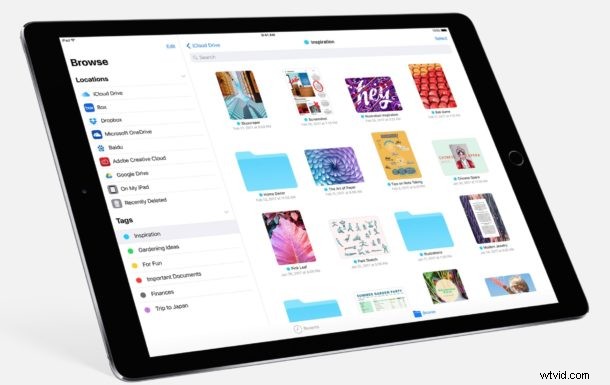
For those longing for a file system and file access in iOS, and who found iCloud Drive to be insufficient, the Files app is almost certainly going to meet their needs.
9: One Handed Keyboard
iOS 11 gains a one handed keyboard option, which shifts the keys over to the left or right side of the screen when activated.
This is perfect for users of the bigger screen iPhones who have a difficult time texting or typing one-handed, as it makes the keys much easier to reach with a single hand and with less thumb stretching.
10: Siri Gets a New Voice & Text Based Interface
Siri gets two new redesigned voices, one male and one female, and they both sound really great and natural. New voices are neat and all, but perhaps even cooler is an optional new text-based interface to interact with Siri. When enabled, the text based Siri interface allows you to type a query directly to Siri when the virtual assistant is summoned.
The new Siri voices are enabled by default in iOS 11, while the text based Siri option is an Accessibility option that is clearly applicable and useful to many iPhone and iPad owners.
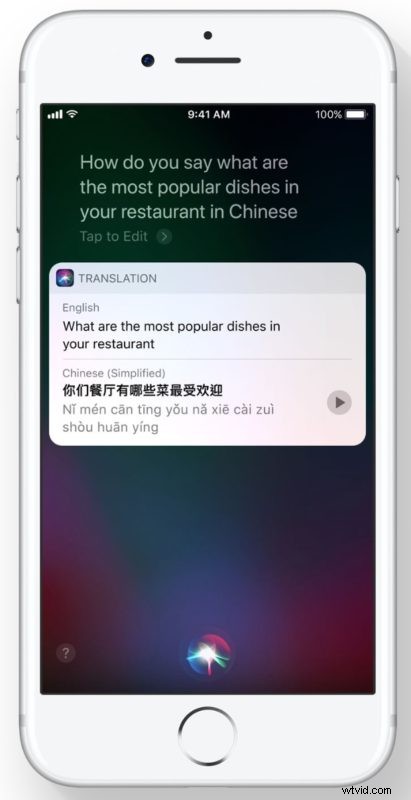
Oh and Siri can also do live translations for foreign languages too, how cool is that?
11: Volume Adjustments No Longer Blocks Videos
When you go to change the volume in iOS, the volume indicator appears front and center in the screen and obstructs the video…. well not anymore in iOS 11. Yes this is fairly small and seemingly insignificant, but it’s been a longstanding pet peeve for many users that is being remedied in iOS 11. Sometimes the little things are great improvements!
Note: above images are courtesy of Apple and the iOS 11 beta preview. Keep in mind that iOS 11 is currently in beta and under development, meaning some features, appearances, or other aspects may change by the time the final version is released to the general public.
There are many other little features, refinements, change, and improvements coming to iOS 11 too. While technically anyone can download and install iOS 11 beta right now and explore the beta, the best thing to do is wait until the fall for the final version to come out for compatible iPhone and iPad. Are there any particular new features coming to iOS 11 that you are excited about? Let us know in the comments.