
Planning on installing iOS 11 onto your iPhone or iPad when it becomes available on September 19? Then take a few moments to prepare your device for the iOS 11 update!
This walkthrough will detail checking proper device compatibility, performing some simple house keeping and maintenance on an iPhone or iPad, backing up the device, and finally, installing iOS 11.
By the way, if you’re impatient and you’re going to only take one piece of advice then have it be this: back up your iPhone or iPad before installing iOS 11. Never skip a device backup!
1: Check Compatibility: Can my iPhone or iPad run iOS 11?
You’ll want to be certain your iPhone or iPad can run iOS 11. Fortunately, most modern devices support iOS 11, and if your iPhone is a 5s or newer, or your iPad is an Air or newer, it will run the latest operating system. The complete compatible devices list is below:
- iPhones: iPhone X, iPhone 8, iPhone 8 Plus, iPhone 7, iPhone 7 Plus, iPhone 6, iPhone 6 Plus, iPhone 6s, iPhone 6s Plus, iPhone 5s, iPhone SE
- iPads: iPad Pro 12.9″ 1st and 2nd generations, iPad Pro 10.5″, iPad Pro 9.7″, iPad Air 2, iPad Air 1, iPad 5th gen, iPad 2017 model, iPad mini 4, iPad Mini 3, iPad Mini 2
- iPods: iPod touch 6th generation
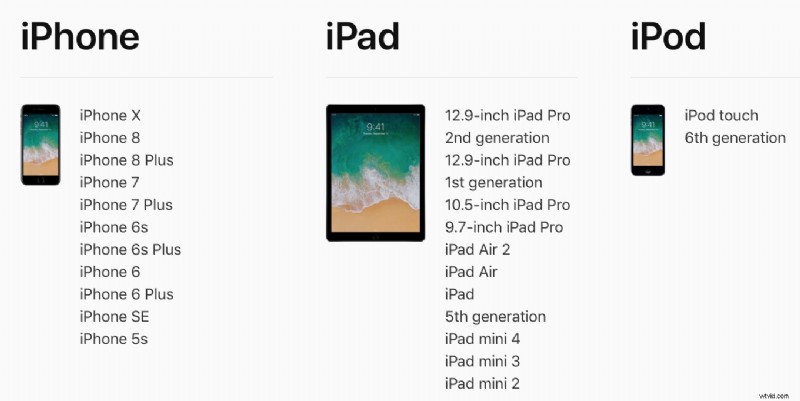
Generally speaking, the newer, faster, and better model of an iPhone or iPad, the better the performance of iOS 11 will be.
2: Clean House, Free up Storage Space, Update Apps
Major system software updates are a good time to do a little house cleaning and free up storage space on the iOS device. This is also helpful because you’ll need at a few GB available to be able to download and install the iOS 11 update anyway, and a full device won’t be able to download or install the update.
Not sure where to start? Deleting apps that you don’t need or that go unused, removing unwanted movies and pictures (after copying the images to Photos on the Mac anyway), clearing out Documents and Data, or even deleting music from an iPhone or iPad are all methods of clearing out storage space on an iOS device. Aim to have at least a few GB of free space available.
Once you have deleted unused apps and made sure you have sufficient storage available, it’s also a good idea to update your iOS apps via the App Store Updates tab.
Many apps are updated to take advantage of new features in system software, as well as patch bugs and insure compatibility.
3: Back up the iPhone or iPad
You absolutely must backup your IOS device before installing iOS 11. Backups allow you to restore a device and can prevent data loss. Do not skip the backup process, it’s easy.
You can backup to iCloud, or iTunes, or both.
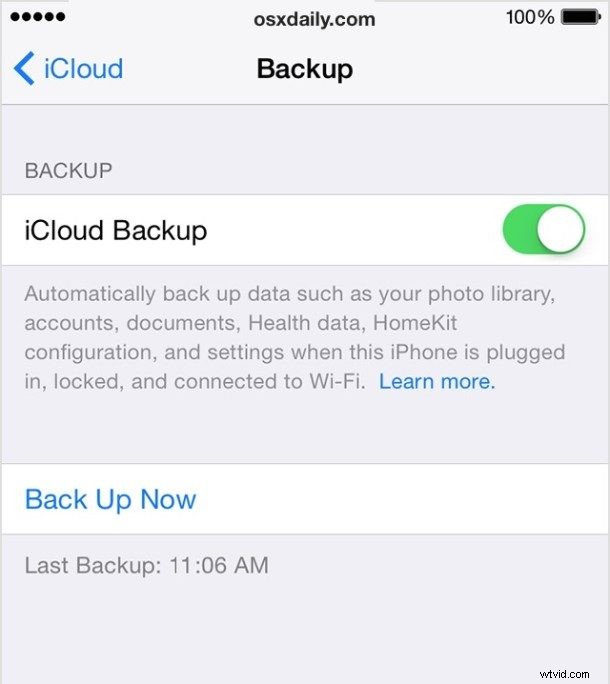
For iCloud, open the Settings app in iOS and tap on your name to access iCloud settings in the latest system software releases.. Then go to “iCloud” and to “iCloud Backup” and choose to “Back Up Now”. Be sure you have a fresh backup made right before installing iOS 11 update.
In iTunes, simply connect the iPhone or iPad to a computer with iTunes and choose to backup. You’ll want to encrypt the backup in iTunes so that passwords, health data, and other useful stuff is kept in the backup too, since it makes the restore easier. Remember, iTunes 12.7 removes the App Store so app backups are no longer part of iTunes backups, instead they must be downloaded again.
4: Install iOS 11 and Enjoy!
iOS 11 is a free software update for iPhone, iPad, and iPod touch. You can update to iOS 11 through iTunes on a computer, or through the Settings app in iOS itself. The Settings app is typically the easiest way to install a software update.
Be absolutely certain you have backed up your iPhone or iPad before installing iOS 11!
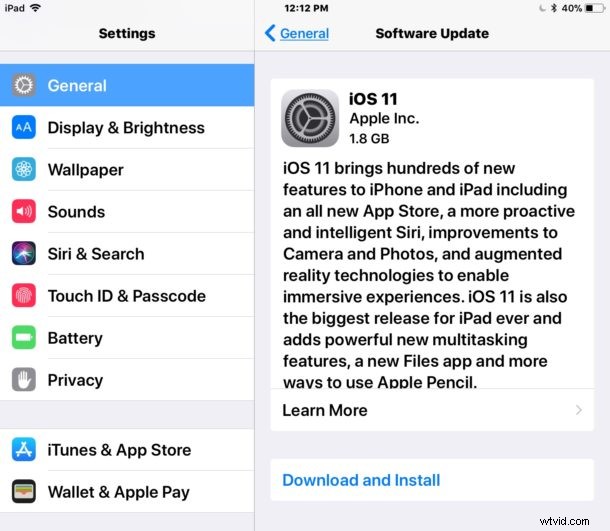
The official iOS 11 release date is September 19. The impatient can download iOS 11 GM right now through the public beta program or with IPSW, however.