
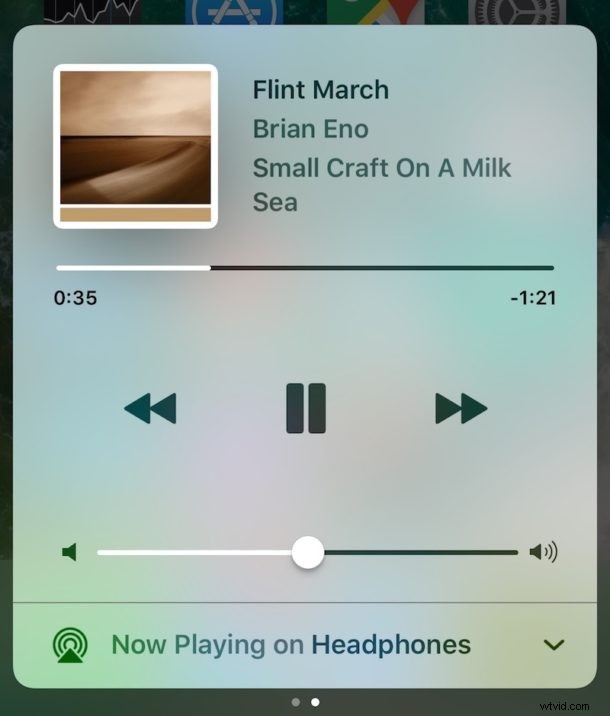
Apple redesigned some fundamental features with iOS 10 on iPhone and iPad, including where the music controls are found in Control Center, slide-to-unlock, and the newly hidden Shuffle and Repeat controls in Music app itself.
If you’re new to iOS 10 and thought that Control Center removed the music controls, it’s likely because the new way to access play, pause, skip, and adjust volume is easily overlooked. Not to worry, accessing Music from Control Center is really easy once you learn where to look!
Access Music in Control Center for iOS 10 in 2 Easy Steps
- Swipe up from the bottom of the screen on an iPhone, iPad, or iPod touch with iOS 10, this will bring up Control Center as usual
- Now Swipe over to the left on Control Center to reveal the Music control section
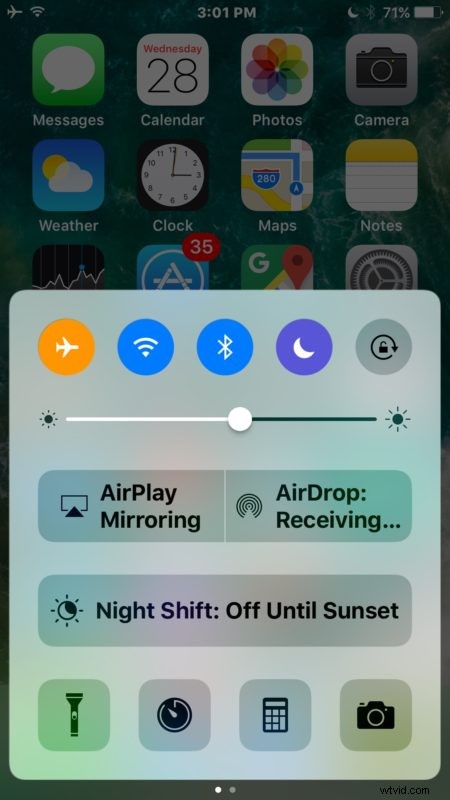
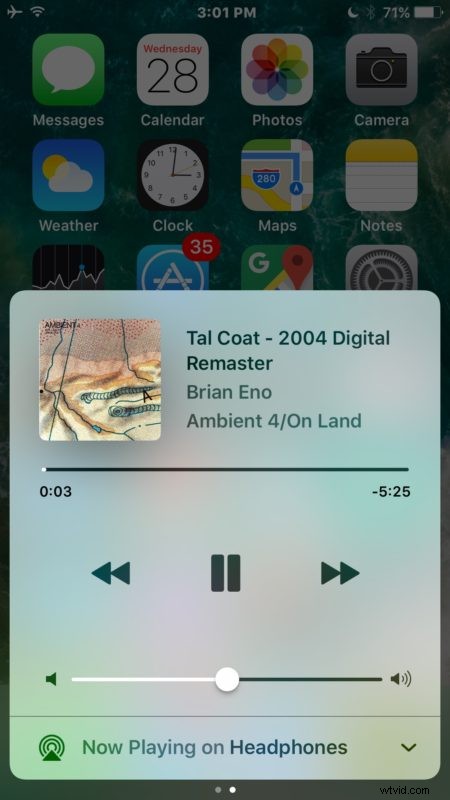
As you’ll see, Music now has it’s own dedicated screen panel in Control Center for iOS 10 and is no longer part of the initial control center screen. You’ll find all the typical Music controls in this Control Center panel, including the album art, song and artist name, a timeline, back, play / pause, skip, volume controls, and a toggle to adjust audio output from Headphones / AUX (if you’re using the adapter dongle with iPhone 7) / Wireless to other audio sources.
While this may seem a little confusing at first for users who are accustomed to quickly accessing Control Center Music in a single swipe gesture, it’s an easy habit to adjust. Just remember to swipe up, then swipe over to see Music in Control Center.
Interestingly, I have found that several friends and family have had difficulty with this change and initially thought Music was removed from Control Center in iOS 10 on iPhone in particular. For what it’s worth, the first time a user sets up iOS 10 there is a little walkthrough about Control Center when it is accessed, but it’s easy to skip through those type of screens and rely on old habits.