

iPhone and iPad owners who regularly receive emails from Windows-based users may find ‘winmail.dat’ files attached to the email messages, a file type which Mail.app can struggle to identify or open. Since winmail.dat files can be anything from a simple styled rich text email, to a calendar invite, vcf contact card, or even a legitimate email attachment, it can sometimes be necessary to open and read the winmail.dat file in iOS, which is what we’re going to show you how to do.
The ability to read, open, and interpret winmail.dat files in iOS Mail app is natively missing, for now anyway, but similar to opening a winmail.dat file on the Mac side of things, you can use a third party app to accomplish the task. It’s free and easy to use too, here’s how it works:
How to Open Winmail.dat Attachments in iOS Mail
TNEF’s Enough will open, read, and allow access to any data contained within a winmail.dat attachment file that has been encountered in the iOS Mail app, the process is the same on any iPhone, iPad, or iPod touch.
- Exit Mail app in iOS
- Click here to download TNEF’s Enough from the iOS App Store
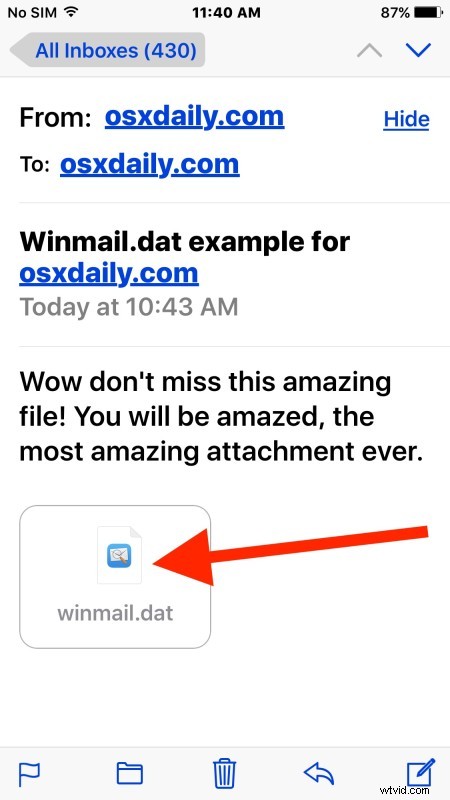
- Re-launch Mail in iOS and open an email containing the winmail.dat attachment file
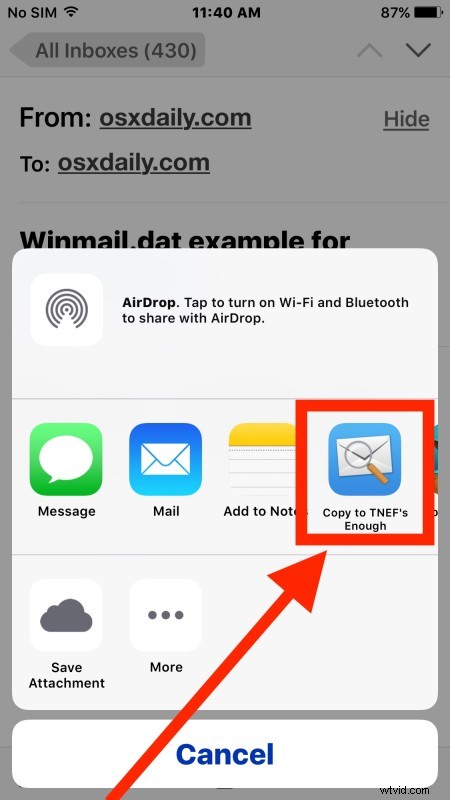
- Tap on the “winmail.dat” attachment file and choose “Copy to TNEF’s Enough”
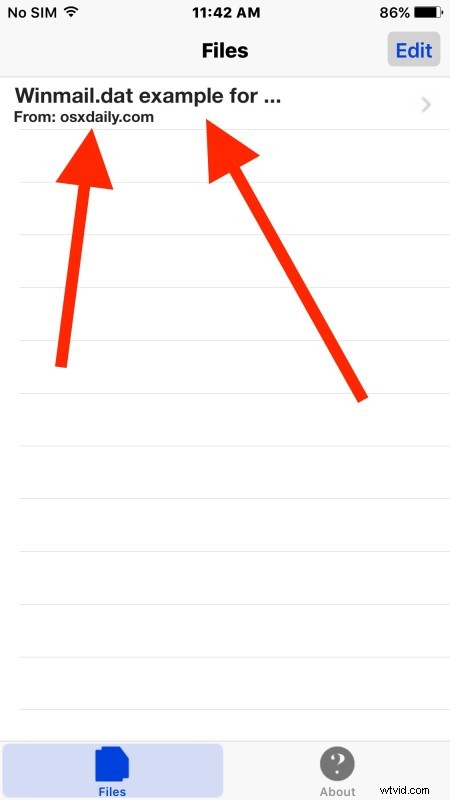
- Assuming the file is readable, TNEF’s Enough will open in iOS and show you a list of items contained within the winmail.dat attachment
Vcards and calendar files can be accessed and imported just like they would be able to if encountered elsewhere in iOS.
If you don’t want to install the app onto your iPhone or iPad, you can use Handoff to move the open message to a Mac with the TNEF utility installed instead, or use the various tips here to open and read winmail.dat files received in Mac OS X.
Know of another easy method of opening or reading winmail.dat attachments and containing files in iOS? Let us know in the comments!