
Adding captions to your video has become a must in this day and age, with 80% of social media videos watched on mute, but if your videos cater to a German audience, you may find your options to be limited. One option is to manually transcribe your video’s speech and add the captions yourself with professional editing software, but this can often be a tedious, time-consuming task. And it can be surprisingly difficult to find a video captioning service that makes it easy to add captions in other languages. But we have a solution…
Zubtitle supports 60+ spoken languages for automated video caption generation. So if you want to add video captions in German (or any of our other supported languages), check out the walkthrough below.
How to Add Video Captions in German
1. Upload Your Video
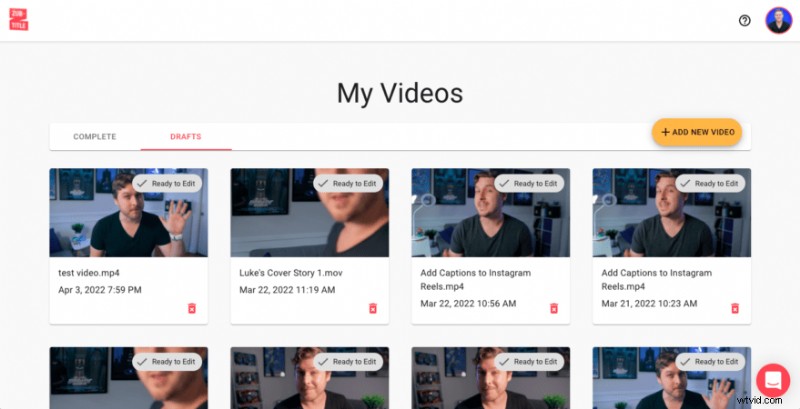
Once you’ve created a Zubtitle account (or logged into your existing one), you can upload your video by clicking the yellow “Add New Video” button on the right-hand side of the screen.
2. Change Your Language Settings
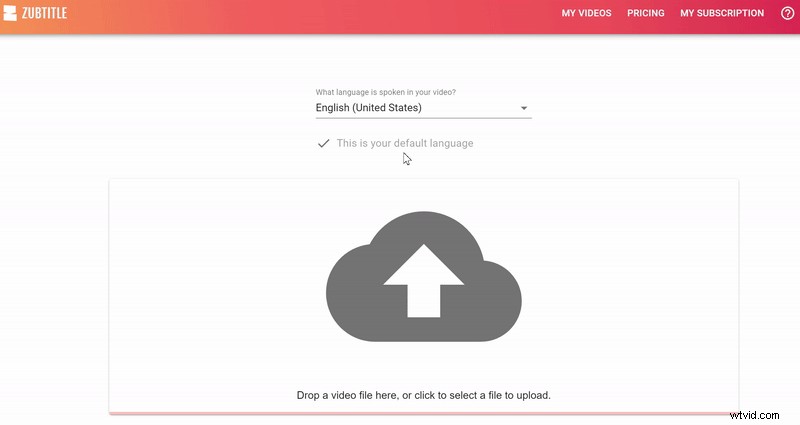
All Zubtitle accounts offer multi-language support. And we make it easy to change your language preference from video to video. Every time you upload a new video, you’ll have the option to change the language setting from the English default setting to select German (or another desired language). Plus, if you want German to be your default setting for every video, you can simply check the box next to the “Set as my default language” option.
3. Edit Your Video Captions
Your video captions will be automatically transcribed by Zubtitle. All you have to do is review the captions and make sure everything looks perfect.
4. Style Your Video Captions
Almost done! Your last step is styling your captions and your video. You're welcome to customize everything by choosing the font and colors for your captions, adjusting the background color, adding a logo & progress bar, manually resizing, etc. Or you can style your entire video with one click by selecting a pre-made template (you'll find them in the Templates menu). Now you’re ready to download your new German-captioned, social-media-optimized video!
Do you want to add video captions in German?
Sign up for a free account and start creating today!