WeVideo is one of the easiest online video editors to use. With its flexible and multiplatform cloud solution, you can quickly create a video for a presentation, a course or a communication to your collaborators.

While you can add text to your video manually, WeVideo does not have a built-in automatic caption feature.
So how can you subtitle your videos and save more time? Here we show you a possible way using a subtitle generator. You’ll see, it’s not that complicated!
Why add captions to your WeVideo videos?
WeVideo is a practical video solution that is especially popular with educators and communications staff. With a simple and full-featured interface, it allows you to edit and customize a video, while hosting it on a dedicated server.
If WeVideo does not have a specific video accessibility policy, you can put custom text on your video, or use a subtitle generator to burn subtitles into your video (method we will describe below). This makes your content readable and understandable to the deaf and hard of hearing.
But there are other interesting benefits to expect from that:
- You increase the impact of your courses or your video communication, by giving a readable visual support for certain information.
- You open your videos to an audience of languages and nationalities different from your own.
- You make your videos accessible to people with hearing or comprehension problems.
- You allow your students or collaborators to react directly to what you have said and to continue the conversation.
Sounds interesting ? Here are the different ways to subtitle your videos on WeVideo.
WeVideo subtitles: what are the possible solutions?
Since WeVideo has not a built-in subtitle feature, there are few ways to add subtitles on the platform. In fact, there are only two alternatives:
- Either you add text manually on your video. To do this, manually drag and drop captions you have created in the “Text” window. This is a long method if you have a lot of audio and speech to transcribe.
- Either you burn subtitles into your video after editing it on WeVideo. You can use automatic subtitle generators to do the job. With their speech recognition technology, they transcribe, synchronize or even translate your videos in one click. They then allow you to encode the subtitles into your video to make them available anywhere.
So your decision depends on how much video you need to subtitle. If you have a lot of speech, it’s better to use automatic subtitling. Otherwise, the manual captioning tool will be enough.
Automatic caption generator on WeVideo: the step-by-step method
Here, we present you the method to follow to subtitle your video with our Checksub solution. This tool enables you to :
- Transcribe your videos automatically and with great accuracy (Advanced Speech Recognition API)
- Collaborate with professional subtitlers and translators to manage your video project.
- Translate your video into more than 128 languages (translation based on deep learning)
- Easily edit and customize the appearance of your subtitles
1# Add your video on the interface
To get started, log on to the Checksub platform. Select your content and indicate its original language. You can also choose among many languages to do the translation if needed.
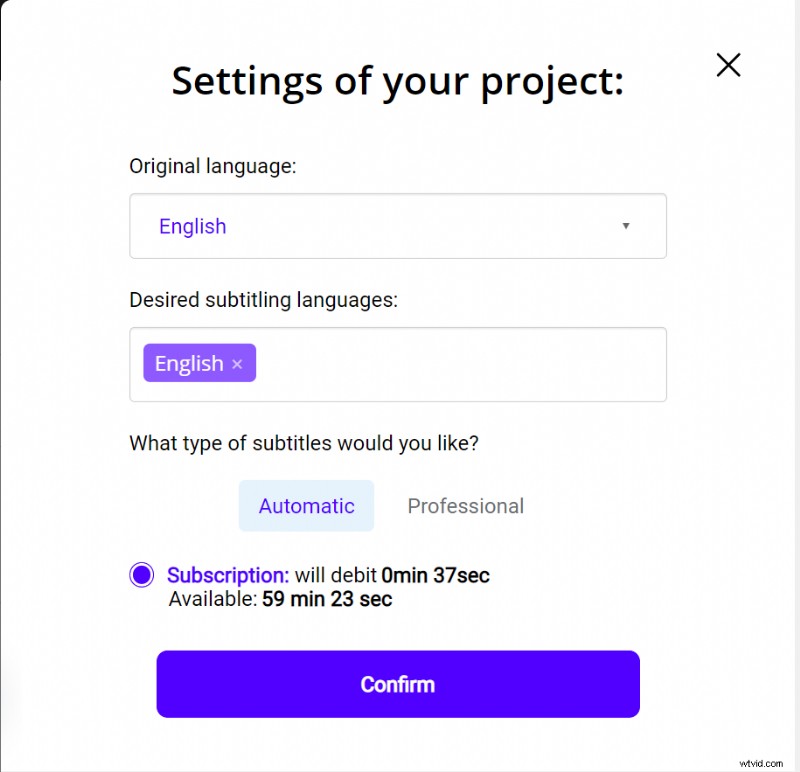
You have 1 hour of video test the platform. If this is not enough time for your first video, you can buy credits at a low price.
The API will then perform the speech recognition and provide you with the result in a few minutes.
2# Adapt and edit the result
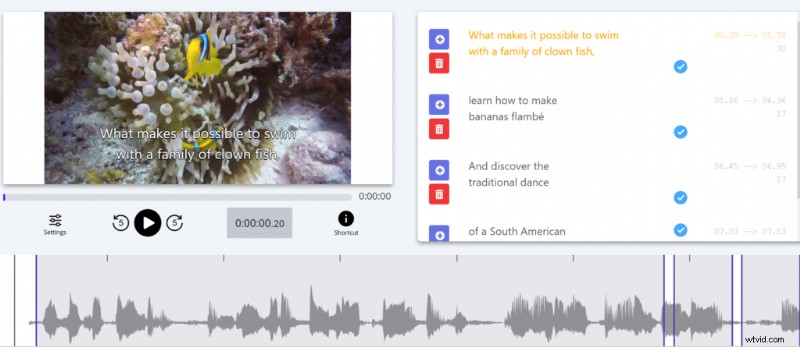
When the result is ready, click on the language of your video and access the dedicated subtitle editor to check the synchronization.
3# Export the subtitled video
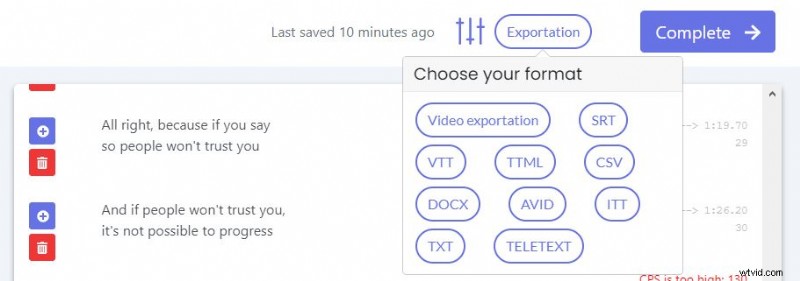
When you are satisfied with the transcript, you can then proceed to encode your subtitles into your video. To do this, click on the “Export” button, then choose “Video Exportation”.
There you will have access to an interface to customize the appearance of your subtitles. Once you have finished, you can finally export your video in MP4 format. Now you have a subtitled video!
How to use a professional subtitling service

As you can see, creating and synchronizing subtitles is quite complex. This is even more true if you have a large volume of videos or WeVideo videos that are difficult to transcribe (ambient noise).
Fortunately, there are also professional services that can take care of your WeVideo video projects. With the help of proven human expertise, they will deliver your projects in a short time frame and with high quality. For example, our subtitling experts are at your service!
Otherwise, we hope we’ve helped you make a catchy video!