
Every job seeker will send a paper resume. However, if you send a video resume with it, this will help you better distinguish it from other applicants. Do you need a video editor to perfect your video resume? Try MiniTool software.
What Is a Video Resume
Video resumes are short videos created by job seekers to introduce their skills and work experience. They are usually uploaded to the Internet or sent to the recruitment managers’ emails for potential employers to view. Generally, video resumes are used to supplement rather than replace paper resumes.
How to Make a Video Resume
A video resume can set you apart from the other candidates who have no video to support their application. If you want to make a video resume with your own characteristics, try using Biteable - a free resume maker.
Step 1. Go to biteable.com using your laptop, tablet, or even your mobile phone.
Step 3. Head to the Create tab, select Video resume.
Step 2. Log in or create a new account.
Step 4. Choose a video resume template that matches your style.
Step 5. Use its online video editor to add animation, footage, background music, and text. Of course, you can use your own video and audio footage as well.
Step 6. Save all changes and export your video resume to your device.
You might be interested in: Top 8 Best Explainer Video Software
2 Excellent Video Resume Makers
1. Animaker
Animaker is a cloud-based resume maker. The program is equipped with a series of video resume templates for designers, marketers, and developers, enabling you to create your own resume in just a few minutes. It has a huge library of animations and music that can be used to make your resume more charming or make a cartoon.
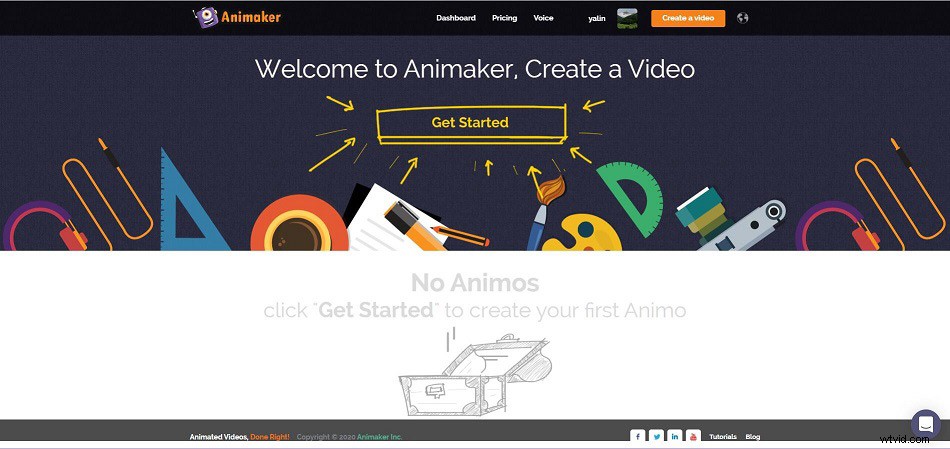
2. Camtasia
Camtasia is a professional video resume maker for Mac and PC. Camtasia offers countless options, including adding text overlays, visual effects or background music to the video resume. Camtasia allows you to import video files of various file formats into the project to enrich your resume and cut or trim all video clips placed on its timeline.
4 Tips on Making a Video Resume
Before you make a video resume, have a look at the 4 useful tips below, which can help you make a professional and eye-catching video resume.
1. Prepare a Script
To ensure that your video resume contains all the content you want to cover, please write a script. This will give you time to refine what you want to say and to phrase everything in the best way. Don’t read it when shooting, because it affects the potential employers’ first impression of you.
2. Keep It Brief
According to a study by Wistia, the ideal video duration for viewers to get the most participation is 1-2 minutes, of which 90 seconds is the best time. If your video resume exceeds 2 minutes, the employer may skip part of the video content.
3. Edit It
If you want to make your video look more beautiful and professional, you should edit your video resume before uploading it. For example, you can add a title with your name and contact information at the beginning of the video.
4. Collect Feedback
Before sending your video resume to your employer, please share it with your family and friends. This is a significant step, because they may find errors in your video resume, or they may come up with a brilliant idea.
Related article: How to Make a Video Collage
Pros & Cons of a Video Resume
Pros of a Video Resume
Video is a visual tool that makes your resume stand out from several resumes quickly. Most importantly, as an applicant, you can use your creativity in your video resume and choose how to show your qualifications and advantages to employers.
Cons of a Video Resume
Improperly produced video resumes may actually damage your chances of being hired. Not all industries accept an additional resume in video format. Compared with creative industries such as advertising, conservative industries such as pharmaceuticals and law may be less interested in watching videos.
Bottom Line
Video resumes are becoming more and more popular, so it’s time to make a video resume with your own characteristics and send it to your potential employers.
If you have any questions or suggestions about it, please let us know via admin@wtvid.com or share them in the comments section below.