
Create cute videos of your pet
Videos of pets are popular for many reasons: people enjoy watching videos with dogs, cats, or other exotic pets. Some people like to see cute pets, and others prefer to look for video clips with funny animals; either way, pet videos bring joy to the viewers and make them smile.
If you are a pet owner, you've probably thought about making your own funny pet videos. If so, why not start now? It's only a matter of minutes with our video editing tool! You can create animal picture slideshows or clips with music anytime since it works online on any device.
The rest is simple, just follow the instructions below:
Upload files
Open Clideo’s Online Video Editor and click “Get started”. Once in the editor, click "Upload" and add your media files from the device or pick them from your Google Drive or Dropbox account. Additional files can be uploaded anytime in the same way.

Make a pet video
Uploaded files are stored in the "My Media" tab. To add them to the timeline, click the "+" icon or manually drag them right into the preview pane or timeline. The order is unimportant, and you can rearrange files in the timeline anytime.
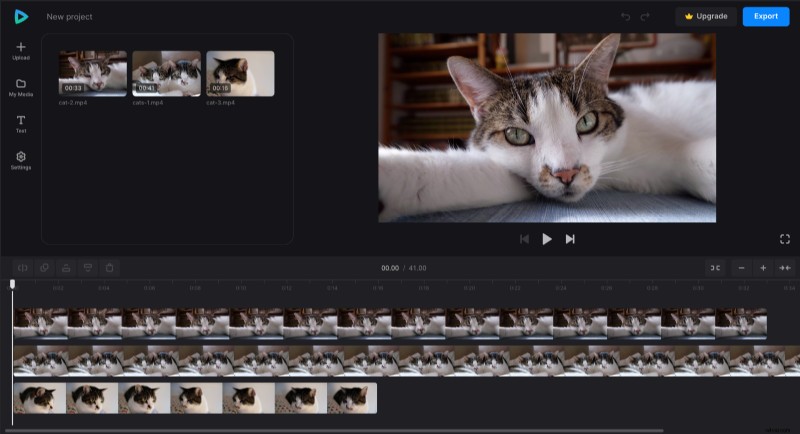
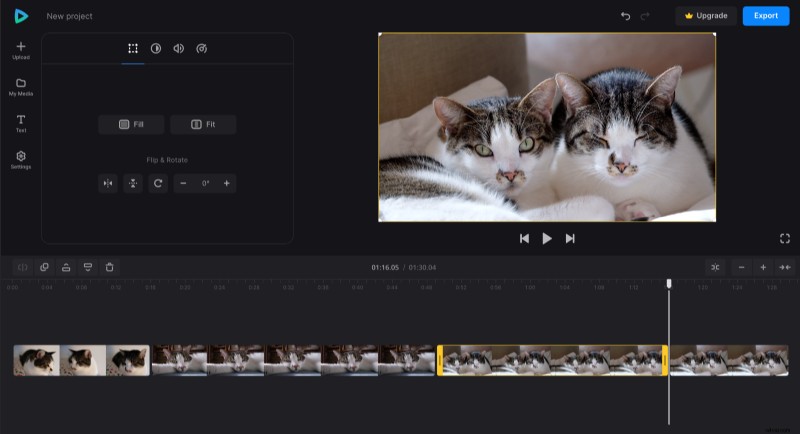
If you added a clip but only want to use a part of it, you can trim it. To do so, select it in the timeline and drag yellow bars on its sides until you set the perfect duration. You can crop, adjust saturation, and other settings for each file when selecting it.
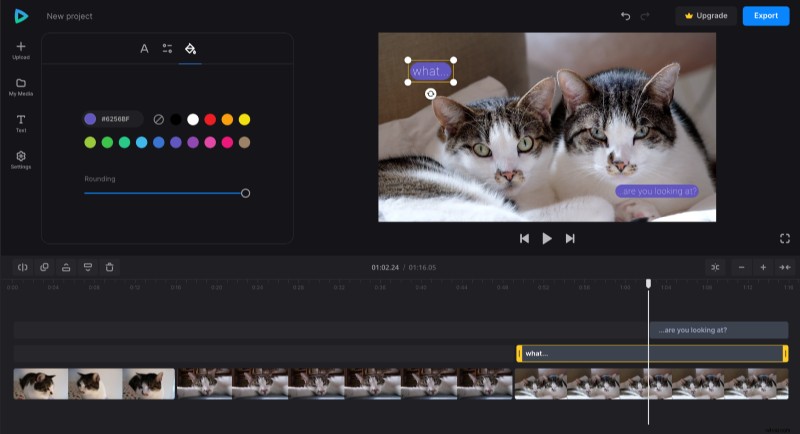
In the "Text" tab, you can add and customize captions to show your pets' names on the video, make up a funny dialog between them, or just tell a story without voiceover.
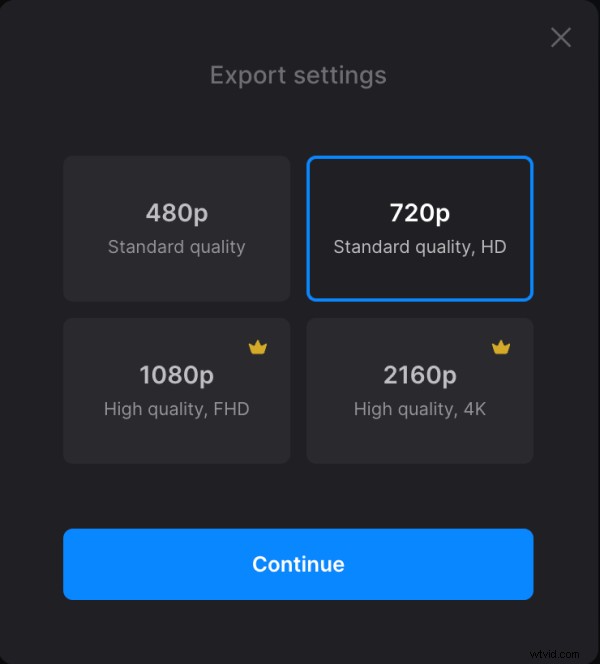
When you finish making your video, click "Export" and choose the export option you like.
Download the video
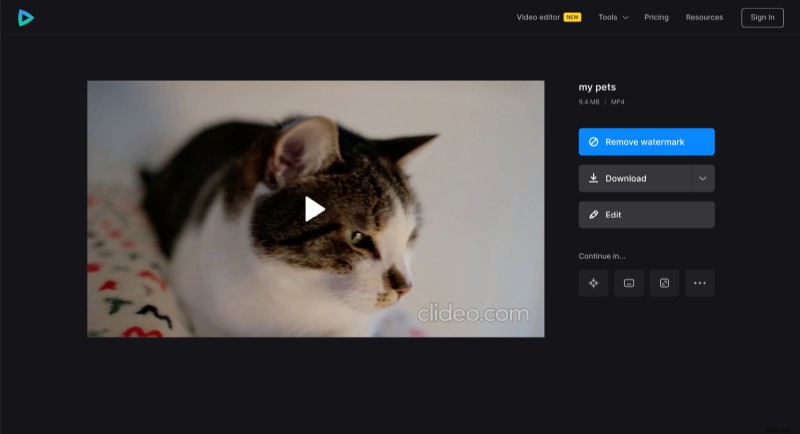
Watch the preview to see how the final result looks. If changes are needed, click "Edit". Otherwise, click "Download" to save your new pet video to your device or upload it to the cloud storage.
Our Help Center for Video Editor is also available for those who need even more details.