
We all need a little bit of motivation from time to time. The hardship, failure, disappointment, or even depression take their toll on our lives. This is when we turn to motivational videos.
Some people handle the challenges themselves, while others need help. The good news is that you can help people to believe in themselves and make a positive impact on their lives. How? By creating motivational videos.
Turn your speech into visual content and inspire your audience through a dynamic motivational video.
With Renderforest, making a great motivational video will only take a couple of minutes. Pick one of our customizable templates and create your motivational video online.
Take a look at the video below, created with one of our customizable templates.
To start creating your motivational video, first Sign up or Sign in to your Renderforest account. Then go to the “Create video” section on the main menu. In the “Animation videos” subsection, select the “Typography” option, to see our collection of templates and presets. Or use our advanced filters to find exactly what you are looking for.
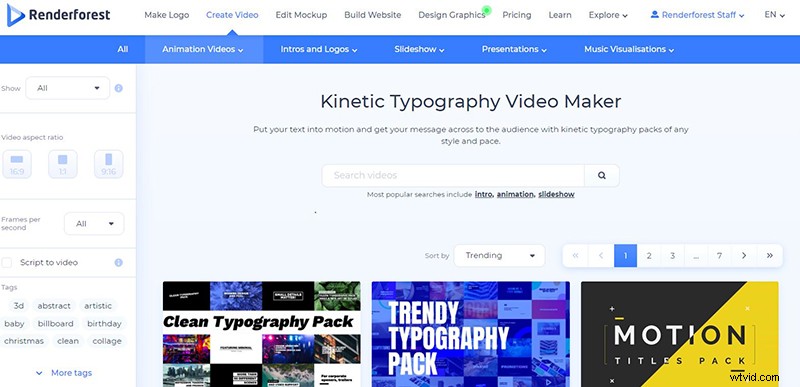
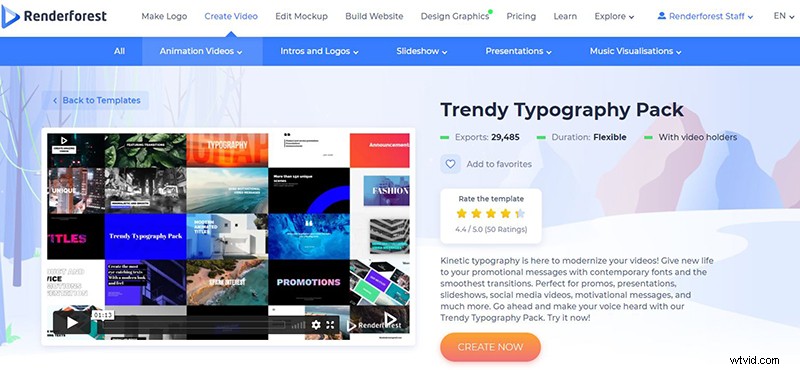
Here you will be able to select any of the templates or presets, to start making your video. For this tutorial, we’ll work with the “Trendy Typography Pack”. Click on the “Create now” button, to start.
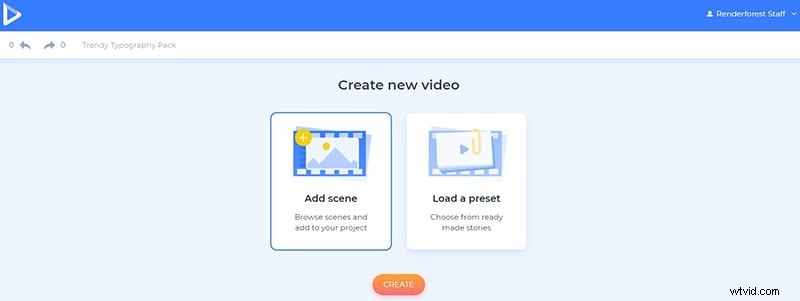
With the “Add scene” option, you will have the chance to personally choose the scenes, that you need.
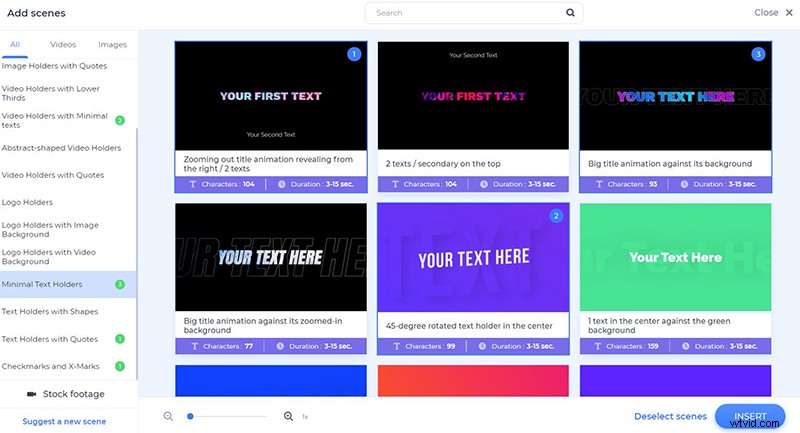
From minimal text holders to text holders with quotes, here you’ll find a large list of scenes to use in your video. Click “Insert”, to confirm the selected scenes and start working.
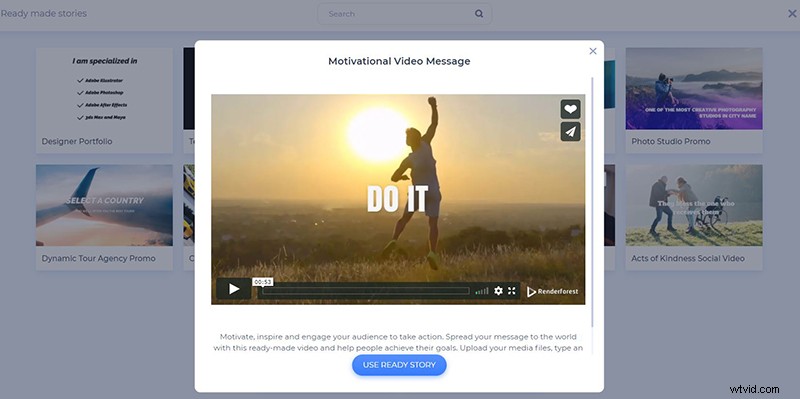
Or create an inspirational video with text, using the “Load a preset” option. This way, you’ll already have the ready-made collection of scenes, to edit and your text and videos. Click on the “Use ready story”, to start. For this step to step tutorial, we will use the second option and the “Motivational Video Message” preset, which you can also find separate in our preset collection.
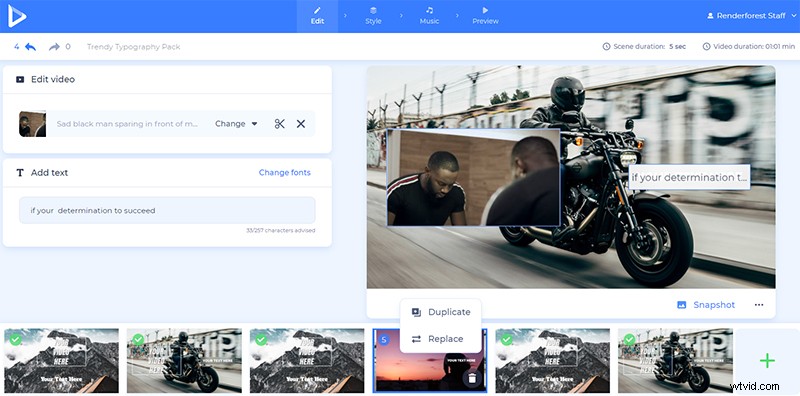
On your dashboard, you can move, delete, replace, duplicate your scenes, or add some new ones.
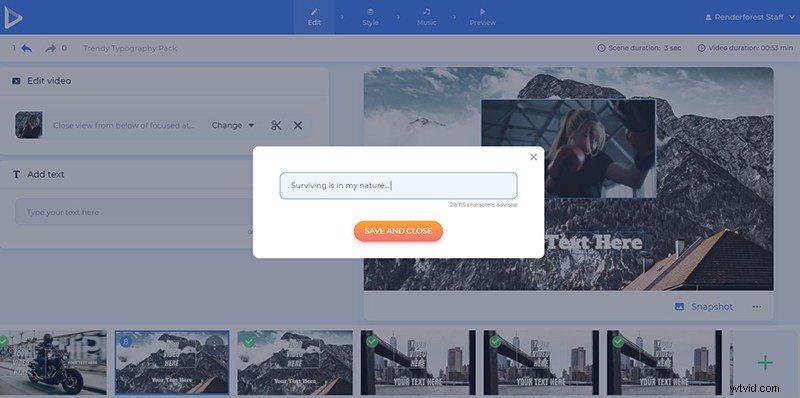
To add your inspirational quotes and motivational text, click on the default text holders, and paste or type in your text, before clicking “Save and close”.
To complement your text, add video and image files. Click on the default media fields and choose “Upload”, to add it from your device. The “Media library” option will give you a chance to pick a file from your previous uploads. If you have a video or image file you want to add from the Internet, choose “Video URL” or “Image URL” respectively, and paste the links.
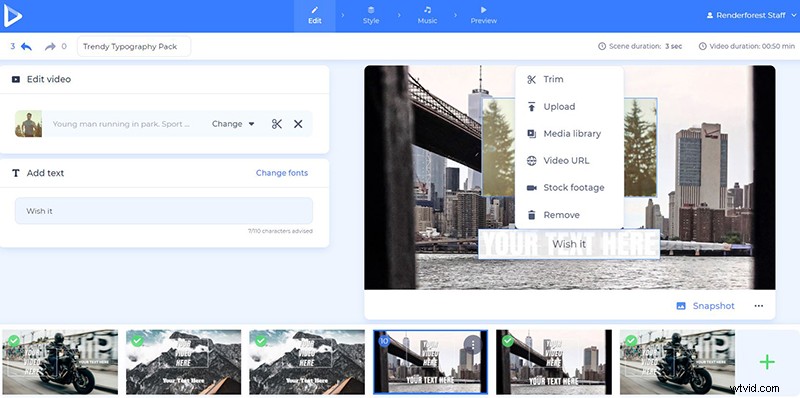
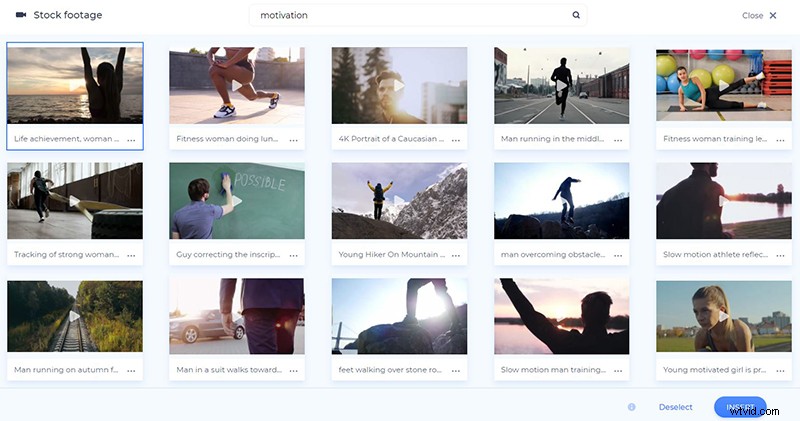
In case you don’t have a suitable image or video file for a certain scene, select the “Stock footage” option from this list, which will help you choose a media file from our collection. Select or type the topic you need, pick the media file you need, and confirm it with the “Insert” button.
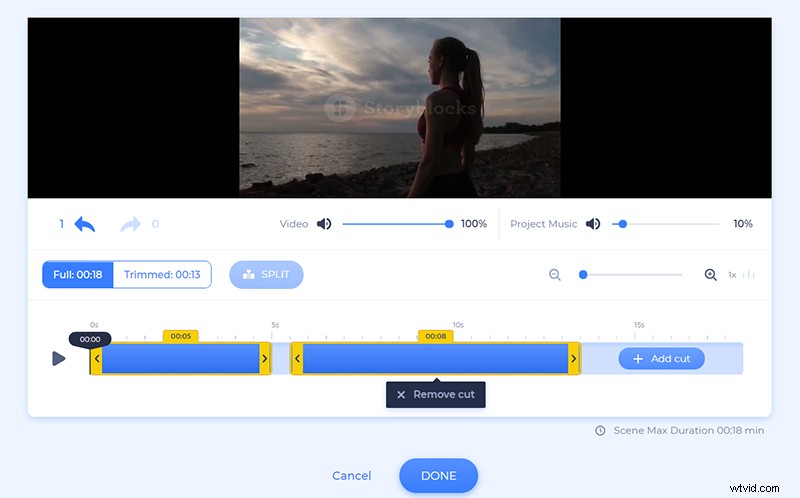
Once you add a video file to your scene, you’ll be able to trim it and choose the exact part that matches your text.
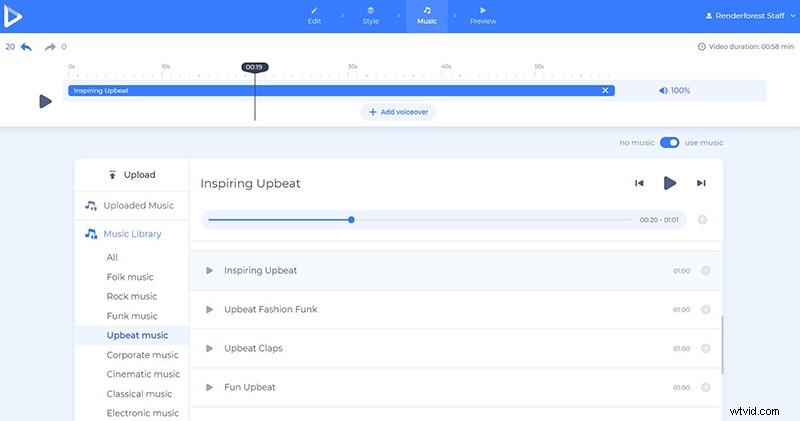
To make your typography video warmer and touching, choose a matching music track in the “Music” section. Select one from our library, upload from your device, or pick one from your previous uploads.
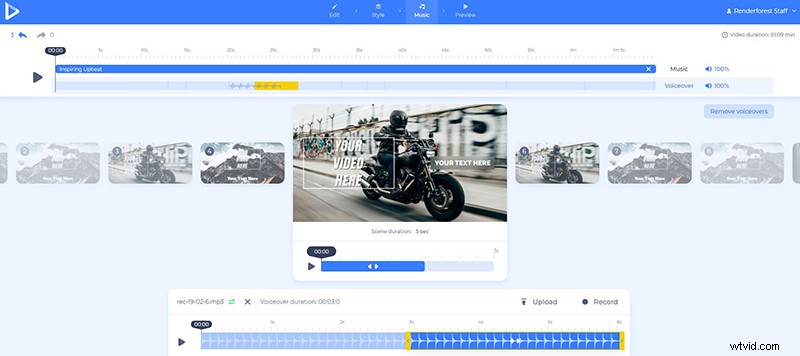
Upload or record a voiceover if needed, to compliment your video. This will make it more personal and motivating.
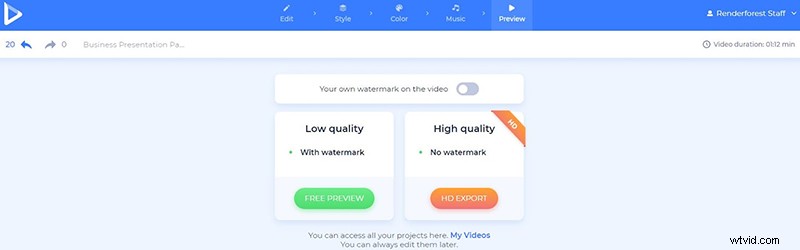
When you are sure the text is correct and the rest of the video is good to go, “Preview” the work you’ve done, before downloading it.
There are two options for you to download your video. The first one is the free option, which offers SD360 quality videos with the Renderforest watermark. You will be able to edit, download, and publish your videos whenever you want.
With the “HD export”, you can choose one of our paid subscriptions and download your video in high-quality and without a watermark. All the details about our pricing are available here.
Congratulations, your motivational video with text is ready to inspire boldness, creativity, strength, and good vibes.
Looking forward to creating more with us? Check out some of our video templates with typography.
Clean Typography Pack
Tell a story, promote your brand, or send your message out to your audience with impressive videos and text. Add music and other features to make it stand out more.
Color Craze Typography
A bright firework of colors is waiting for you to light them up in your next video. Create bright and positive promo, YouTube, social media videos, and more, using text, music tracks, and your media files.
Minimal Typography
Make minimalist videos with simple and yet powerful typography. Perfect for promo, motivational, and social media videos.
Quick Typography Pack
Back to black… and white. This typography pack offers a large variety of scenes, video and image holders, fonts, and more, to help you make minimalist videos, with strong messages.