The difference between 300 DPI and 600 DPI
Sometimes, it is used interchangeably with PPI, or pixels per inch. However these two terms are technically not the same. While they both describe the resolution of the picture and define the overall quality, it might be more accurate to use DPI in the print industry and PPI, when speaking about digital images.
You can always find the resolution information in the file properties. Usually, the higher the number of dots the better is the quality of the printed copy.
As a rule, printing services request that your picture should be no less than 300 DPI as it is considered to be an industry standard for printing brochures, leaflets, and regular photos.
Is 300 DPI better than 600 DPI or does it work the other way? It depends, in fact, on what you are printing and what material is used.
A higher resolution might be needed for glossy photos or images with lots of details that need to be crisp. Then 600 DPI could be a better option. At the same time, a lower value, for example, 100 dots per inch, should be enough for a poster. Some billboards printed on a canvas can even have 20, as they will be viewed at a distance and no fine details are actually needed in this case.
There were times when you had to use sophisticated software tools to change PPI. However, these days you can easily choose 600 DPI vs 300 DPIvs 72 DPI right in the browser with the help of our online convertor. Our service is easy to use for absolutely everyone. It has no photos-per-day limits, no watermarks are added, and, moreover, all this is totally free.
Let’s see how exactly it works when you need a high-quality photo with, say, 600 DPI.
Upload your file
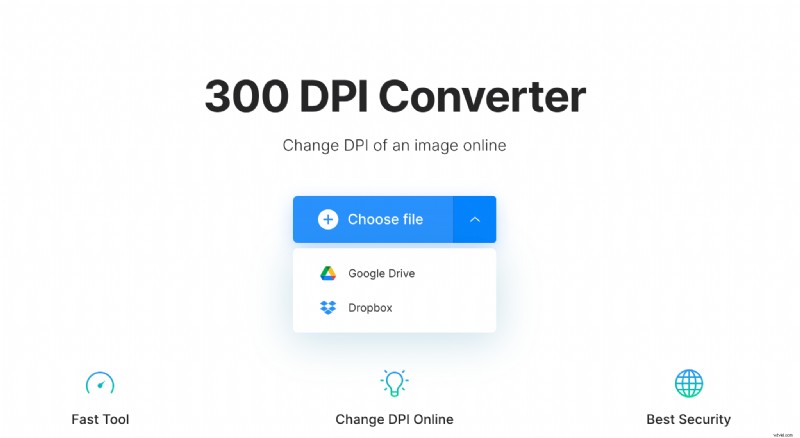
To add your photograph, open Clideo’s DPI conversion tool in any browser you like and click the “Choose file” button. You can also select from your Google Drive or Dropbox cloud platforms. Your picture can be in any popular image format, as the service works with JPG/JPEG, PNG, TIFF, GIF, JP2, DCM, and many other popular ones.
Set new DPI value
As soon as the image is processed, you can click the available preset button to convert your 300 DPI to 600 DPI. Alternatively, it is possible to click the “Custom” option and specify the exact value you need.
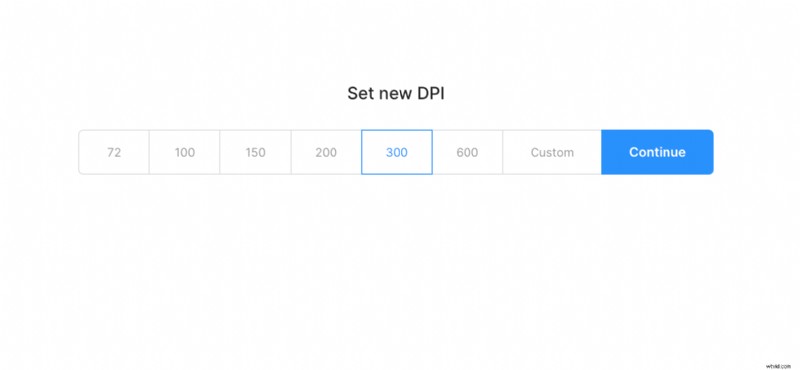
Then click “Continue”.
Save the result
In just a few moments your new file will be ready. If all looks well, hit the “Download” button to save the image to your device or online storage account.