What does 600 DPI mean
DPI stands for “Dots Per Inch”, and originally, it’s a term from the publishing industry. The meaning is simple as ABC: it’s an amount of dots of ink per one inch of an image horizontally and vertically.
PPI is almost the same, but “dots” are replaced by “pixels”, and the term refers to digital photos and gadgets’ screen resolution.
The tricky moment is the following: nowadays publishing is in decline, while the digital sphere keeps growing and developing. Quite often an old-fashioned DPI is used in a modern sense, so we can say that this abbreviation is interchangeable with PPI.
Another point is: the more is not necessarily the better. Higher resolution ensures better image quality, but the larger file size as well. So, choosing between 600 and 300 DPI, vote for the former, but as for 1200 DPI or more, it may be useless, especially, if you are not going to print this pic out.
Follow three simple steps and convert JPG or any other image to 600 DPI for free.
Upload an image
Open Clideo’s DPI Converter in a browser, as our tool works online on any device and operating system. To upload an image to process, choose one of two options:
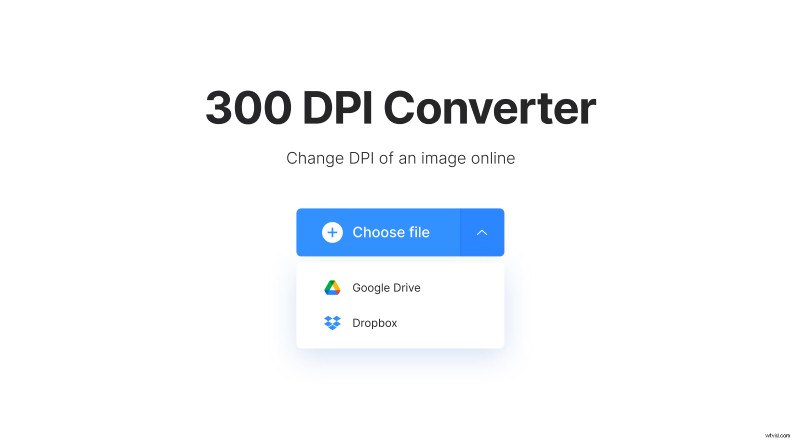
- Hit the “Choose file” button to select a pic from your personal device or just drag the needed file and drop it right to the pane.
- Alternatively call the drop-down menu on the right of it and import an image from a cloud storage account.
Convert to 600 DPI
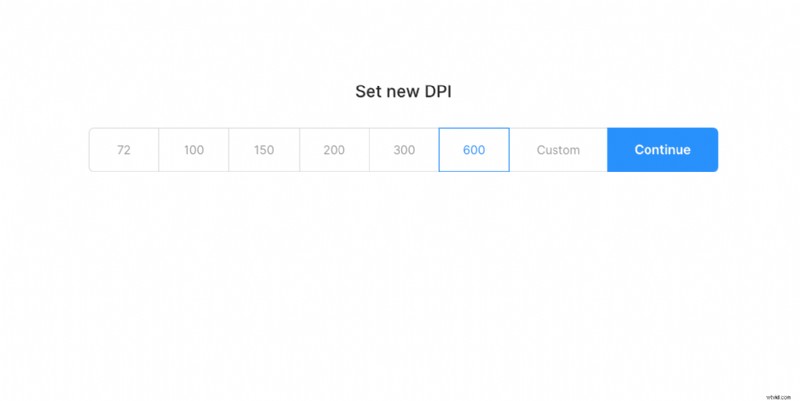
As soon as the file is uploaded, choose the DPI setting you need or set a custom one. Then just click on “Continue” and let the tool do its job.
Get the image on your device
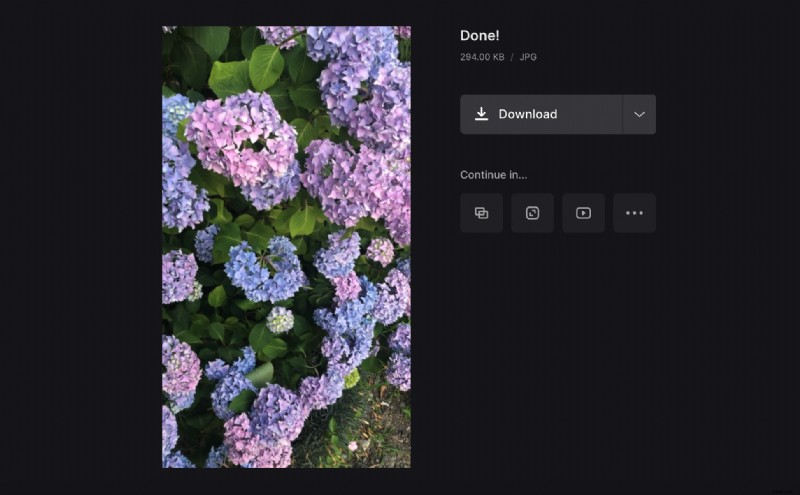
When the picture is converted, you can download it to your PC, Mac or smartphone, or upload to Google Drive or Dropbox. The ready project doesn’t bear any watermarks, and you can process as many photos per day as you need.