
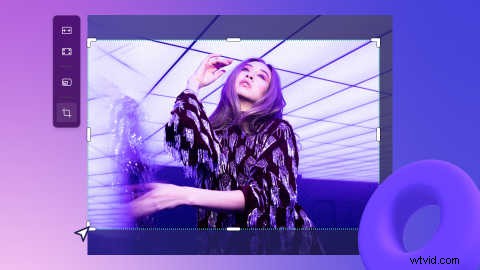
Video editing is now faster with Clipchamp’s new freehand crop tool. “Freehand” refers to when you can simply use your cursor to change the asset in the preview instead of relying on presets.
With the freehand crop tool, you can crop certain areas of videos, images, stickers, GIFs, and even change the aspect ratio of an asset by adjusting the corners inside the preview area. This new editing function helps you keep the focal points of your video in frame with ease.
Read on to learn how to crop without limitations, save time and let your creativity take over with Clipchamp’s freehand crop tool.
How to use freehand crop in Clipchamp
Step 1. Select the asset in the timeline
Click the video, image, sticker, or GIF on the timeline that you would like to freehand crop. Your chosen asset will highlight green on the timeline and video preview.
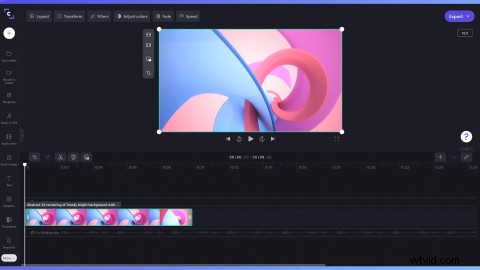
Step 2. Click on the Crop editing option
Editing options will appear next to the video preview. Click on the Crop button.
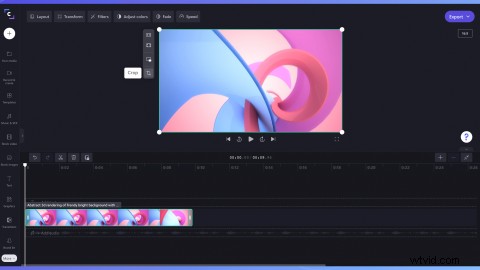
Step 3. Freehand crop your asset
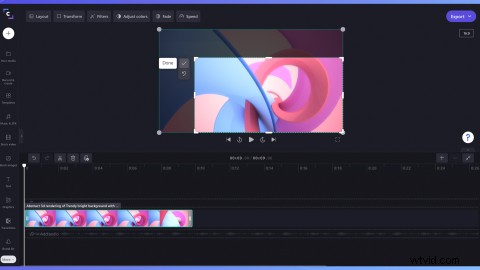
Using your cursor, drag the cropping handles in and out to freehand crop the asset.
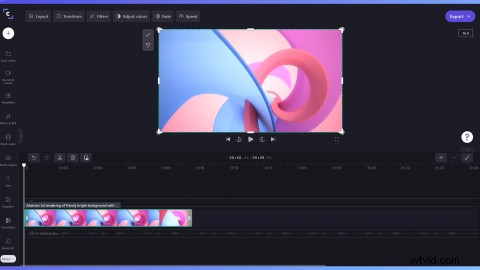
Step 4. Select Done to confirm freehand crop
Click on the Done button if you are happy with the freehand crop. The changes apply to the selected asset only and not the master media or other assets of the same item in the timeline.
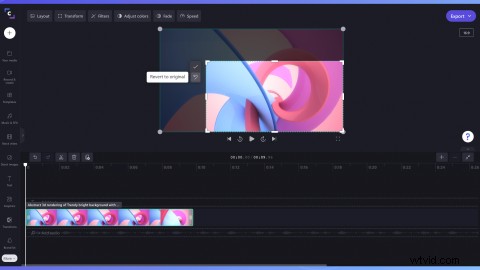
Step 5. Select Revert to original to undo freehand crop
If you’re unhappy with the freehand crop, click on the Revert to original button. This will revert your asset to its original format and undo any changes.
Over to you
Now that you know how to use the freehand crop feature, it’s time to try it yourself. Crop videos exactly how you want with Clipchamp.
Want to know what else is new inside Clipchamp? Explore features like grouping, folders and more here.