
Who doesn’t love an iconic on-screen pairing? We’re thinking Jim and Pam in The Office, Marcus and Mike in Bad Boys, or Thelma and Louise in well, Thelma and Louise. Sometimes, things work better together, and when it comes to Clipchamp we’ve got a brand new duo for you to ‘ship — screen and camera recording.
Yes, the tool you’ve been waiting for has finally arrived at Clipchamp. Now, you can simultaneously record your screen and camera to produce content — from sales pitches to react videos. Plus, thanks to our video editor, you can also edit these recordings to get them looking just right.
Why create screen & camera recordings with Clipchamp? 🤔
That’s a question we’re happy to answer, so let’s jump into it.
They’re a time-saving alternative to traditional communications
Ever been part of a meeting that could’ve been an email (or even a video)? We all get frustrated by inefficient communication, whether it’s in the workplace or with our creative collaborators. Additionally, ever since WFH became the new norm, workers have struggled with virtual meeting overload — so much so, there’s a new name for it: Zoom fatigue.
Replacing meetings and other ineffective comms (like long emails, and text-heavy documents) with video, is an effective solution. It might even improve things, considering viewers retain 95% of a video message compared to only 10% of written ones.
They create powerful, personal connections
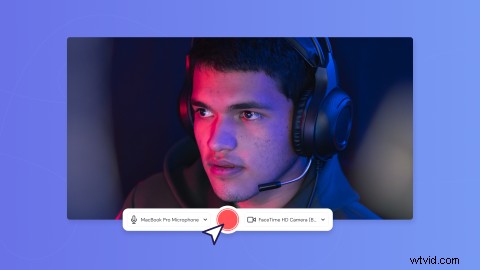
It’s always nice to put a face to a name — it’s why we’re asked to choose a profile picture on social media, and why combining a screen and camera recording can facilitate genuine connections between you and your audience. According to Entrepreneur, telling your stories through video breaks down barriers and creates strong bonds with viewers.
These connections won’t just give you the warm and fuzzies either, they lead to concrete results. One example — when camera recordings are included in sales emails, reply rates increase 26% Elsewhere, it assists teachers in the ever-growing realm of online learning, where asynchronous “talking head videos” help students connect with their eductor, and their learning.
With Clipchamp, recordings can be edited in minutes

We’ll admit it, even we stumble over scripts and mess up our screen recordings from time to time. Thankfully, with Clipchamp, there’s no pressure to get it perfect in one take. Why? Because you can simply cut out awkward silences in single recording, or combine separate recordings with a sleek video transition. Pretty cool, right?
Add to this our offering of motion titles, gifs and stickers, and audio stock. Looks like we’ve got ourselves the perfect recipe for a top-quality screen and camera recording.
Ready to record?
Whether you’re creating sales videos, facilitating online learning, or posting react videos online, we’re sure you’re going to enjoy our new camera and screen recorder. For a step-by-step walkthrough, check out our help article. Once you’re ready to record, head to our online video editor to get started.