DV(digital video) is one kind of video file captured by dv camera, mini dv, and digital 8. With its excellent image quality and great audio effect, DV has become one part of people's life and DV files are shared widely online like uploading a video to youtube/facebook/vimeo, especially it is popular among video amateurs.
However, it is not likely that all dv files are taken perfectly before sharing. In most cases, we got a lot of headaches such as the dv files are recorded in the wrong direction or poor light environment and unwanted scenes recorded. So is there an easy way to enhance/edit dv files like rotate the video,adjust the hue of video and trim the unwanted scenes out without any professional video editing knowledge and what is most important is that it won’t cost you an arm and a leg?
The answer is a big yes. There are many video editing software on the market can help varying from free windows movie maker to pro video editing tools like Adobe Premiere to edit dv files. Among all the video editors like adobe Adobe premiere, Sony Vegas Pro, Wondershare Filmora, Cyberlink power director, windows movie maker (free), I will recommend the software Wondershare Filmora(originally Wondershare Video Editor) which is best for editing dv files for video amateurs and dv Enthusiasts based on the following reasons.
- Tons of free text/music/overlay/filter resources you can use for free which are impossible to get from free software.
- Easy and user friendly interface which will save you a lot of time to edit dv files.
- Abundant editing features make it can do almost all the editing you can think of.
- Last but not the least, it is at a reasonable price for a lifetime license and you can download the trial version to have a try for free for 30 days.
Part 1Prepare DV files
After shooting videos on DV camera/min dv/digital 8, you can connect your dv device to your computer and then you can open your dv device and copy the dv files from dv camera/mindv/digital 8 to your computer.
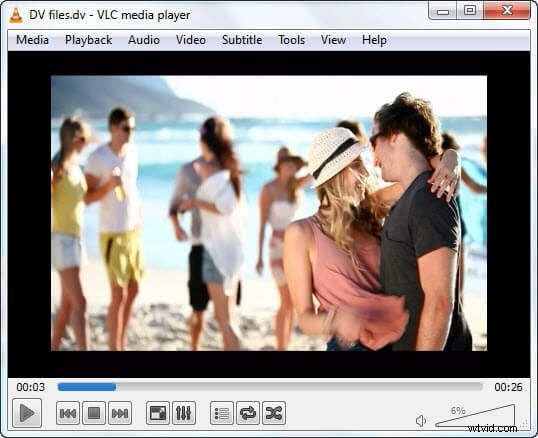
Note: Some dv devices may save the videos in a cassette, perhaps you need the proper capture card which comes with your dv to help you transfer to the computer.
Part 2Edit and decorate DV files.
To start to edit dv files, you can click the 'import' menu to import dv videos to the media library and simply drag and drop to add it to the timeline.
For the videos recorded in a wrong direction, you can double click the video from the timeline to rotate it first. If your videos are recorded in a poor light environment, then you can double click the video from the timeline to edit the hue/contrast/. Also, you can crop/trim the unwanted part of video out.
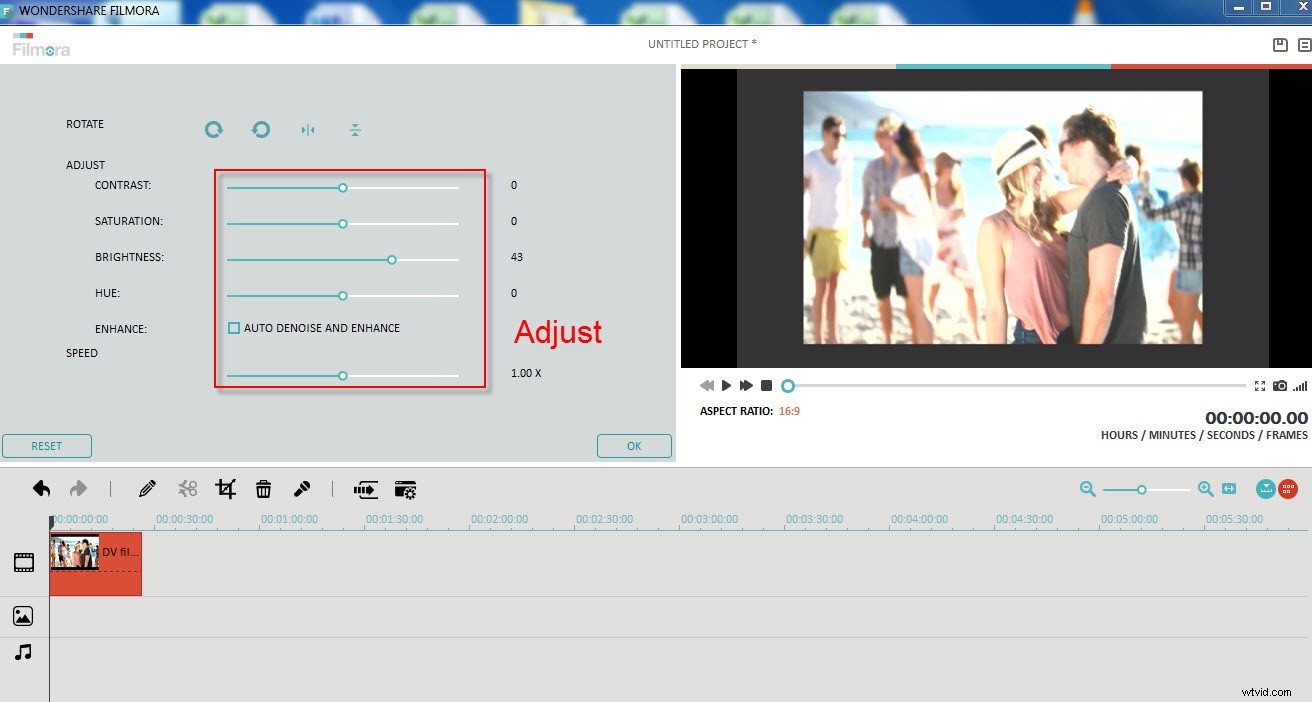
Then after editing your dv files, your videos should be much better and you can preview it. Think that is still not good enough? Don’t worry, Wondershare Filmora(originally Wondershare Video Editor) can do far more than that. You can use Wondershare Filmora to decorate your dv files to make them into really beautiful movies with Hollywood effects. Choose the filters and overlays you want and then right-click and choose apply to use the filters/overlays.
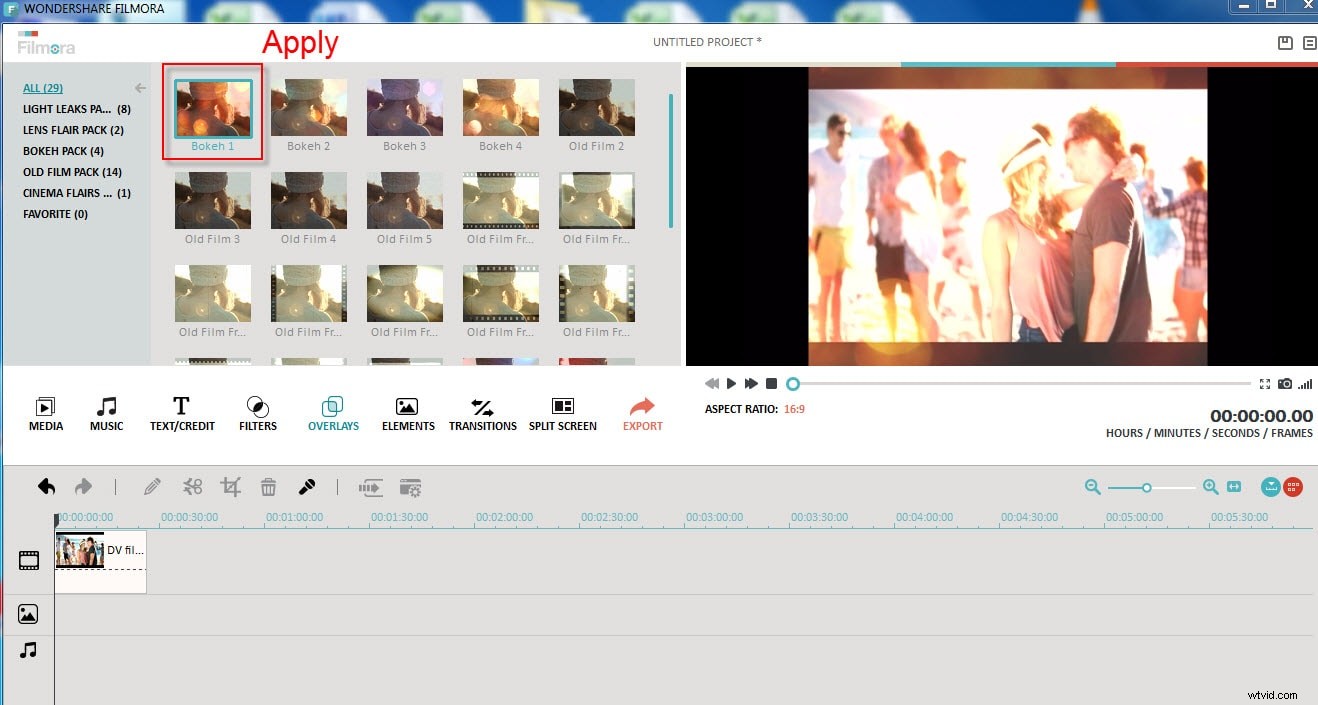
Part 3Upload video to youtube/Facebook/Vimeo
Finally, you can click the 'preview' button to check if you are satisfied with the edited video and you can repeat part 2 until you are completely satisfied.
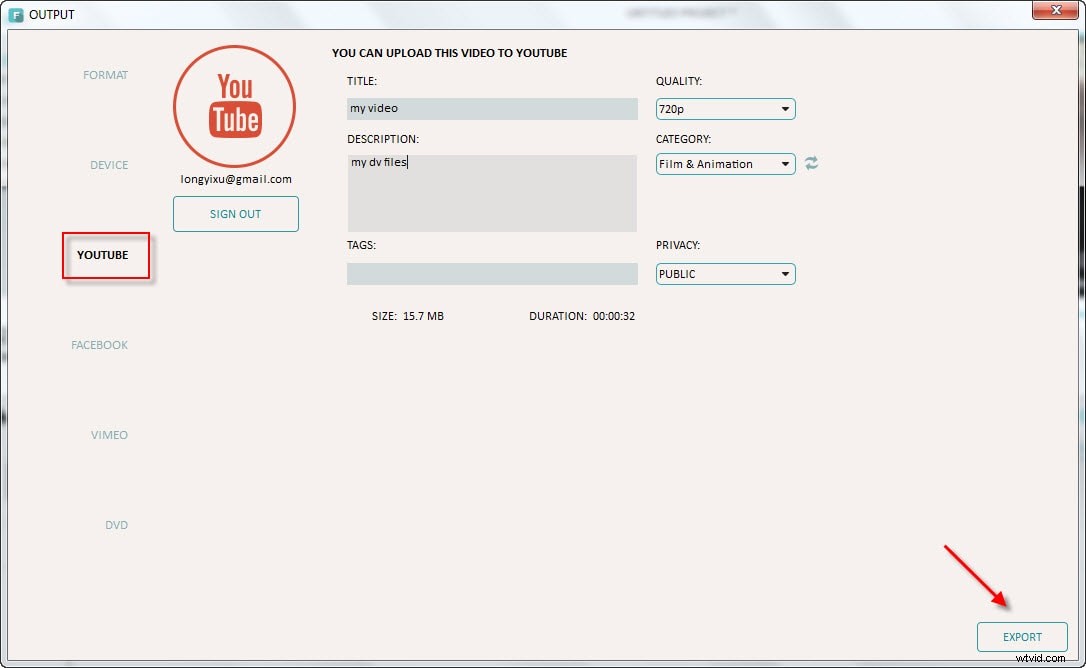
Until everything is awesome, you can click 'export' and then choose online websites Youtube/Facebook/Vimeo to share it. Upload video to Youtube is recommended as it is one of the biggest video-sharing websites.
If you want to upload a video to youtube later, you can choose to save a project or you can export to a standard video such as mp4, mov, wmv, avi to your computer and you can burn DVDs too if you want to play it on DVD players.