
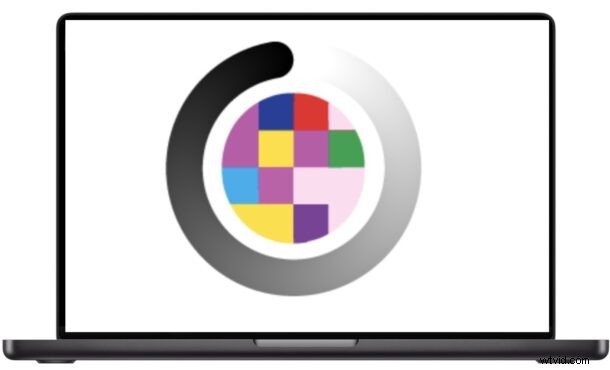
What Is Temporal Dithering?
Mac OS uses a subtle technique called temporal dithering at the GPU and display level. By rapidly alternating pixel colors at the screen’s refresh rate, the system tricks the eye into perceiving a wider range of colors than the hardware can display directly. The effect is usually imperceptible to most users, but for a subset of people it can trigger discomfort.
Why It Can Be Problematic
Users who are sensitive to flicker—often due to Pulse Width Modulation (PWM) or the underlying hardware—may experience eye strain, headaches, nausea, or difficulty focusing when temporal dithering is active. These symptoms are documented in user reports and forums dedicated to display ergonomics.
StillColor: A Simple Solution
The free utility StillColor allows you to turn off this dithering effect on any Mac. By disabling the feature, many users report a noticeable reduction in fatigue and visual discomfort.
- Download StillColor from GitHub
How to Use StillColor
1. Download the app and drop it into your /Applications folder.
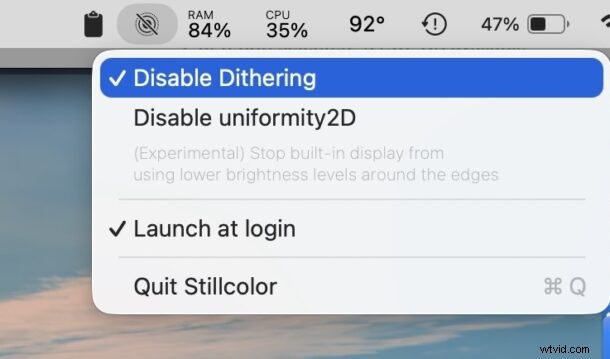
2. Launch the app. In the menu bar, click Disable Dithering.
3. Optionally enable Launch at Login to keep the setting active after each restart.
Who Might Benefit?
People using LED‑backlit MacBook Pro models, or any Mac with an OLED or high‑PWM display, often notice the most improvement. While LCD models such as the MacBook Air also support dithering, users with visual sensitivity can experience relief on any screen.
Potential Trade‑Offs
Disabling dithering may reduce color depth and introduce banding or less smooth gradients, which can be a drawback for graphic designers, photo editors, or video professionals. However, for everyday users the comfort gain usually outweighs these minor visual changes.
Is This Tool Right for You?
If you’ve recently begun experiencing unexplained eye fatigue, headaches, or nausea while working on a Mac, try StillColor. It’s a risk‑free, free download that may provide immediate relief. For professionals who require maximum color fidelity, consider whether the trade‑off is acceptable.
Many users view this as an accessibility concern. Apple has yet to provide a native setting to disable dithering or PWM, so community solutions like StillColor fill an important gap.
Read more about StillColor on its GitHub page or the developer’s post on the LEDStrain forum.
Have you tried StillColor? Share your experience in the comments below—whether you felt relief from eye strain or noticed any visual changes.