
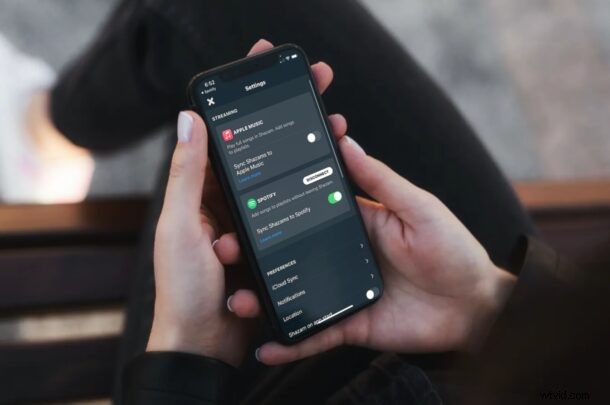
If you’re an iPhone user who uses the Shazam app to quickly identify songs that are being played in the background, and you’re also a Spotify user, you’ll be pleased to know that you can link your Spotify account within the app. Doing this can greatly improve your experience with Shazam in a couple of different ways.
Shazam is a service that’s owned by Apple and hence, Apple Music is primarily recommended by the app over the competition. However, the app that’s used by millions of users to identify a song in the background simply cannot overlook the most popular music streaming platform which is Spotify. Once a song is identified by Shazam, you typically get the Apple Music link to stream it immediately, but this feature is of no use if you’re subscribed to Spotify, right? This is exactly where Spotify account link can make a difference.
To make Shazam show you the Spotify link of the identified song instead of Apple Music, your Spotify account needs to be connected. We’ll show you how you can link Shazam to Spotify on your iPhone.
How to Link Shazam to Spotify Instead of Apple Music
To link your accounts, make sure you have both the Shazam app and Spotify app installed on your iPhone. Now, let’s take a look at what you need to do.
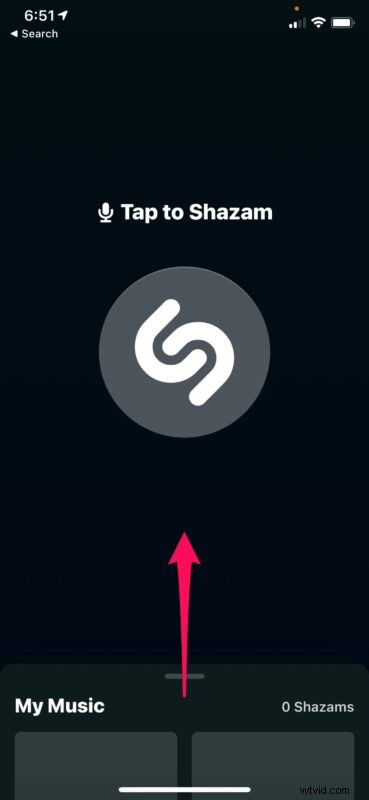
- First, launch the Shazam app on your iPhone. This will take you to the usual Tap to Shazam screen. Here, swipe up the card that shows up partially at the bottom.
- Now, you’ll have access to the other features of the app. Tap on the gear icon at the top-left corner of your screen to head to the app’s settings.
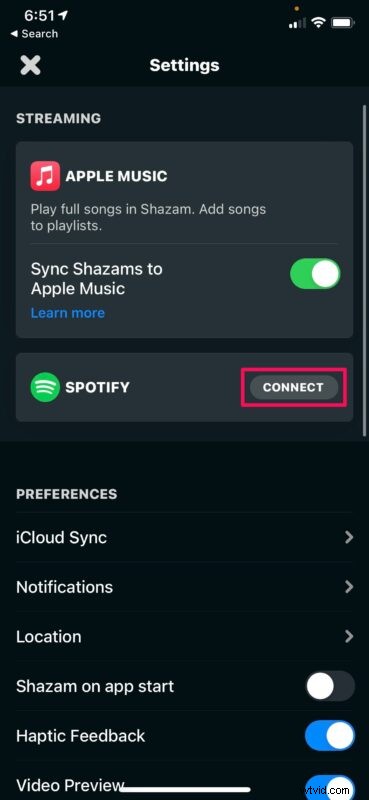
- Here, you’ll find the Spotify account link option under Streaming. Tap on “Connect” next to Spotify to begin the account linking process.
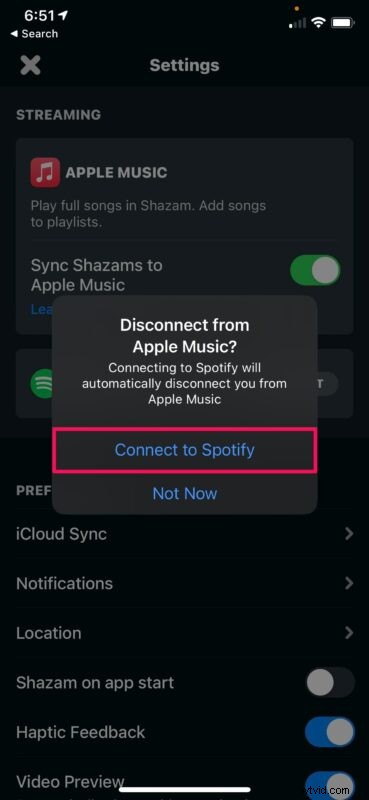
- You’ll be prompted to confirm disconnecting from Apple Music. Tap on “Connect to Spotify” to proceed.
- Shazam will now try to launch the Spotify app installed on your iPhone. Tap on “Open”.
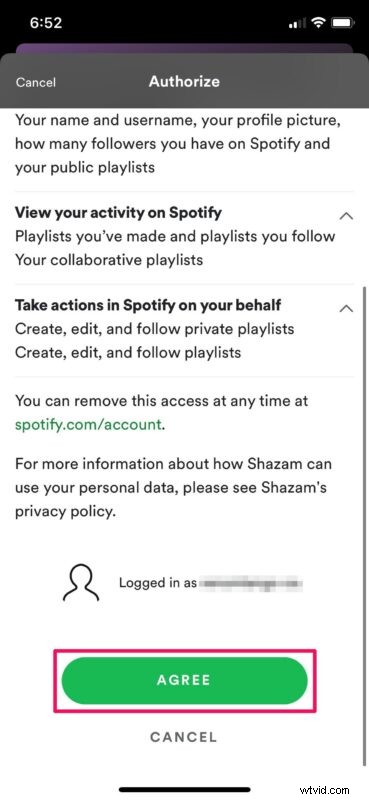
- Spotify app will now be launched and you’ll automatically be redirected to the authorization page. Scroll down to the bottom of the page and hit “Agree”.
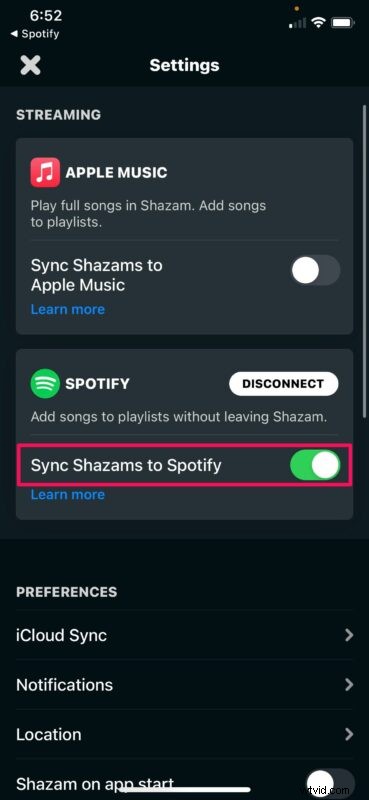
- Doing this will redirect you back to the Shazam app and you’ll see that your Spotify account has been successfully connected. Here, you’ll find an optional feature that lets you sync your Shazams to Spotify under a new playlist called “My Shazam Tracks”. It’s disabled by default, but you can use the toggle to enable it.
That’s it. You’re all set to use Shazam in tandem with Spotify.
From now on, whenever you identify a song will Shazam, you’ll get the Spotify link for instant listening rather than Apple Music. Plus, if you’ve enabled the “Sync Shazams to Spotify”, you no longer have to manually open the Spotify app and add the song to a playlist either. Everything will just work seamlessly, right within the app.
If you ever switch your streaming platform and decide to hop on the Apple Music bandwagon, you can head back to the same menu and disconnect Spotify, which will automatically connect Shazam back to Apple Music. The optional playlist sync feature is available for Apple Music as well.
In modern iOS and iPadOS versions, Apple includes a Shazam music recognition feature that can be added to the iOS or ipadOS Control Center. Instead of unlocking your iPhone and launching the Shazam app, you can just tap on the toggle from the Control Center and try to find the song more quickly.
Hopefully, you were able to set up your Shazam with your Spotify account and enhance your music recognition experience. Is this a feature that you’ve overlooked so far while using the app? Do you hope Apple adds integration for other popular streaming platforms as well? Feel free to share your valuable thoughts and opinions in the comments section down below.