
You can quickly draw, sketch, scribble, and write by hand in an email using iPhone, iPad, or an iPad Pro with Apple Pencil.
This capability is thanks to the handy Markup tools that exist in the Mail app for iOS and iPadOS, and you can use them to insert any drawing or sketch directly into an email. This works the same with any new email, an email reply, or an email forward, too.
How to Draw in Emails on iPhone & iPad with Markup
Here’s how to quickly draw in an email on iPhone, iPad, or iPod touch with iOS and iPadOS:
- Open the Mail app if you haven’t done so already
- Create a new email message, or reply to an existing email, or forward an existing email
- Tap into the body of the email to bring up the keyboard and options menu
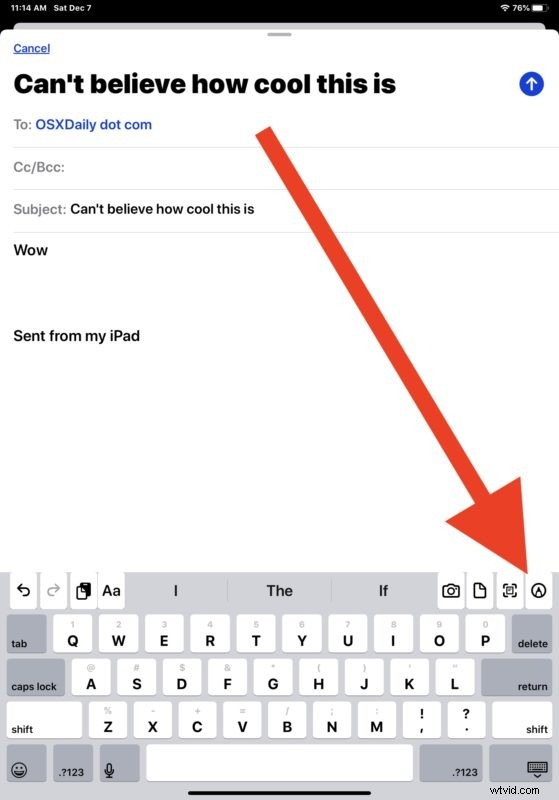
- For iPhone, tap the “<" arrow button to reveal the options, then tap the Markup icon (it looks like a pen tip)
- For iPad, tap directly on the Markup icon that looks like a pen tip
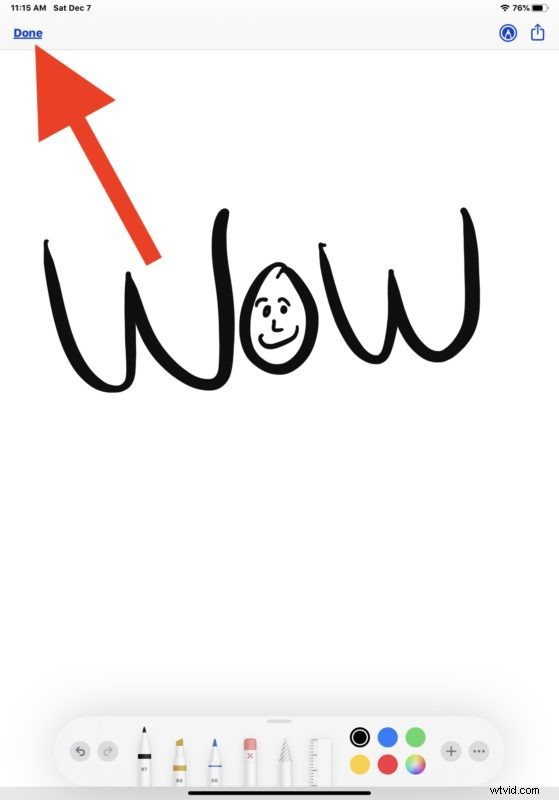
- Sketch out your drawing on the iPhone or iPad screen, then tap on “Done”
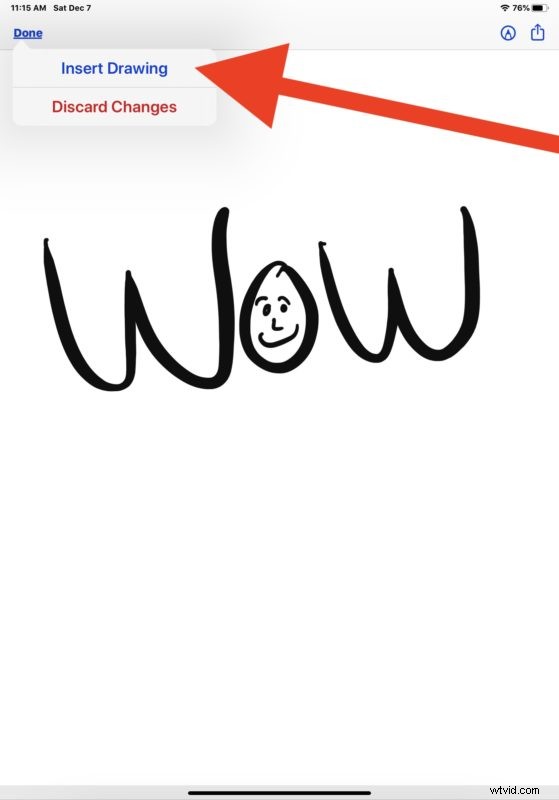
- Choose to “Insert Drawing” to insert the drawing, sketch, or writing into the email
- Send the email with your drawing along as usual
It’s that simple! You can use this to add a little personal touch to emails, or to scribble and draw notes, or whatever other purpose you may find.
You can also use a variation of this trick to sign documents from Mail on iPhone and iPad or to write or sketch on those attachments as well (and you can also annotate emails with Markup on Mail for Mac too), and you can use markup to fill out PDF files on iOS and iPadOS, it’s a great feature that’s widely available throughout apps on iPhone and iPad.
Obviously if you’re aiming to draw with Apple Pencil then you’ll need an Apple Pencil with iPad Pro or iPad to be able to use that particular capability, but the Markup tools are available in the Mail app on iPhone, iPad, and iPod touch regardless, and you can still use any other stylus, finger, capacitive object, or appendage to scribble and draw.
Doodling in emails has practical purposes but it’s also just fun, so give it a try and include a scribble and draw on your next email!