

If you’re an avid Facebook Messenger user who sends a lot of pictures back and forth, you may appreciate having the app automatically save those photos and images directly to your iPhone, without having to manually do so yourself. With the help of a simple settings switch, you could do exactly that.
For this trick to work, the Facebook Messenger app needs access to the camera roll and iPhone Photos app, otherwise the feature can’t be enabled since it won’t have access to save pictures to the Photos app.
How to Automatically Save Photos from Facebook Messenger to iPhone
This will keep a copy of all Facebook Messenger pictures locally on the iPhone. The feature works the same on Android as well, but we’re obviously focusing on iOS here.
- Open Facebook Messenger, then click on the Settings gear icon
- Scroll down in Settings to find “Save Photos to Camera Roll” and flip the switch to the ON position
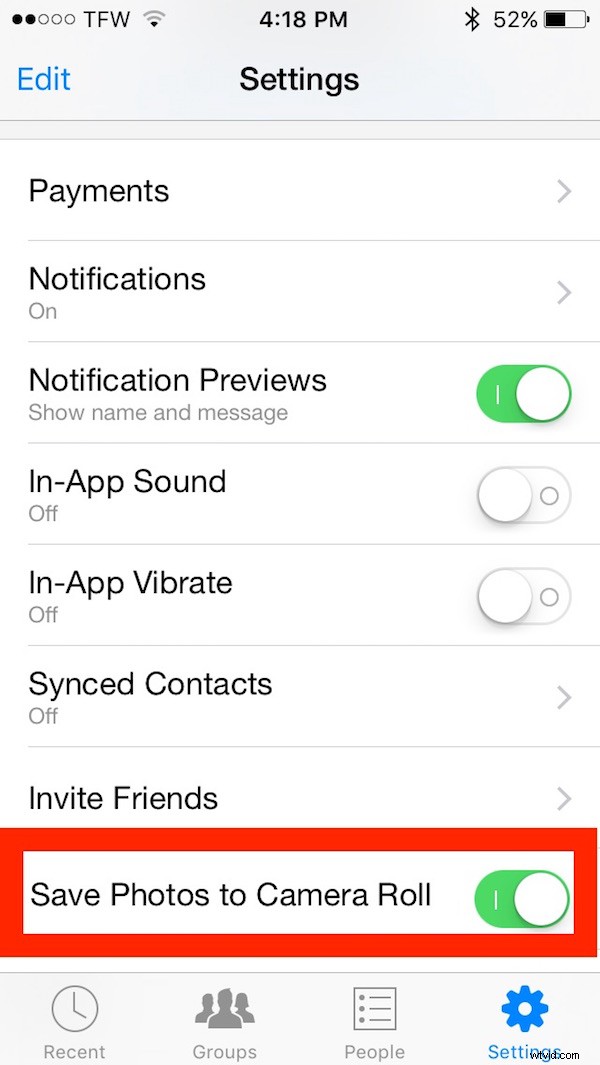
Toggling this setting will save all photos from all conversations in Facebook Messenger automatically. You can confirm it’s working by returning to the Facebook Messenger app and having someone send you a picture, it will then appear in your Photos app Camera Roll automatically.
This prevents you from having to save pictures from Facebook manually using the tap-and-hold trick, which works the same in Facebook app as Facebook Messenger.
If you want to stop this behavior, simply return to the Facebook Messenger settings and switch “Save Photos to Camera Roll” to the OFF position.