
Facebook allows you to share GIFs with your friends. But how to download GIFs from Facebook? This post covers how to save a GIF from Facebook on desktop and mobile. (To convert video to GIF, try MiniTool MovieMaker.)
You can share a GIF in your Facebook Feed, Messages, and post a GIF on Facebook as a comment. Sometimes, you may want to save GIFs from Facebook posts or comments. Read this post to learn how to save a GIF from Facebook.
How to Save a GIF from Facebook on Mobile
It’s very easy to save a GIF from Facebook on your phone.
Save GIFs from Facebook on Android
Step 1. Open the Facebook app.
Step 2. Find the GIF you want to download and click it. From the pop-up menu, choose Open in browser to open the GIF in your Chrome browser.
Step 3. Then long press the GIF and select the Download image option.
Step 4. When the downloading process has finished, go to File Manager and check the GIF file.
Save GIFs from Facebook on iOS
Step 1. Launch the Facebook app on your iPhone.
Step 2. Open the Facebook post that contains the GIF you want to save.
Step 3. Long press the GIF and it will display three options below: Copy, Look Up and Share. Choose the Share option.
Step 4. Select the Save to Files option from the pop-up menu and save the Facebook GIF on your iPhone.
How to Save a GIF from Facebook on Desktop
You may find it hard to download GIF from Facebook on your PC. To solve this, you can use a Facebook video downloader and convert the downloaded Facebook video to GIF.
Download Facebook GIF to Video
Loader.to is a free online video downloader that supports downloading videos from Facebook, YouTube, Vimeo, Twitter, TikTok, etc.
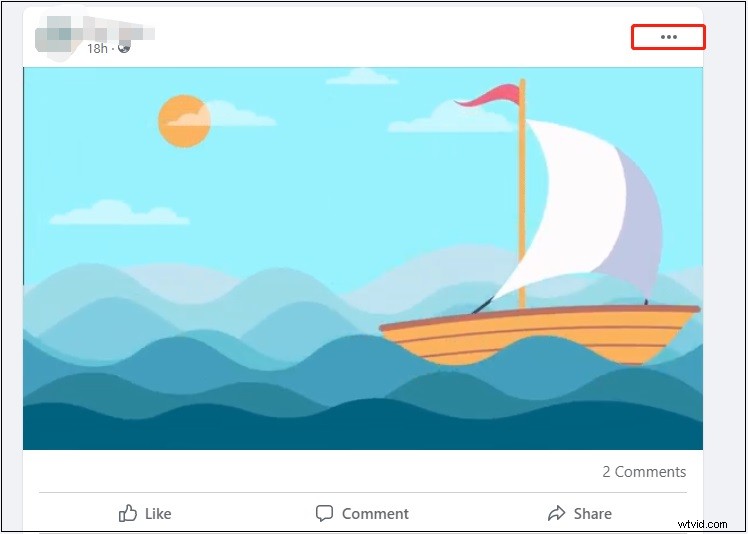
Step 1. Find the target Facebook post and click the three dots and choose Copy link. If you want to save the GIF from a Facebook comment, click the icon located in the bottom right corner of the GIF and then copy the link in the address bar.
Step 2. Next, go to the Loader.to website.
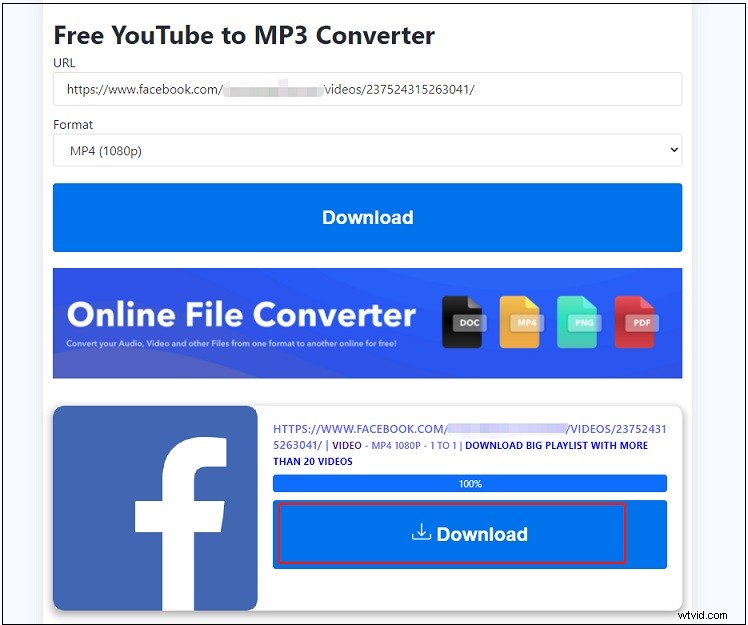
Step 3. Paste the Facebook GIF link in the box and select the output format and the desired video quality.
Step 4. Click the Download button to convert the URL to video.
Step 5. When the process is over, press the Download button to save the Facebook video.
Convert Facebook Video to GIF
After downloading the GIF from Facebook in MP4 format, you can use MiniTool MovieMaker to convert Facebook GIF to video.
Here’s how to convert the downloaded Facebook video to GIF.
Step 1. Download and install MiniTool MovieMaker.
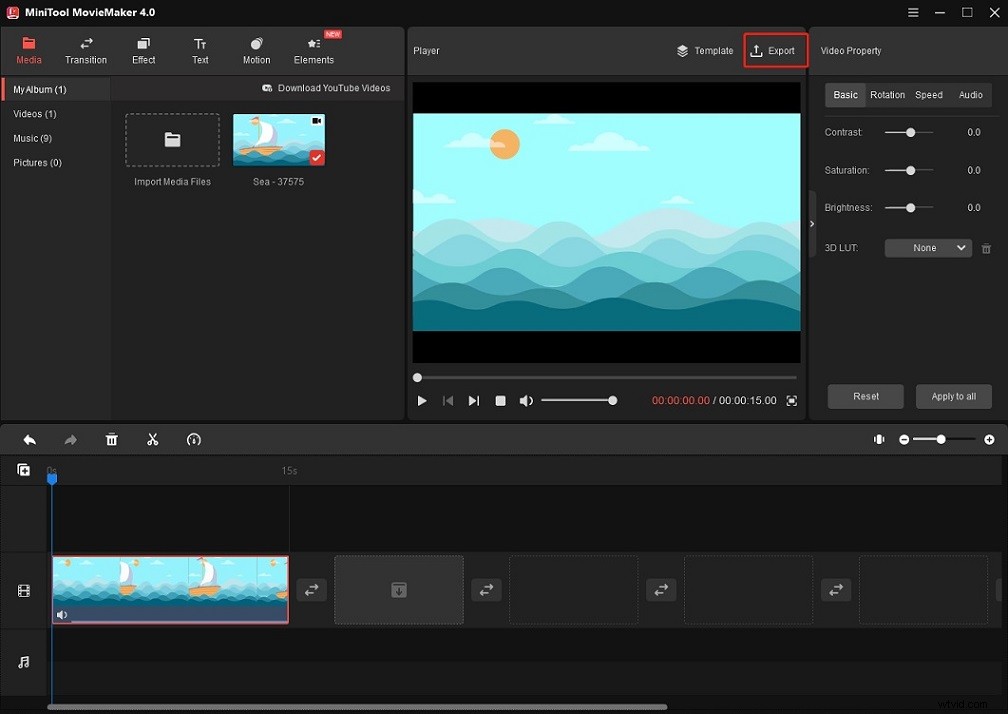
Step 2. Click Import Media Files to import the downloaded video and drag and drop it to the timeline.
Step 3. If you don’t want to edit the video, just click the Export button above the Player window.
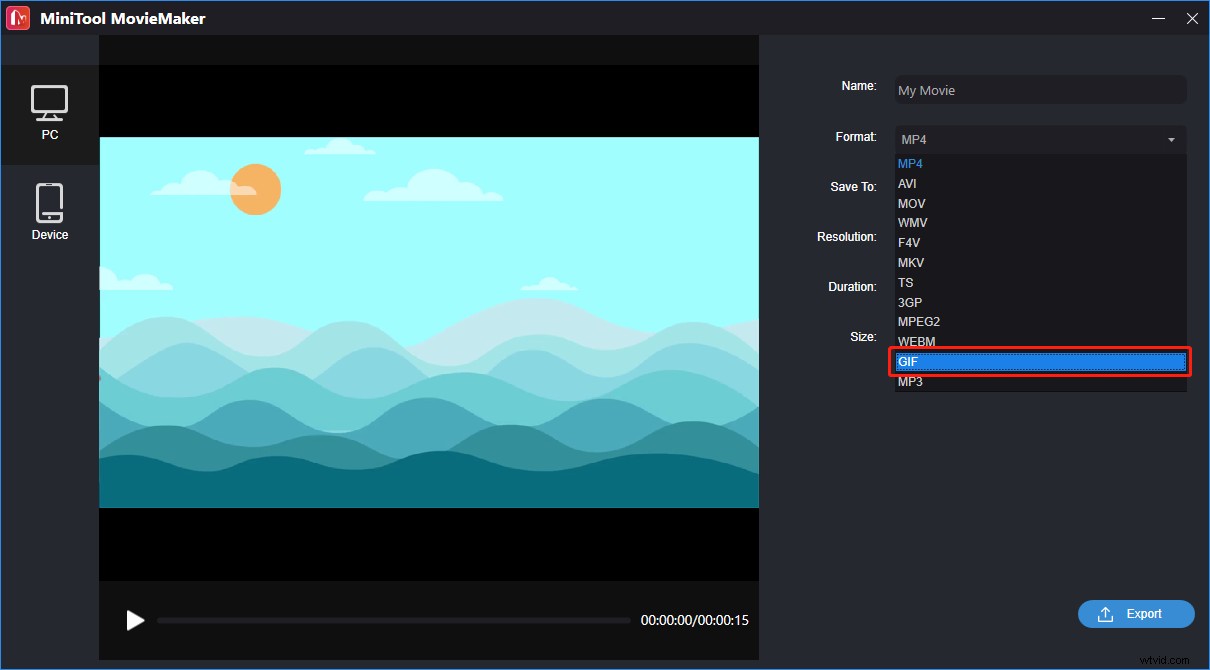
Step 4. In the Export window, choose GIF as the output format and click on Export to convert the video to GIF.
Conclusion
Now, you know how to save a GIF from Facebook on mobile and desktop. Follow this guide and have a try!