
In this post, I will give you an introduction on what GIFV is and what the difference between GIFV and GIF is, and then provide serval GIF converters (including MiniTool MovieMaker) to convert GIFV to GIF quickly and easily.
What Is GIFV?
Before converting GIFV to GIF, let’s learn about what GIFV is. GIFV is an alternative to GIF format for displaying animated pictures on web pages. Developed by Imgur, it’s designed to compress uploaded GIFs and convert them to WebM or MP4 video format.
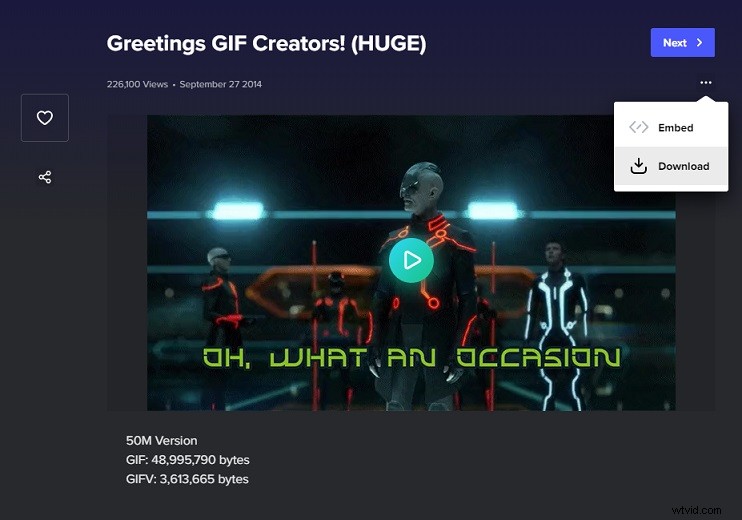
Imgur claimed that an 50MB GIF file can be converted into a 3.4MB GIFV file after uploading the GIF to Imgur. Thus, Imgur increased its GIF upload limit from 5MB to 50MB.
GIFV VS GIF: What’s the difference
GIFV VS GIF, which is better? GIFV delivers better quality and faster loading speed than GIF, while GIF is more flexible than GIFV.
How to Convert GIFV to GIF
GIFVs are GIF videos, which are stored in MP4 or WebM format. You can directly convert GIFV to GIF, you need to download GIFV files from Imgur and use GIF converters to convert them to GIF format.
Download GIFV from Imgur
Step 1. Go to the Imgur website.
Step 2. Find the GIFV video that you want to download.
Step 3. Click the three dots and choose Download to download the GIFV video. Or right-click on this video and choose Save video as… to save it.
Related article: How to Save a GIF from GIPHY/Twitter/Pixiv/Google
Convert the Download GIFV Video to a GIF
Here offers you two GIF converters that support video to GIF conversion: MiniTool MovieMaker and EZGIF.
MiniTool MovieMaker
MiniTool MovieMaker is an amazing GIF converter. You can use it to convert any popular video format to GIF or convert GIF to any popular video format. Aside from that, you are able to make a GIF from a video and edit GIFs by splitting, trimming, adding text, reversing, and so on.
Now, I will walk you through the steps of how to convert GIFV video to GIF with MiniTool MovieMaker.
Step 1. Download and install MiniTool MovieMaker.
Step 2. Launch MiniTool MovieMaker and close the popup window.
Step 3. Import the downloaded GIFV video by clicking Import Media Files. Then add it to the timeline.
Step 4. Edit the GIFV video as required. After that, click Export to get the Export window.
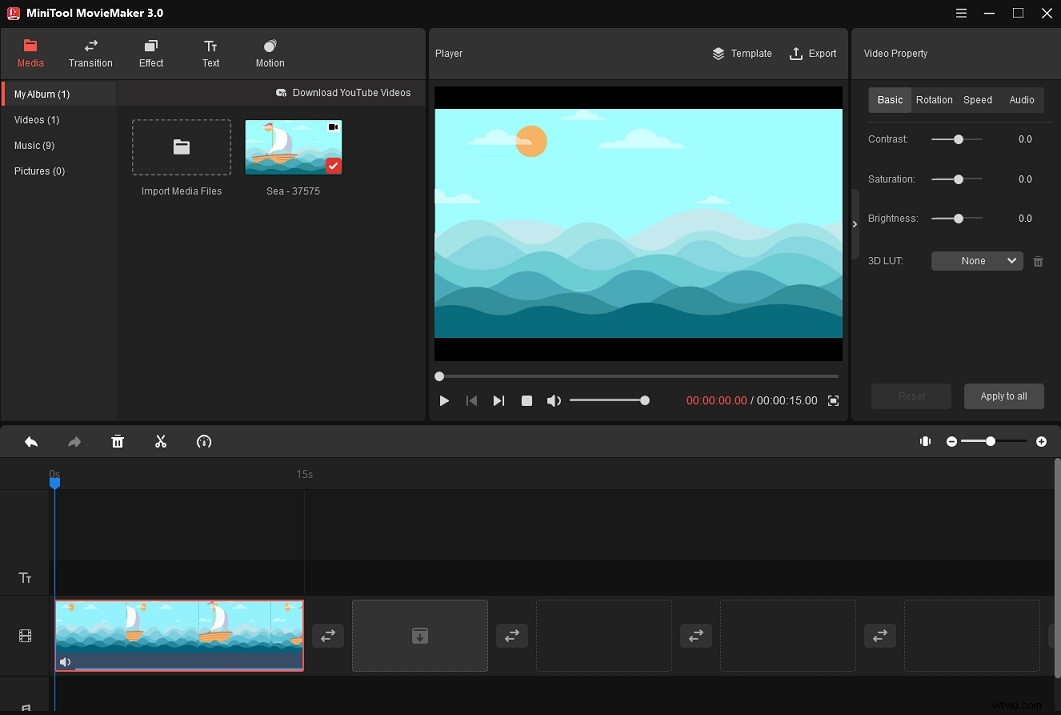
Step 5. In the Export window, select GIF from the output format list and adjust other output settings.
Step 6. Once done, hit the Export button to export the GIF.
EZGIF
EZGIF is a popular GIF maker, GIF converter, and GIF editor. It lets you convert video to GIF, GIF to MP4, and image to GIF. There is a set of GIF editing tools for you to crop, cut, split, reverse, rotate, resize GIFs.
Here’s how to turn the downloaded GIFV video into a GIF.
Step 1. Visit the EZGIF website.
Step 2. Click Video to GIF and upload the downloaded video from your device. Click Upload video!
Step 3. Here you can adjust the length of the GIF, change its size and frame rate, and so on. Once done, tap on Convert to GIF! to convert the GIFV video to GIF.
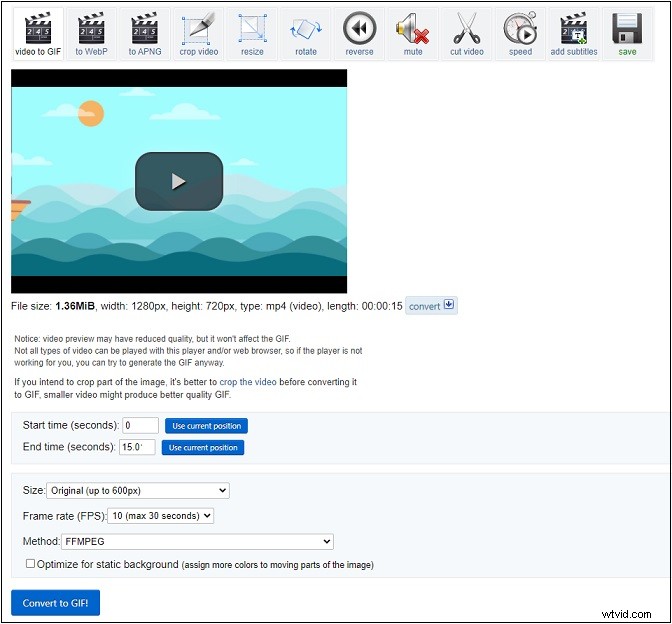
Step 4. Once the conversion is done, click Save to download this GIF.
Conclusion
GIFV is not a real animated image format. You can save a GIFV video as GIF with any video to GIF converter, but a GIF cannot be converted into GIFV without Imgur.
Choose a GIF converter and try to convert GIFV to GIF!