
You can now restart iPhone with the help of Siri, offering a completely hands free experience for rebooting the device that does not require any of the usual methods of button presses on the device.
This is a great feature for convenience, since it’s all voice commands, but also for users who need to restart their iPhone without having to press buttons or use hardware buttons on the device, whether because they are unable to, or because the buttons are malfunctioning.
There’s no secret to restarting iPhone with Siri, it’s just a matter of using the proper commands, which you could probably guess what they are. Try this yourself with:
- Summon Siri and say “restart iPhone”
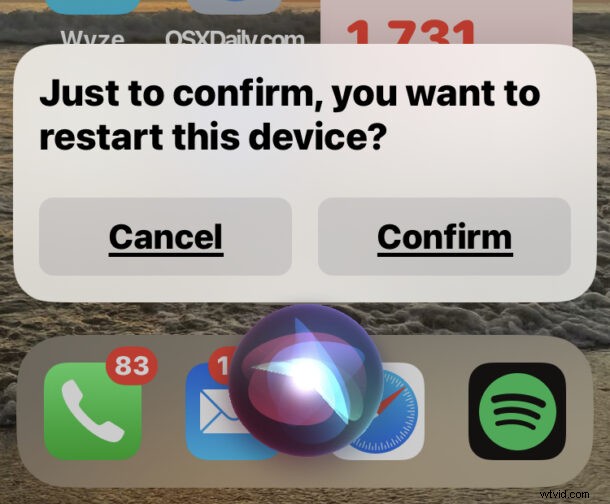
Siri will ask to confirm that you want to restart the device, and once confirmed your iPhone will restart itself entirely through software means.
You can also use Hey Siri, for example with “Hey Siri, restart iPhone”
You will need to have iOS 16 or later for this feature to be available to Siri, as earlier versions do not support the restart voice commands.
Of course there are various other ways to restart your iPhone as well, from forced restarting by pressing the Volume Up Down Hold Power sequence, to shutting down the iPhone through Settings, to restarting with the power buttons which involves simply shutting off the device and then turning it back on again.
For what it’s worth, you can also restart an iPad with Siri, as long as the iPad is running iPadOS 16.1 or newer too, since earlier versions of system software and Siri do not support this feature.
Using Siri to restart an iPhone works pretty well and is very fast, do you think you’ll use this, or will you continue to use other methods to restart your iPhone when you need to?