Audacity is a free audio editing software that supports many different plug-ins and allows you to set it up the way you like.
In this article, I will show you how you can download and install different types of plug-ins in Audacity.
These are the plugins that Audacity supports:
- Nyquist Plug-ins
- Module Plug-ins
- VST Plug-ins
- LADSPA Plug-ins
- LV2 Plug-ins
LV2 Plug-ins require compiling the source code to install them into Audacity.
How to install Nyquist plug-ins in Audacity?
- Download Nyquist plug-in from here
- Copy-paste plug-in to Audacity\Plug-Ins folder
- In Audacity go to Tools->Add/Remove Plug-ins
- Find the plug-in you downloaded and click enable
How to install VST plug-ins in Audacity?
- Download VST plug-ins from here
- Copy-paste plug-in to Audacity\Plug-Ins folder
- In Audacity go to Tools->Add/Remove Plug-ins
- Find the plug-in you downloaded and click enable
How to install Nyquist, VST plug-ins in Audacity? (with images)
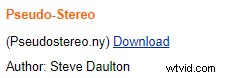
Find the plug-in you like and download it to the “C:\Program Files (x86)\Audacity\Plug-Ins” folder. Some plug-ins might be no longer available and download links may not work and some links will take you to other websites from which you can download the plug-in.
If you aren’t allowed to download to the Audacity folder due to an administrative issue, then download it anywhere onto your computer and copy-paste the plug-in file into the “C:\Program Files (x86)\Audacity\Plug-Ins” folder or a respective folder in your computer.
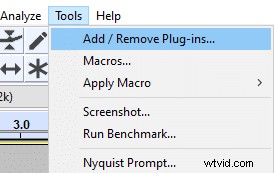
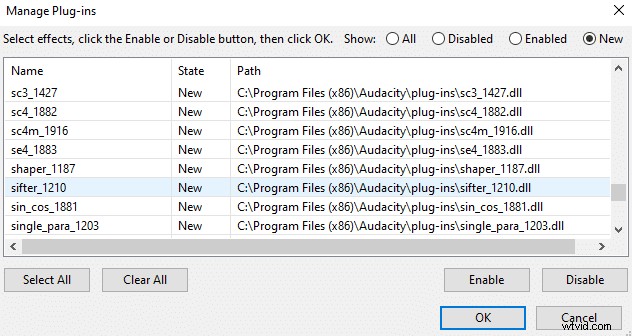
Once you have it in the correct folder, open Audacity and go to Tools menu. Press “Add/ Remove Plug-ins“. Find the plug-in you downloaded and click enable.
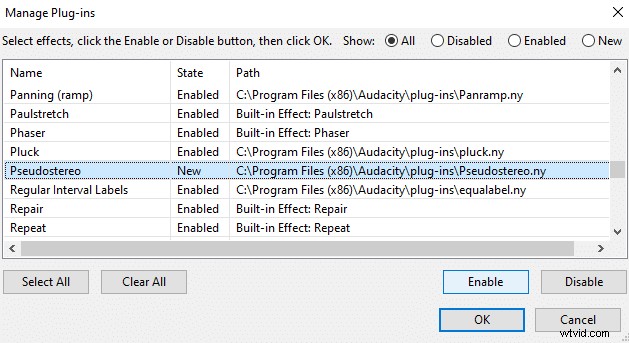
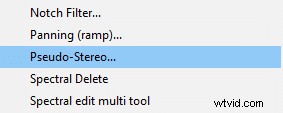
Now you will find the plug-ins on Effect menu.
How to install LADSPA plugins in Audacity?
- Donwload LADSPA plug-ins here.
- Install LADSPA in “C:\Program Files (x86)\Audacity\Plug-Ins” folder
- In Audacity go to Tools->Add/Remove Plug-ins
- Enable LADSPA plug-ins that you wanted
In download page you have an option to either download windows or mac version. The files will be named:
“[v2.3.0] Audacity LADSPA plugins for Windows – Installer” – for Windows
or
“[v2.3.0] Audacity LADSPA plugins for Mac – ZIP” for Mac
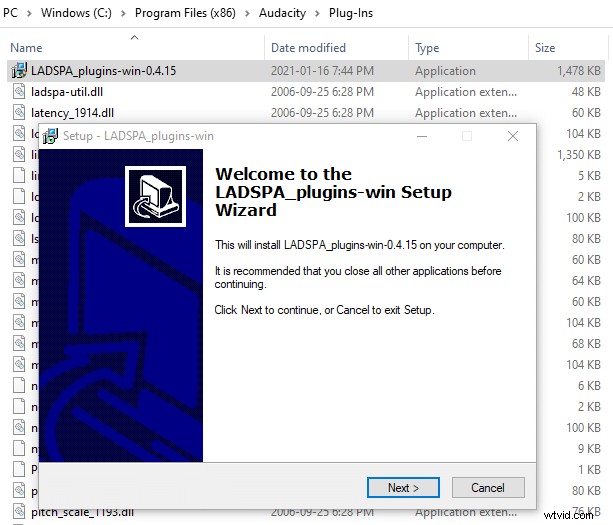
90 LADSPA plug-ins will be installed simultaneously using LADSPA plug-in installer but you can choose which plug-ins you want to enable in Audacity.
How to install modules in Audacity?
- Add a module file to “C:\Program Files (x86)\Audacity\modules” folder
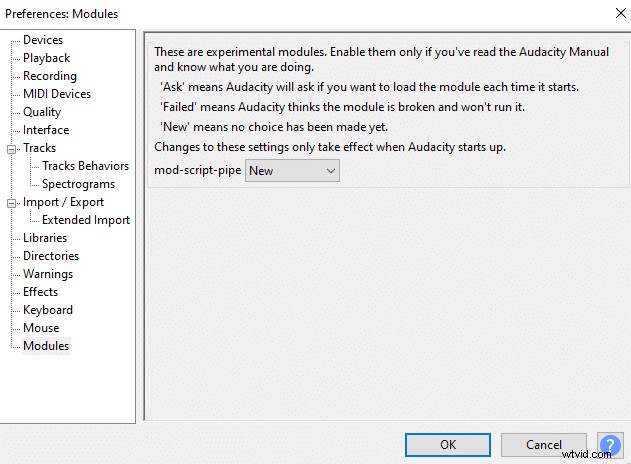
- In Audacity go to Edit->Preferences->Modules
- Select your module and choose enabled
- Restart Audacity
You can read more about Audacity modules here