
Audacity click remover will automatically find mouth clicks in the recording and remove them for you. You can find Audacity’s built-in click remover by going to Effect > Click Removal. The tool gives control over two settings – Threshold and Max spike that determine the sensitivity and harshness of the effect.
Threshold determines sensitivity. The lower the value the more mouth clicks will be detected. Max Spike Width determines how thoroughly Audacity will remove mouth clicks. The higher the value the more will be removed from the recording, however, if set too high this could cause unnecessary removal of some audio.
Here is a quote from the Audacity manual:
Threshold
Max Spike Width
Setting threshold low and max spike width high will remove most of the mouth clicks; however, that comes at the cost of false click detection and removing audio, you rather want in your recording which causes audio quality deterioration.
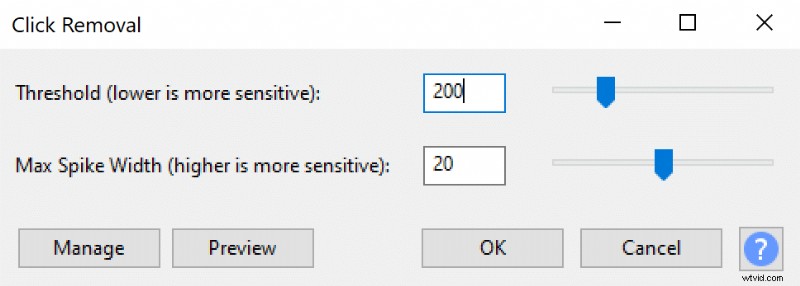
If you prioritize speed over quality, I would choose a higher threshold and lower max spike width and apply click removal to the whole recording.
If you have time and prioritize higher quality or if you deal with a short recording, then you might want to select a lower threshold and higher spike width. However, instead of applying the click removal effect to the whole recording apply it only to the parts where you can hear mouth clicks.
You can read more about preventing mouth clicks here.