
Divided TS movie files are better merged into one for playback performance. On this page, you’ll find the best free TS joiner to merge TS videos easily.

Best Free TS Joiner
Common questions from forums:
Q1. Topic: Best TS Joiner?
Thread: “Can you recommend a program that joins .TS files accurately and without (or with minimum) alteration of the contained streams? Thank you.”
- VideoHelp Forum
Q2. Question: “I wish to trim and join a few MPEG-2 TS video files together. Which free video editor will support this MPEG-2 TS format?”
- Quora
A: Files with the .ts file extension are Video Transport Stream files encapsulating MPEG-2-compressed video data, often seen on DVDs in a sequence of multiple TS files. Separated TS videos can be troublesome if you intend to play them consecutively, and on this page, we’ve introduced the best TS joiner to seamlessly join TS videos without cost. Read on to learn more.
More Video Editing Tips: Add Animation to Video, Top 10 MP4 Editors, How to Make YouTube Intro
Best .ts Video Joiner at Your Disposal [Completely Free]
FilmForth is the best free TS joiner that allows you to merge videos with simple clicks. FilmForth supports a variety of industry-standard video formats including MP4, AVI, MKV, Video TS (DVD), and dozens more.
Apart from that, FilmForth is a great video editing program for you to trim videos, split videos, add special effects to videos, add transitions to videos, etc. as well.
FilmForth is completely free and safe, easy to use, and watermark-free. Hesitate no more! With a simple click on the download button below, you can get FilmForth installed on your Windows 10 and Windows 11 PC or laptop in less than 3 minutes.

How to Join TS Videos with the Best Free TS Joiner
Tips: Prior to merging TS videos, FilmForth empowers you to edit your combined video clip. Video editing features FilmForth offers include trimming, cropping, mirror flipping, adding special effects, resizing aspect ratio, changing playback speed, detaching audio, rotating, splitting videos, etc.
Step 1. Create a Project in FilmForth
To combine .ts videos or DVD videos with FilmForth TS file joiner, make sure that FilmForth is fully installed, then launch FilmForth from Windows start menu. Hit New Project button in the program.
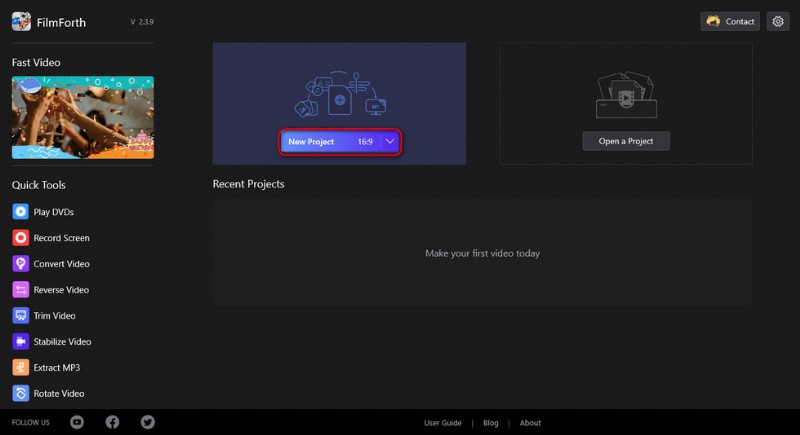
Create a new project
Step 2. Import TS Video Files into FilmForth
Drag and drop the TS files into the program or click ADD VIDEO/PHOTO CLIPS button to load multiple TS video clips that you want to merge into one, and you’ll see them lined up in the timeline.
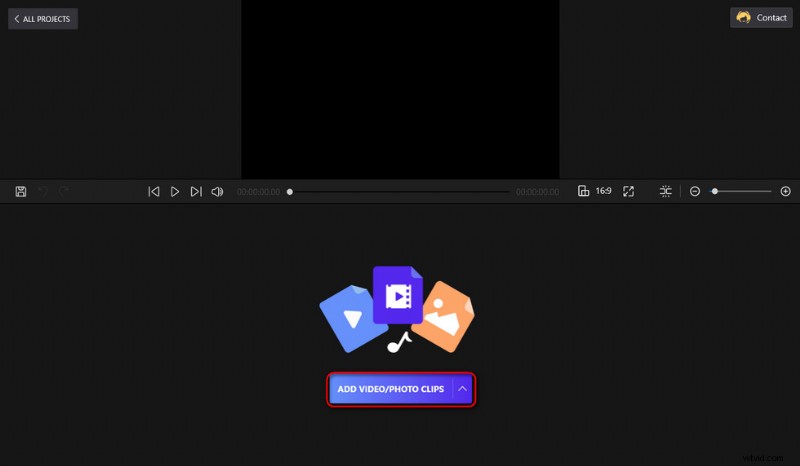
Import Video Files
Step 3. Edit the Added TS Files
Click to select a TS video clip in the timeline, and hit the corresponding buttons from the pop-up operation panel underneath for desired video editing operations.
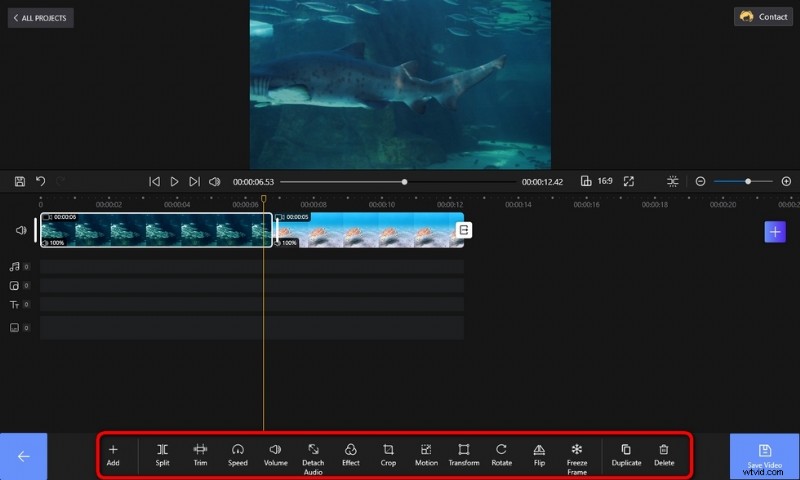
Edit TS Videos
Step 4. Join Imported TS Videos into One
The TS videos added to FilmForth will be automatically combined after exporting. You can drag and drop to rearrange the added video clips in the timeline, and hit the Opening, Ending, and conjunctive buttons by the sides of adjacent video clips to add transition effects between them.
Otherwise, the adjoined videos will be joined seamlessly.
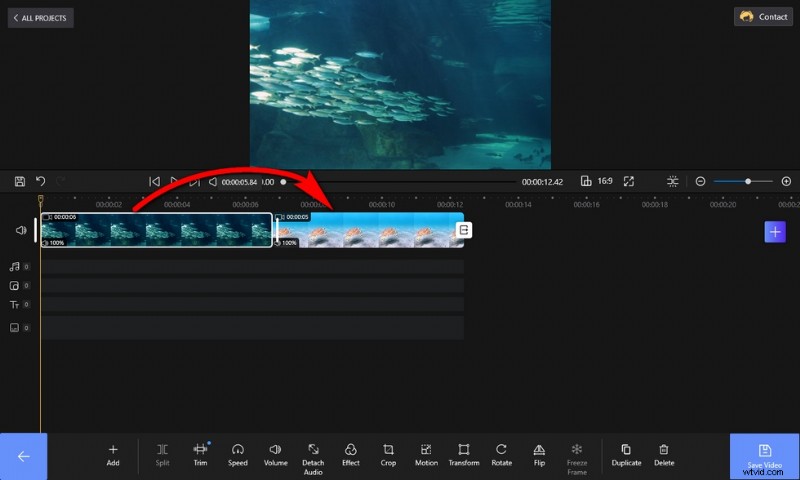
Combine TS Videos into One
Step 5. Save and Export Combined Video Clip
When you’re ready, hit the Save Video button from the lower right side to export the .ts video. Customize parameters like video bitrate, frame rate, audio quality, etc., and then define the output path and export the combined TS video clip, no watermarks.
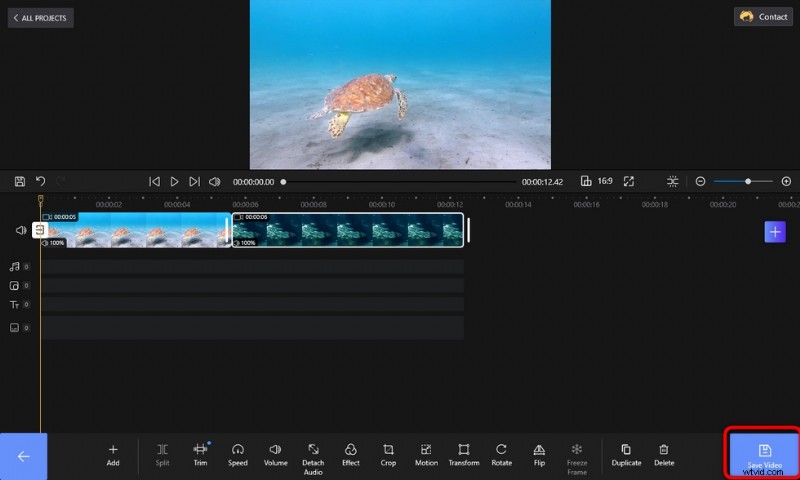
Save and Export TS Video
At Last
The viewing experience with the merged video should be a lot better than playing separated DVD .ts files one by one. Additionally, FilmForth also supports merging other types of videos, for instance, merging MP4 videos. So if you have MP4 videos on your PC storage, try FilmForth with them as well. With FilmForth, the joined video will be impeccable on sight. Anywho, don’t forget to give FilmForth a try! Again, it’s completely free.
Bonus: Look to convert TS videos to other media formats, we have another wonderful free tool for you: Duo Video Converter.
More Related Articles
- 7 Best Free YouTube Video Editors
- Final Cut Pro Review – Is It Worth it?
- Top 3 Apps to Convert YouTube to MP3 for iPhone
- How to Edit or Create a GIF Free and Easily
- How to Add Music to a Video for Free