
If you have plentiful audio files, you’d better transcribe audio to text and then save these files because of their easy accessibility for readers to scan through the copies. How to transcribe audio? This post will offer 5 best transcription software to transcribe audio to text or speech to text.
Online audio files have become increasingly common and more people try to transcribe audio to text.How to transcribe audio? This problem puzzles a great number of people. If you desire to edit audio files, MiniTool MovieMaker is a good choice. Now let’s concentrate on some audio to text or speech to text software.
5 Best Transcription Software
1. Audext
Audext is one of the most effective and easiest tools for audio to text or speech to text. This free transcription software applies machine learning and AI technology, so it can adapt the speech in the audio, allows you to upload files quickly, and gives a fast audio transcription speed. Besides, it has a text editor, so you can edit the text if needed. And it offers audio transcription with high accuracy.
Main features:
- It supports many audio formats like MP3, MP4, M4A, WAV, and so on.
- It allows you to export files quickly.
- It can detect multiple speakers.
2. Temi
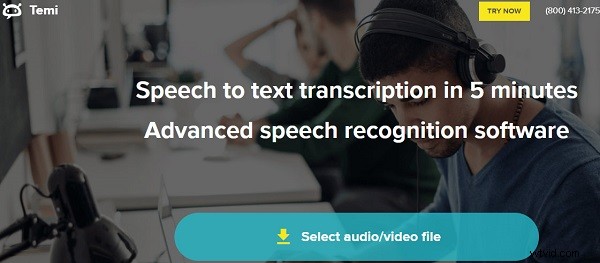
Temi is advanced speech recognition software that offers audio to text transcription in 5 minutes. As for the audio transcription speed, it depends on the audio input file. The transcription software will work smoothly if your audio file is noise-free. Or it may take a long time. One distinctive feature is that Temi will ask some questions about audio quality, audio transcription clarity, etc.
Main features:
- It can export transcripts in Microsoft Word and PDF.
- It is perfect for noise-free audio files.
3. Braina Pro
Braina Pro is one of the best audio transcription tools with an ease-of-use interface. With Braina Pro, you can transcribe audio to text, and also you can edit these audio files. It requires noise-free audio and can provide accurate dictation with its artificial intelligence.
Main features:
- It supports 30+ languages.
- It has an easy-of-use interface.
4. Transcribe
It’s free transcription software that can transcribe audio to text online easily. The transcribed text can be saved automatically. It supports many file formats like M4A, MOV, MP3, WAV, WMA, and supports the maximum file size up to 2000MB. If your audio file is not a supported format or length, you have to convert it or split it.
Main features:
- It can transcribe audio to text with automatic transcription.
- It can transcribe speech to text with dictation.
- It is available to control the audio transcription speed.
5. Happy Scribe
It is also a popular audio transcription tool and speech to text converter with the latest voice recognition technology. The automatic transcription offers punctuation including commas, full-stops, and question marks, and gives users a very fast transcription. Besides, it can export transcript in Word, TXT, SRT, VTT, STL, HTML, AVID and Premiere Markers.
Main features:
- It can transcribe audio to text in 119+ languages and accents.
- It supports 30+ audio file formats.
- It has no file size limit.
How to Transcribe Audio with Transcribe?
Transcribe is free online transcription software and provides easy audio transcription steps.
Step 1. Create your account and log in.
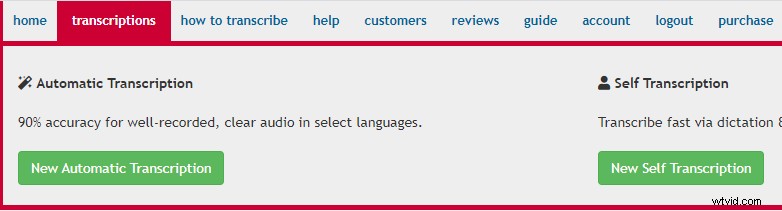
Step 2. Click New Automatic Transcription or New Self Transcription and then choose a language.
Step 3. Tap on select a file to import your audio files.
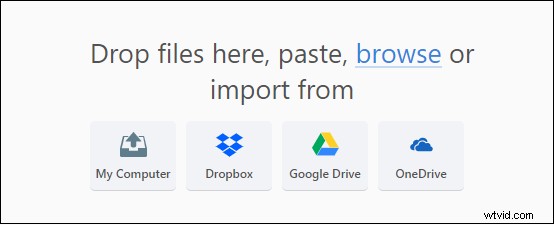
Step 4. Tap on Upload file and export the transcript.
Bottom Line
Now, you’ve learned about how to transcribe audio and know some transcription software. If you need to transcribe audio to text or transcribe speech to text, you can try the mentioned methods. Of course, you can try any transcription software in the post.