
These mic boosters have many features you can’t imagine. On the one hand, it can help you enhance the internal and external volume of the mic. On the other hand, it also provides you with a lot of other functions, such as recording sound, editing sound, adding sound effects and so on.
Read this article to see what outstanding parts these mic booster apps have.
If you want to insert the recorded audio into the video, try MiniTool MovieMaker.
Audacity
Audacity is a free and open-source mic booster software. Meanwhile, it is also a professional and easy-to-use audio editor and recorder suitable for Windows, macOS and Linux operating systems.
It supports recording live audio through a microphone or mixer or digitizing recordings from other media. At the same time, you can also import audio for editing and combination, and export your edited audio in a variety of file formats. Its editing tools are quite comprehensive, including copy, paste, cut, delete, unlimited undo and redo.
It not only supports real-time preview of LV2, Nyquist, LADSPA, VST and Audio Unit effect plug-ins but also supports the use of keyboard shortcuts to manipulate tracks. The most important thing is that it supports 16-bit, 24-bit and 32-bit sound quality and has a view mode for visualization and frequency selection to help you perform detailed spectrum analysis.
Equalizer APO
Equalizer APO is a great mic volume booster for Windows.
Its operating interface is composed of modular graphics, which can’t be more convenient for you. It is very suitable for interactive applications because it has extremely low latency and low CPU usage. Moreover, it is applicable to almost all channels and has an unlimited number of filters.
It supplies you with an equalizer that allows you to manually adjust the output audio frequency, a sound filter for filtering certain sound frequencies, and an analysis panel for measuring and analyzing sound peak gain, delay and response time.
VOICEMETTER
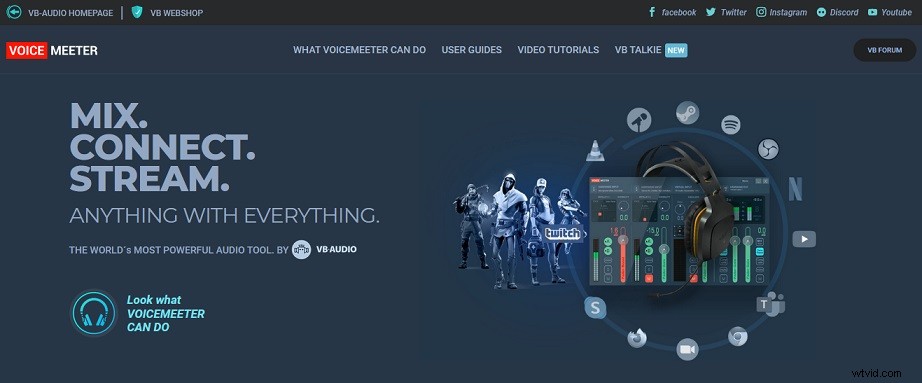
VOICEMETTER is the best mic booster software with powerful audio tools.
The most outstanding feature of VOICEMETTER is its advanced mixer, which can connect any audio hardware with any software sound and mix to multiple outputs. Meanwhile, it also supports solo, mixing, mute, and split audio and send it to your speakers and headphones.
It has a voice over IP that allows you to stream high-quality audio to PCs, TVs, and mobile devices. You can also use it to mix your voice with music or video sound on Facebook Manager, Skype and Google Voice.
Furthermore, it supplies you with a multi-band equalizer, virtual sound card, brick wall limiter, reverb, chorus, delay, noise gate, etc. to allow you to get higher quality audio.
Mic Note
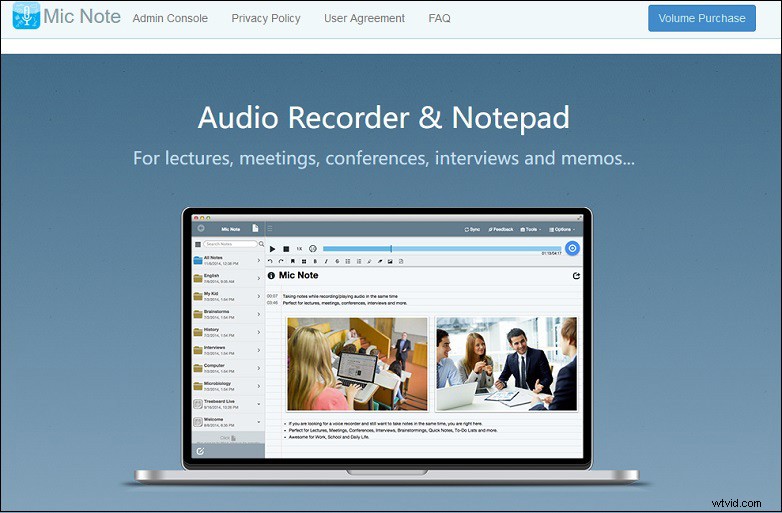
Mic Note is a free mic booster app for Windows, Chrome, macOS and Linux.
You can use it to record up to several hours. Not only can it help you record high-quality voices, but also you can edit the recording at any time including trimming, deleting, inserting and extracting after the recording is completed. It also provides you with transcription tools and keyboard shortcuts to help you quickly transcribe recordings.
It supports synchronizing and sharing data in Google Drive and Dropbox in MP3, PDF, HTML, and Google Doc formats. You can send a shareable link to your friends and family on the Internet or synchronize your files across devices and platforms. Additionally, you can also use it offline without a network connection.
Conclusion
The above mic boosters are quite outstanding. Not only can they meet your need to enhance the mic volume, but they also give you a lot of additional tools. If you have relevant needs, try them as soon as possible.