
The apps included below are basically bass boosters that use equalizers to enhance bass. They use the common 31.25 Hz, 60 Hz, and 62 Hz frequency bands to boost the bass level. In addition, you can also use presets such as full bass, bass, and treble to boost the bass level.
The main advantage of these bass boosters is that they can promote the bass level in certain selected parts of the audio. Let’s take a look at what other advantages they have.
If you want to insert your edited bass audio into your video, you can use MiniTool MovieMaker.
FxSound
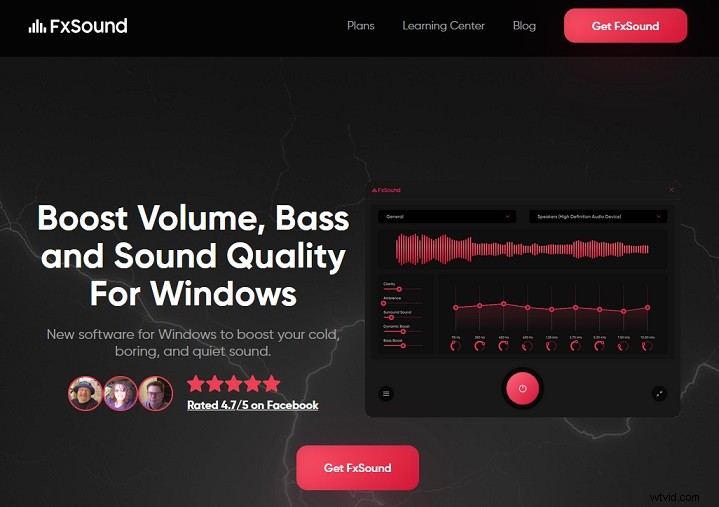
FxSound is a bass booster app for Windows that can improve the bass, volume and sound quality of audio.
It mainly provides dynamic enhancement and bass options to enhance the overall sound and boost the bass level respectively. Its effects menu also supplies you with options such as 3D surround, fidelity and atmosphere.
Its new equalizer supports balancing audio with a customizable center frequency to meet your custom needs. You can also use the nine-band frequency equalizer to manually alter various parts of the audio, such as bass, treble, etc.
You can use surround sound to fully immerse yourself in the virtual world and the audiovisual mode to feel the music and in a whole new way. Moreover, it specifically designed sound presets for some possible situations, allowing you to switch among music, games, and streaming videos at will.
Audacity
Audacity is a free and easy-to-use music bass booster for Windows, macOS, Linux, and other operating systems. Additionally, it has recording functions and many audio editing functions.
You can directly use Audacity to record live audio and play audio. It supports importing, editing and combining sound files and exporting multiple files at once in multiple different audio formats such as MP3, OGG, AAC, M4A, WMA, MP2, FLAC, etc.
You can change the sound quality to 16-bit, 24-bit and 32-bit and use high-quality resampling mode for audio conversion. In addition to altering the bass level, you can also change other audio effects such as speed, echo, treble, and pitch. It also supports a variety of effect plug-ins, unlimited undo and redo, keyboard shortcuts, and visual analysis.
SM Player
SM Player is a free media player and song bass booster for Windows, macOS and Linux that can play and edit almost all video and audio formats, including MP4, AVI, MKV, MPEG, MOV, etc.
It supports searching and playing YouTube videos and searching and downloading subtitles from opensubtitles.org. You can customize the skin and icon themes to modify the appearance of the SM player.
Advanced features like audio filters, video equalizers, adjustment of audio delays, and changes in playback speed are included in SM Player. It also supports more than 30 languages, such as Chinese, Japanese, Spanish, French, German, Italian, Russian, etc.
GOM Player
GOM Player is both a bass booster and a media player. Its control panel gives you four options, including video, audio, subtitles, and control.
If you want to change the bass level, you only need to select any of the ten frequency sliders in the frequency equalizer to enhance the bass. The bass level it achieves is beyond your imagination.
Furthermore, it also provides you with a subtitle finder, a 360-degree VR video player and GOM remote control. The media formats it supports include MP4, MP3, MOV, FLV, FLAC, WAV, MPG, AAC, OGG and so on.

Conclusion
I believe that after reading this article, you can’t wait to try these bass boosters. Take action to boost your own bass audio!