
With the best speech to text software, your voice will be translated to text. This kind of application will enable you to make notes, documents, ideas using your voice, and it helps you save time and increase efficiency. And luckily, this post will introduce 4 voice to text software to you.
The best speech to text software works with speech recognition technology and lets you turn spoken words into written ones. When you speak, this software can make voice recordings of written words with ease. To help you easily convert speech text, this post offers 4 best voice to text software.
Want to add audio tracks to the video? MiniTool MovieMaker is recommended here.
Top 4 Speech to Text Software
- Speechnotes
- SpeechTexter
- Amazon Transcribe
- Watson Speech to Text
Speechnotes (Android)
Speechnotes is the best speech to text app without login and registration and it’s very easy and fast to use. It’s based on Google's high-end speech-recognition engines, allowing you easily convert your voice to text and change the size and font of the text. It can reduce typos and spelling errors and support automatic capitalization and spacing.
What’s more, Speechnotes is multilingual and you can easily choose your language and start dictation, and it won’t stop working when you take breaks between sentences. It also offers symbols and funny emojis. And it lets you easily share messages on Gmail, Dropbox, etc.
SpeechTexter (Online and Android)
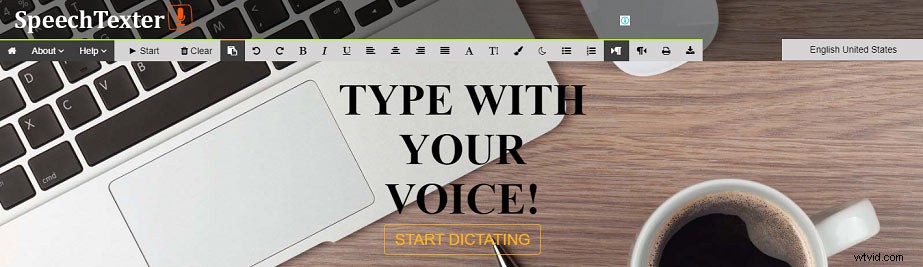
SpeechTexter is also taken as one of the best speech to text app used by teachers, students, bloggers, businessmen, etc. As a powerful voice to text app, it works with high accurate speech recognition and a custom dictionary and assists you in making long notes and emails using your voice.
Moreover, it supports more than 60 languages. To make you edit the transcription, SpeechTexter lets you adjust the text color, size, and alignment.
Related article: Best Text to Speech App
Amazon Transcribe (Online)
Amazon Transcribe is another best speech to text software packed with many features. It’s designed to convert audio from microphones, audio, or video files to text. This software automatically adds punctuation and formatting and supports number normalization.
Besides, Amazon Transcribe can identify the language in an audio file and enables you to add new words to its vocabulary to create a custom vocabulary, which is conducive to more accurate transcriptions.
Watson Speech to Text (Online)
It’s another best speech to text software to convert audio and voice into written words. Equipped with powerful speech recognition and an accurate speech engine, this speech to text software is able to automatically convert audio from 7 languages to text, and it works with a variety of audio formats and low-quality audio files. And it can recognize different speakers in the audio.
Besides, Watson Speech to Text can transcribe allows you to tag transcriptions with timestamps, speaker labels, numbers, and more.
Conclusion
Now, you’ve learned 4 best speech to text software. Just choose one and try to convert your voice to written words. If you’d like to recommend other voice to text software, please leave them in the below comments section. And if you have any questions, contact us via admin@wtvid.com.