
Can’t open the vector images in AI format? You can convert it to a common image type like JPG. How to convert AI to JPG quickly and easily? Here we offer 4 online AI to JPG converters. If you want to make a video from pictures, try MiniTool MovieMaker.
AI, developed by Adobe systems, is a graphics file format. It’s a common format for vector images. Sometimes, you may download logos or icons from the website, and you find it an AI file. It takes some time to find an AI file open. Alternatively, you can convert it to a JPG file for viewing or editing. Thus, this post gives 4 good AI to JPG converters.
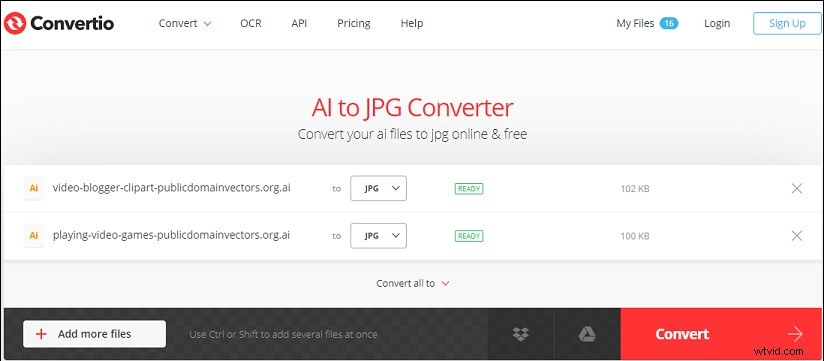
#Convertio
Convertio is one of the best online image converters and it can handle a wide range of image formats. And it allows you to convert between any image file. Moreover, it lets you upload and convert images from your local storage, Dropbox, Google Drive, and even a URL. There’s no doubt that it’s a reliable AI to JPG converter.
Heres’ how to convert AI to JPG with Convertio.
Step 1. Open the Convertio website, click on Choose Files to upload AI files from your computer.
Step 2. If you add multiple AI files, Select the Convert all to > Image > JPG to set JPG as the output format.
Step 3. Tap on Convert to start the conversion process. Then click the Download to download the JPG.
#Online-Convert
Online-Convert is a universal online file converter to convert images, videos, documents, e-books, archives, and more. As an online image converter, it can handle various conversions, such as CR2 to JPG, AVI to GIF, JPG to TIFF, PNG to BMP, and more. Of course, it’s a reliable AI to JPG converter.
Step 1. Visits the Online-Convert website, scroll down to the Image converter section.
Step 2. Click the dropdown arrow of the Select target format, then choose the Convert to JPG, and tap on Go.
Step 3. Click the Choose Files and open your AI files. After the upload is done, click the Start conversion button.
Step 4. Download the JPG files or save them to Google Drive or Dropbox.
#Onlineconvertfree
Onlineconverfree is another powerful online file converter, supporting a wide range of file formats. And this site has a clean and well-organized interface. As for the image conversion, it can convert from/to JPG, GIF, TIFF, BMP, PSD, ICO, PNG, etc. Here’s how the AI to JPG converter works.
Step 1. Open the Onlineconverfree website, click the CHOOSE FILE and upload the target AI files.
Step 2. Then set JPG as the output format, and hit the CONVERT button.
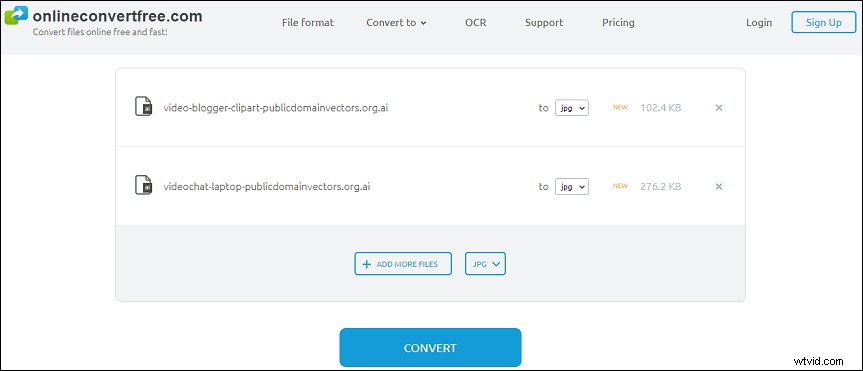
Step 3. Tap on the Download button to save the JPG file.
#Zamzar
Zmazar is an excellent video/audio/image/e-book converter and it’s also one of the best AI to JPG converters. It supports 1200+ formats and almost performs all the conversion tasks you need. And now it can compress AVI, BMP, GIF, MOV, MP4, MP4, WAV, MP3, etc.
Here’s how to convert AI to JPG with Zamzar.
Step 1. Go to the Zamzar website, click on Add Files and then add your AI files.
Step 2. Click the dropdown arrow of the Convert to, go to Image Formats, then select the JPG, and click the Convert Now.
Step 3. Once the conversion is done, click the Download button to download the JPG file.
Conclusion
Now, try any an AI to JPG converts and try to turn your AI files to JPG images.