
If you’re looking for the best ways to convert ARW to JPG, you’ve come to the right place. This post will give you clear steps on how to convert ARW to JPG online for free. Before that, you’re supposed to learn what is ARW file. If you want a free video editor to convert multiple images to a video, try MiniTool MovieMaker.
What Is ARW File?
The ARW file refers to the RAW image file format used by Sony Cameras. This kind of image is with Mac and Windows, but it’s not supported by mobile devices. And ARW files are usually large because they’re uncompressed.
Compared with ARW files, JPG images are smaller and work with almost all devices and operating systems. Besides, converting ARW To JPG helps you to reduce the file size and open it in a common image viewer.
But how to convert ARW to JPG quickly and easily? Here’re the best 3 ways for you.
Top 3 Online ARW to JPG Converters
Zamzar
Zamzar is an excellent conversion tool to change formats of video, audio, image, eBook, and document. It works with more than 1200 file formats, and it lets you convert anything you want. Except for ARW to JPG, Zamzar supports SVG to PNG, MP4 to MP3, Word to PDF, and more. And it’s also an image compressor to compress GIF, JPG, and PNG.
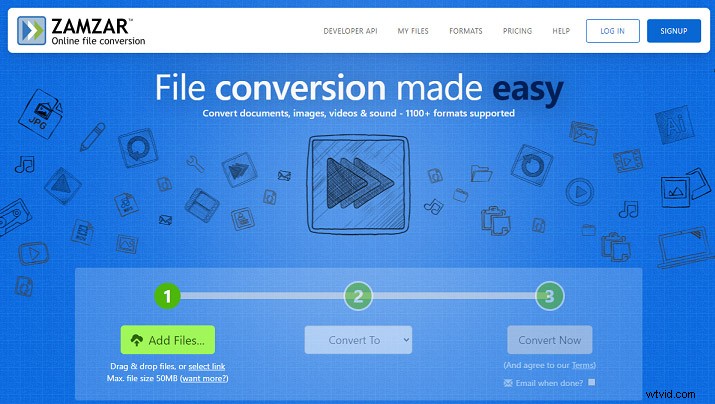
Here’s how to convert ARW to JPG using Zamzar.
Step 1. Open Zamzar in a web browser.
Step 2. Click the Add Files to upload the ARW file you want to convert.
Step 3. Choose the JPG as the target image format.
Step 4. Tap on Convert Now to start the conversion.
Step 5. When the progress is over, click the Download to save the JPG on your PC.
iLoveIMG
iLoveIMG is also a good ARW to JPG converter, enabling you to transform multiple ARW images to JPG at once. And it supports PNG, GIF, WebP, SVG, PSD, and TIFF to JPG, etc. Besides, it’s a photo editor to compress, resize, rotate, crop images, and add text to photos. Moreover, it works as a meme generator.
Here’s how to convert ARW to JPG with iLoveIMG.
Step 1. Navigate to the Zamzar website.
Step 2. Select the Convert to JPG > Select images to import your ARW files.
Step 3. Click the Convert to JPG to enable the conversion progress.
Step 4. Download and share the converted images.
Online-Convert
Online–Convert is another ARW to JPG converter and allows you to transform ARW to JPG without extra effort. As a comprehensive file converter, it can convert audio, image, video, document, ebook, archive, including PNG to BMP, MOV to MP4, JPG to PDF, M4A to MP3, WAV to MP3, and more. And it’s available on Android and iOS.
Here’s how to convert ARW to JPG Online – Convert.
Step 1. Go to the Online – Convert website.
Step 2. Click the Image converter and select the Convert to JPG.
Step 3. Hit the Choose files to upload your ARW file.
Step 4. Complete the image settings and then tap on Start Conversion.
Conclusion
Now, you’ve known what is ARW file and understood how to convert ARW to JPG. If you need to turn ARW images into JPG ones, choose one way, and have a try. And if you’d like to share other methods to convert ARW to JPG, leave them below.