
Can you convert the RAW image file to the common image format jpg? How to convert raw to jpg? If you’re searching for the tool for raw to jpg, you’ve come to the right place. This post will give you 3 RAW to JPG converter. Want to convert your JPG to a beautiful slideshow? Try MiniTool MovieMaker!
What is raw? When you take photos with a camera, two formats are available: raw and jpg. According to Wikipedia, a raw image is not yet processed and therefore it cannot be edited or printed with a bitmap graphics editor. But luckily, with raw converters, you can convert these raw files. This post will emphasize on raw to jpg converters.
How to Convert RAW to JPG
iLoveIMG
iLoveIMG is an online image editor that offers many tools to edit and convert images efficiently. Firstly, it can convert raw to jpg easily. And it can transform PNG, GIF, TIF, WEBP, SVG to JPG format. Here’s how to convert raw to jpg with iLoveIMG.
Step 1. On a web browser, type iloveimg.com.
Step 2. Click the Convert to JPG > Select images to upload your file.
Note: If you choose Select images, you can upload the image from your PC. And you can import images from Dropbox or Google Drive.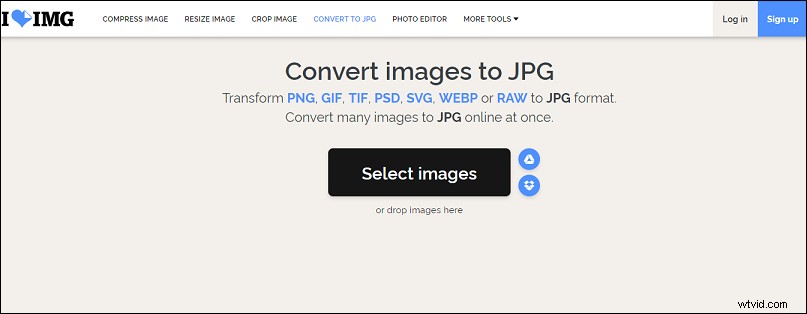
Step 3. If necessary, click + (Add more images) to import more files.
Step 4. Tap the Convert to JPG button, and then you can download and save the converted images.
What’s more, it can convert PNG or GIF to JPG, compress and resize JPG, GIF, PNG images, crop or rotate images, and add text, filters, stickers to photos. And it’s also a meme generator.
Zamzar
Zam is a brilliant file conversion tool, supporting more than 1100 formats including documents, images, audio, video, eBook, CAD, and compression. It supports RAW to JPG, MOV to MP4, MP4 to GIF, PNG to PDF, JPG to PNG, MP3 to WAV, Word to PDF, Excel to PDF, and more.
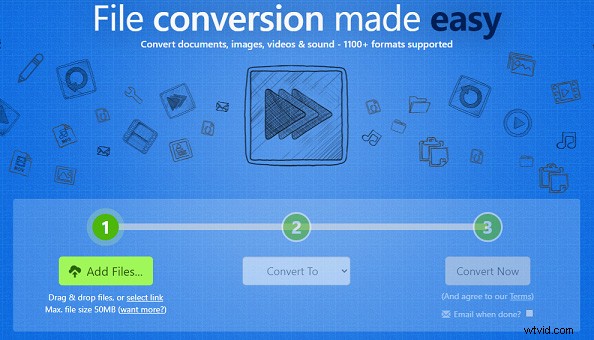
Here’s how to convert RAW to JPG with Zamzar.
Step 1. Type zamzar.com to get the interface.
Step 2. Click the Add Files to choose the target Raw file.
Step 3. Hit the Convert to and select JPG.
Step 4. Tap the Convert to button to convert RAW to JPG.
Online Converter
Online Converter is a comprehensive file converter including image converter, video converter, audio converter, eBook converter, document converter, and unit converter. It can convert RAW to JPG, video to JPG, TIFF to JPG, MKV to MP4, GIF to MP4, WMA to MP3, MP3 to AIFF, and more.
Here’s how to convert RAW to JPG with Online Converter.
Step 1. Enter onlineconverter.com on the web browser.
Step 2. Find and click the Image Converter > JPG Converter.
Step 3. Select RAW to JPG, then tap the Choose File to upload your RAW image.
Step 4. Click the Convert to transform the image to JPG.
How to Convert RAW to JPEG
JPEG is also a common image format. How to convert raw to jpeg? The following will offer 2 raw to jpeg converters.
Raw.pics.io
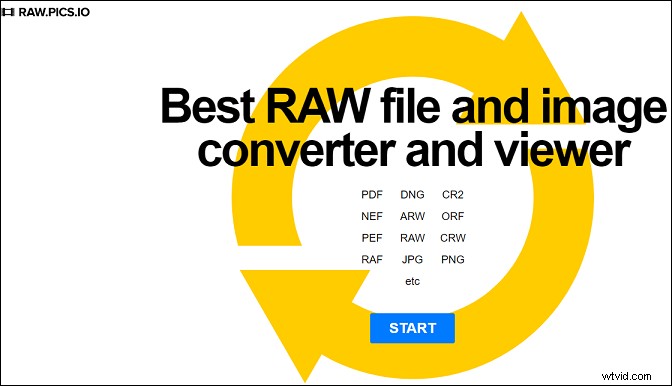
It’s a RAW converter and viewer and allows you to convert many formats such as PDF, NEF, ARW, PEF, RAW to JPEG or PGN, and other formats online. Besides, it enables you to resize and edit JPG files.
Picasa
Picasa is a versatile image tool. With Picasa, you can view and edit RAW files, like converting RAW to JPEG and save the customized file without any changes to the original RAW file. And it has other basic image editing features, such as color enhancement, cropping pictures, red-eye reduction.
Conclusion
Now, you’ve learned 3 methods to convert RAW to JPG and 2 tools to transfer RAW to JPEG. With the 5 RAW converters, you can convert your RAW files to JPG or JPEG for free. Choose one and have a try!