
SVG, which stands for Scalable Vector Graphics, is a vector image format. PNG (Portable Network Graphics) is a raster graphics file format supporting lossless data compression. How to convert SVG to PNG? This post will give you 4 SVG to PNG converters and show you how to convert SVG to PNG with them.
What’s the best SVG to PNG converter? How to convert SVG to PNG? To help you out, this post will give you step-by-step instructions. If you want to convert your PNG images into a photo slideshow or a video, try the best slideshow maker and video editor – MiniTool MovieMaker.
Method 1 – Convert SVG to PNG with Abraia
Abraia is the first recommend SVG to PNG converter. Except for SVG to PNG, it supports SVG to JPEG or WebP. Besides, it can optimize pictures, watermark photos, compress videos, resize videos, trim or crop video online, add text or logo to videos, and more.
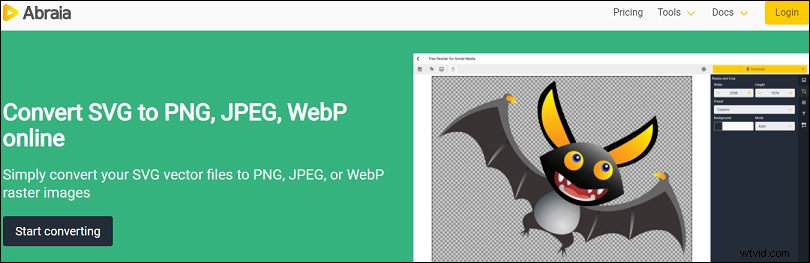
Here’s how to convert SVG to PNG with Abraia.
Step 1. Bo to the Abraia website and log in.
Step 2. Click the Upload file to add the SVG image.
Step 3. Edit the image as you wish.
Step 4. Tap the yellow Download button, and then select the Download PNG to get and save the PNG file on your PC.
Method 2 – Convert SVG to PNG with Ezgif
Ezgif is also a nice SVG to PNG converter. This site requires no registration and allows you to convert SVG to PNG free of charge. And it supports SVG to JPG, BMP to JPG, GIF to JPG, video to GIF, etc. Moreover, it can crop, resize, split, and rotate GIFs. And it’s also taken as one of the best online GIF makers.
Here’s how to use Ezgif to convert SVG to PNG.
Step 1. Visit the Ezgif website and select the GIF Optimizer.
Step 2. Choose SVG to PNG, then click the Choose File to import your SVG file, and hit the Upload.
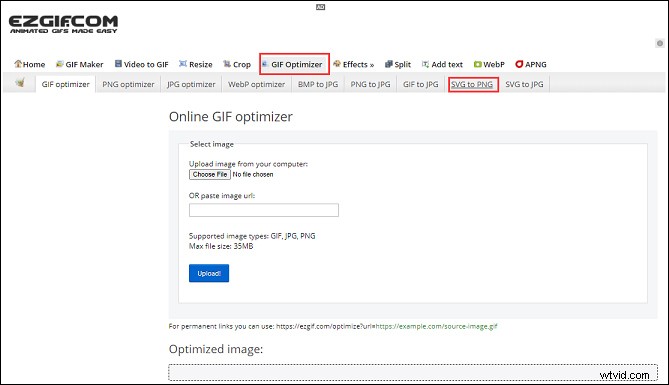
Step 3. If necessary, enter the value of width and height.
Step 4. Hit the Convert to PNG, and click the save to download it.
Method 3 – Convert SVG to PNG with CloudConvert
CloudConvert is another SVG to PNG converter. It’s a file conversion service supporting more than 200 different audio, video, document, ebook, archive, image, spreadsheet, and presentation formats, such as RAW to JPG, FLAC to AAC, BMP to TIFF, MP4 to GIF, and more.
Here’s the how-to guide:
Step 1. Go to the CloudConvert website.
Step 2. Select the Tools > Image Converter > CR2 Converter > CR2 to JPG.
Step 3. Choose the Select File and upload your SVG image.
Step 4. Click the Convert to convert SVG to PNG, and download the PNG file.
Method 4 – Convert SVG to PNG with Online-Convert
Online-Convert is also an online file converter to convert documents, images, videos, audio tracks, between different formats, supporting CR2 to JPG, MP4 to JPG, WMV to GIF, and more. There’s no doubt that Online-Convert is an excellent SVG to PNG converter.
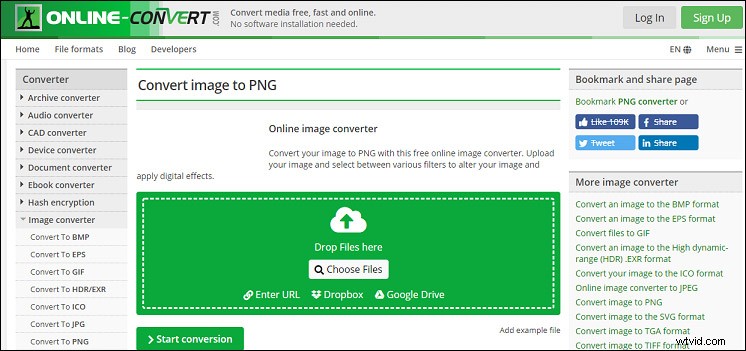
The following tells you how to convert SVG to PNG.
Step 1. Go to the online-convert website.
Step 2. Under the Image Converter, select the dropdown to click the Convert to PNG.
Step 3. Click the Choose files to upload the SVG file.
Step 4. If necessary, finish the image settings.
Step 5. Click the Start Conversion, and then save the PNG file.
Conclusion
With the 4 SVG to PNG converters, you can simply turn SVG to PNG. And if you’d like to share other ways to convert SVG to PNG, please leave them below.