
As we all know, all of Twitch’s registered users can directly download their live stream. However, it is impossible to download someone else’s videos through the Twitch website. Fortunately, here are some useful tools that help you download any video from Twitch. To edit the downloaded Twitch video, try MiniTool MovieMaker.
How to download Twitch videos with ease? Just keep reading.
How to Download Twitch Videos Online
Clipr
When it comes to downloading Twitch videos online, most people may think of Clipr. It is one of the best free and reliable Twitch video downloaders on the Internet and it is always striving to provide a wonderful user experience while maintaining a reliable service. However, the maximum video length that can be downloaded is 1 hour.
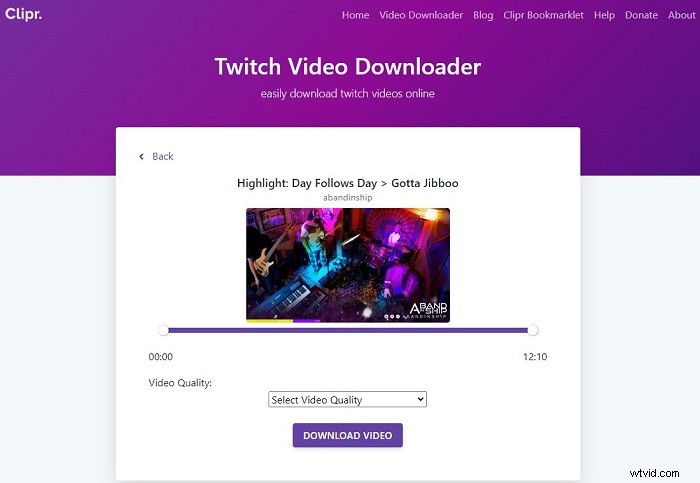
Follow the steps below to download Twitch videos with Clipr.
- Visit Twitch on your browser and copy the URL of the twitch video that you’d like to download.
- Paste the link of the twitch video into the search box and click the Download Twitch VOD button.
- Select the video quality you preferred from the drop-down list and click DOWNLOAD VIDEO.
- Wait a moment until the video is downloaded successfully.
Note: The download time is depending on how large your video is.
UnTwitch
UnTwitch is another online solution to download Twitch videos and clips to your device and you don’t even need to sign in or register an account for that. In addition, it also works for Twitch clip to MP3 conversion needs. However, there is a download length limit – a maximum of 360 segments (1 hour) per 1 download.
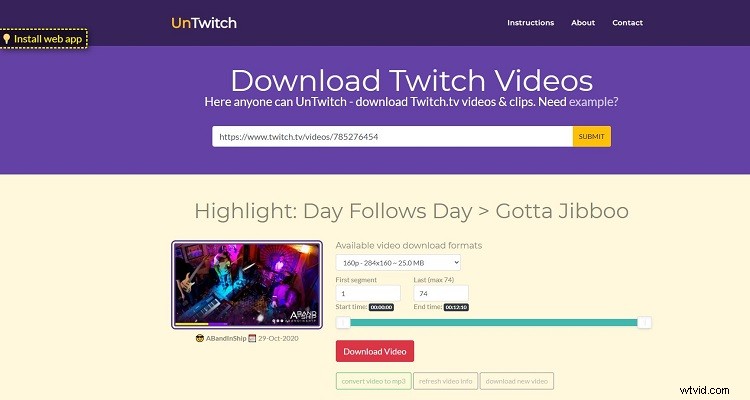
Let’s check the steps on downloading videos from Twitch via UnTwitch.
- Open the UnTwitch site.
- Paste the URL of the Twitch video that you want to download and click SUBMIT.
- Choose the desired video quality and then use the range slider or boxes to decide which section of the video you want to save if the Twitch video is longer than 1 hour.
- Click Download Video to start the process.
Keepv.id
Keepv.id is the best online video downloader of all times that is capable of downloading videos from more than 100 sites, such as YouTube, Facebook, Instagram, Twitch, etc. Better yet, compared to the previous two online twitch video downloaders, this one is much better, because it supports downloading videos longer than 1 hour.
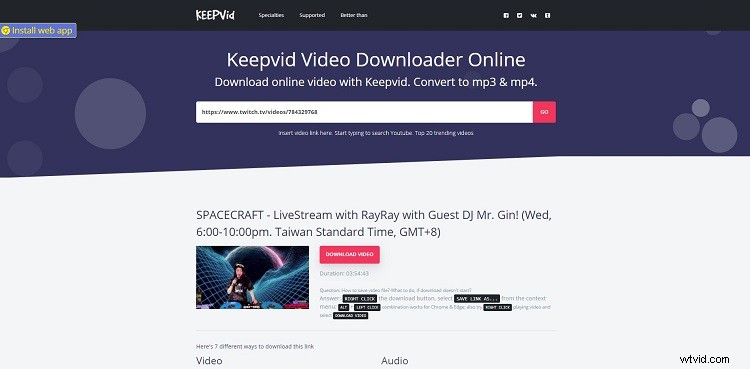
Let’s learn how to download Twitch videos with Keepv.id.
- Navigate to Keepv.id on your device.
- Paste the link of the Twitch video into the blank box and hit GO.
- Then you will be taken to a new webpage, and you need to return to Keepv.id.
- Here’re several different presets to download the video, pick the one you like and click DOWNLOAD behind it. And the video will be downloaded automatically.
Related article: Where to Watch & How to Download TV Shows for Free
How to Download Twitch Videos on Desktop
Twitch Leecher
With a clean interface, Twitch Leecher is a free program that is designed to download any video from Twitch. Besides, you are also allowed to crop videos before downloading. More importantly, this freeware is updated regularly to keep pace with major Twitch updates and there is no limit to the length of downloading videos.
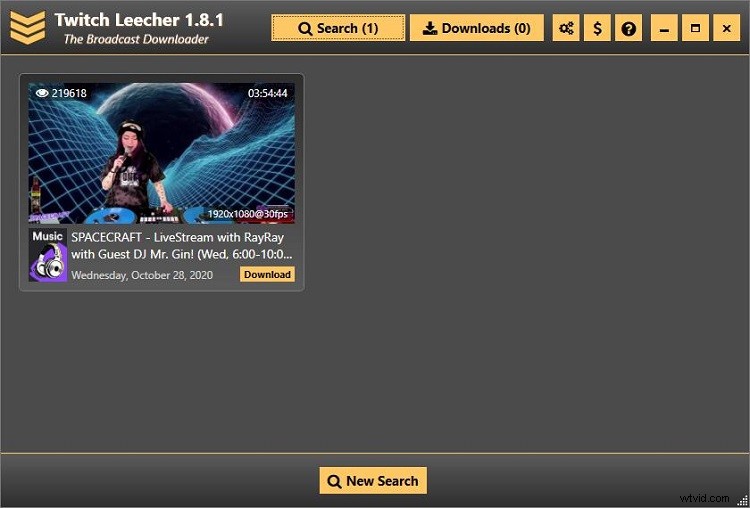
Here’s how to download Twitch videos using Twitch Leecher.
- Free to download, install, and run Twitch Leecher on your PC.
- After entering the main interface, switch to the Urls tab, paste the link of the Twitch video that you want to download, and then click the Search button at the bottom.
- Then the program will fetch the video. Simply hit the Download button on the thumbnail.
- Choose the video quality, specify the destination folder, and give a name for the downloaded video. You can also crop the video if needed.
- After finishing all settings, click Download to get the Twitch video.
Recommended post: How to Download Wistia Videos
Bottom Line
Have you mastered how to download Twitch videos after reviewing this post? If you have any questions or suggestions about it, please let us know via admin@wtvid.com or share them in the comments section below.