
Many GIF websites like GIPHY, Tenor allow you directly download GIFs. However, there are some websites that don’t support GIF downloading. In this case, you may need a URL to GIF converter to help you download GIF from URL.
When you find a funny GIF on the web, you always want to save it to your device and share with your friends and family. But sometimes, you may find it difficult to download GIFs from websites. Is there any way to save embedded GIFs from websites? Let’s dive into this post to learn how to download GIF from URL with ease! (Try MiniTool MovieMaker to make a funny GIF!)
Download GIF from URL Online
On some GIF websites, you can right-click on the GIF you want to save and choose Save image as… to download it. If you can’t find the save option, then you should use a GIF converter. Here recommend 3 best online URL to GIF converters to you.
Ezgif
Ezgif is a GIF maker and converter that can be used to create a GIF from a video and convert URL to GIF. This tool lets you cut, crop, reverse, rotate, optimize, split GIFs. You can also use it to add text to GIF and convert GIF to sprite sheet. Besides that, Ezgif supports images in JPG, PNG, BMP, WebP, HEIC, etc.
Here’s how to download GIF from URL.
Step 1. Visit the Ezgif website.
Step 2. Click on Video to GIF to access the Video to GIF Converter page.
Step 3. Copy the URL of the GIF and paste it into the box. Click Upload video to go on.
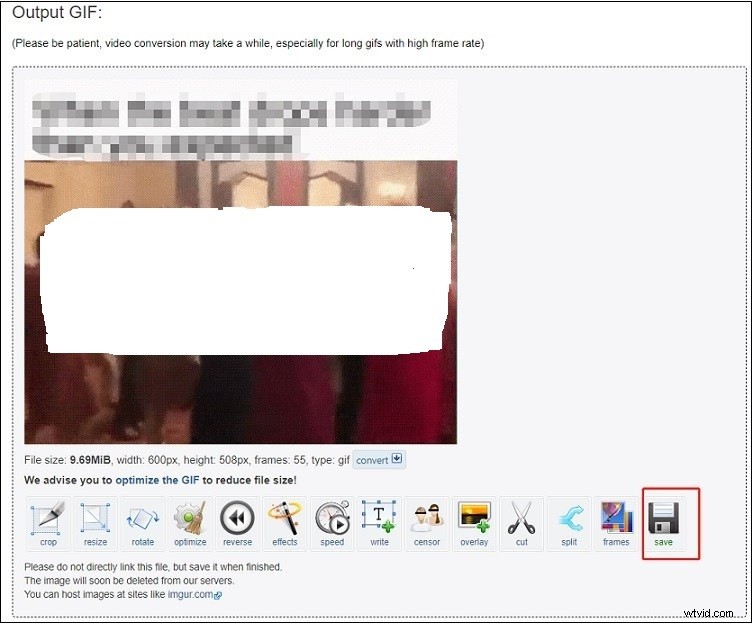
Step 4. Then you change the GIF’s size, frame rate, length as needed. Once done, click the Convert to GIF button.
Step 5. Finally, click the Save button to download this GIF from Ezgif.
Can’t download GIF from website? You can use a GIF recorder. See this post: 7 Best Free GIF Recorders to Record a GIF on Windows/Mac/Online
Zamzar
Zamzar, a free online file converter, can help you easily download GIF from URL. In addition to converting URL to GIF, this tool supports converting files in over 1100+ formats.
Here’s how:
Step 1. Open the Zamzar website.
Step 2. Click select link and then enter the copied GIF link in the box.
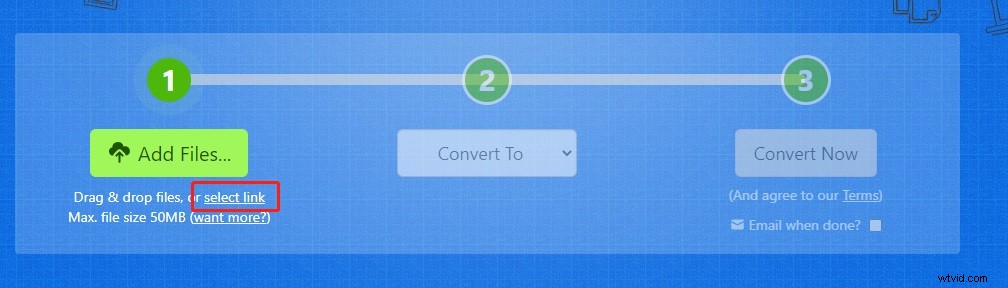
Step 3. Expand the Convert To list and select GIF under Image formats.
Step 4. Click Convert to convert HTML to GIF. After the conversion is finished, download the GIF to your device.
SaveTweetVid
If you want to download Twitter GIF from URL online, try SaveTweetVid! It’s a Twitter GIF downloader that can download GIF and MP4 from Twitter.
Take the following steps below!
Step 1. Go to the SaveTweetVid website.
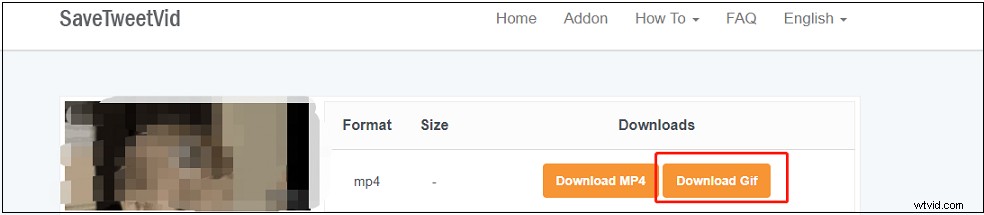
Step 2. Paste the Twitter GIF address in the search bar and click Download.
Step 3. Press the Download Gif button to save the Twitter GIF.
How to Make a GIF from a Video
Do you want to make a GIF? In this part, you will know how to create a GIF with MiniTool MovieMaker. MiniTool MovieMaker is an excellent GIF maker and video editor. Let’s see how it works!
Step 1. Download and install MiniTool MovieMaker.
Step 2. Launch this software and close the popup window.
Step 3. Import the desired video and add it to the timeline.
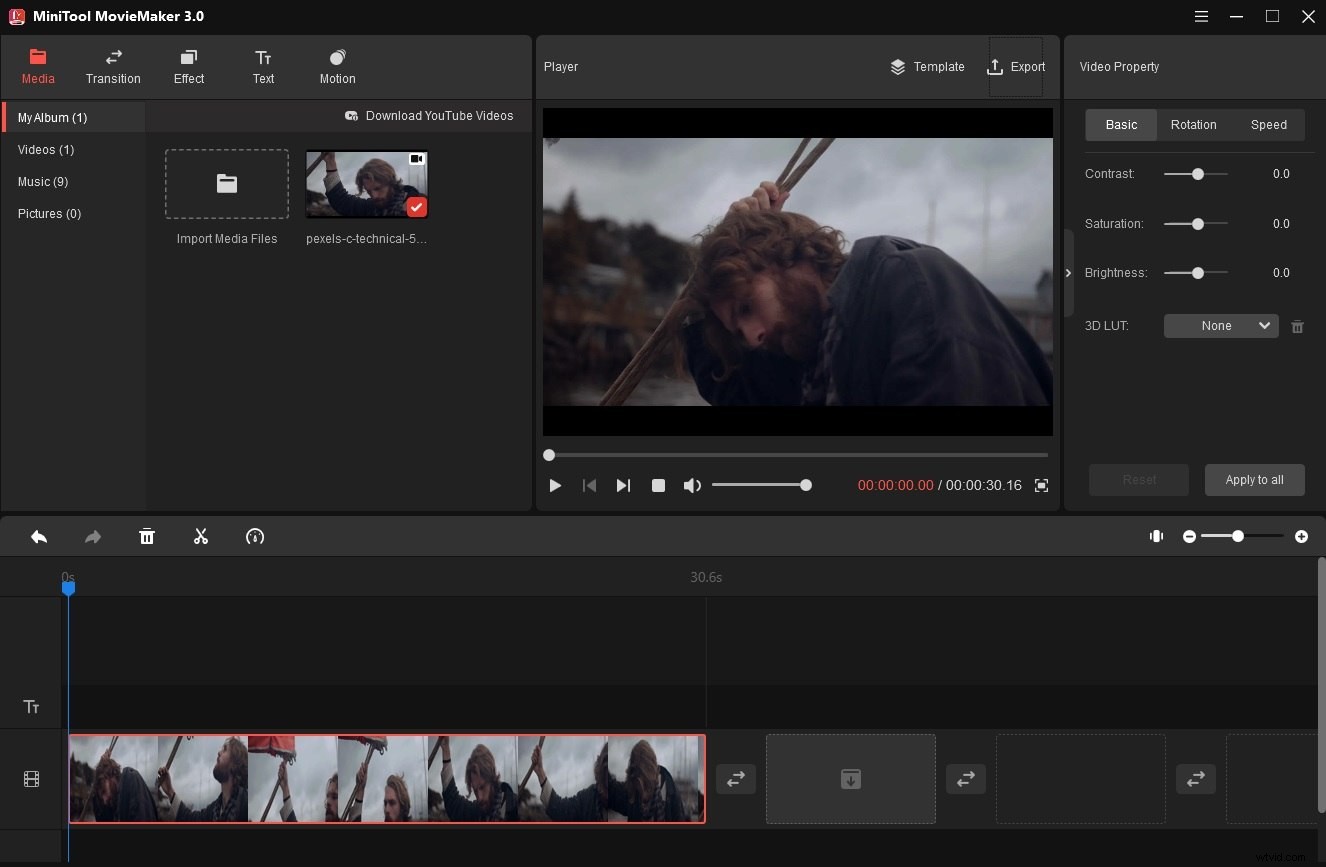
Step 4. Then you can edit it as required.
Step 5. Click Export and choose GIF as the output format.
Step 6. Export the GIF by clicking the Export button.
Conclusion
Try the above GIF converters to download GIF from URL! I hope this post is helpful for you!