
Do you want to 3D print logo? How to make a 3D logo from an image? In this case, you can use a 2D image to 3D converter. In this post, I’ll teach you how to convert image to 3D online free with the 4 best 2D to 3D converters.
You create a 2D logo and want to print it. How to create a 3D logo from an image? This post will illustrate how to convert image to 3D online free. (To convert images to video, you can use MiniTool MovieMaker)
4 Best Online 2D to 3D Model Converters
- ImageToStl
- Anyconv
- MiConv
- 3Dforprint
Convert Image to 3D Online Free with ImageToStl
Website: https://imagetostl.com
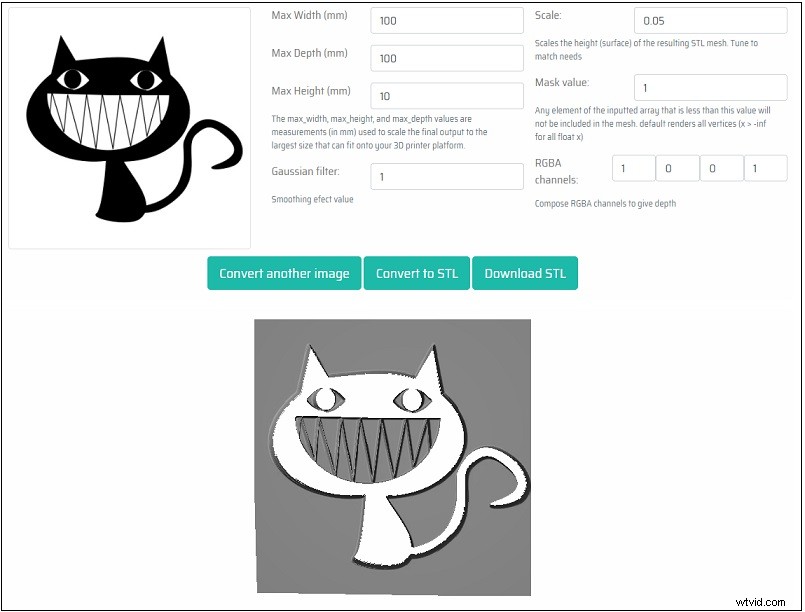
As its name suggests, ImageToStl is an image to STL converter that lets you convert PNG to STL and JPG to STL. Before 2D to 3D conversion, you need to make sure that your logo is a greyscale image. Remember, A black pixel will not be included in the 3D generated model while a white pixel will have a height that you can specify.
Here’s how:
Step 1. Open the ImageToStl website and click the Upload a File… button to load the 2D image.
Step 2. Then you can adjust the output settings. After that, click on Convert to .STL.
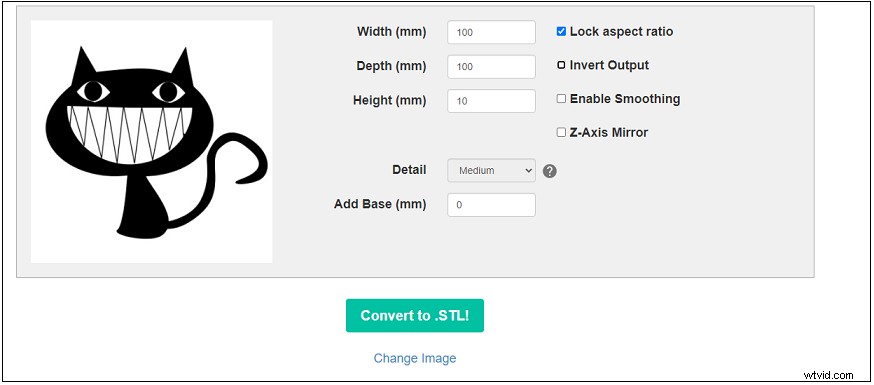
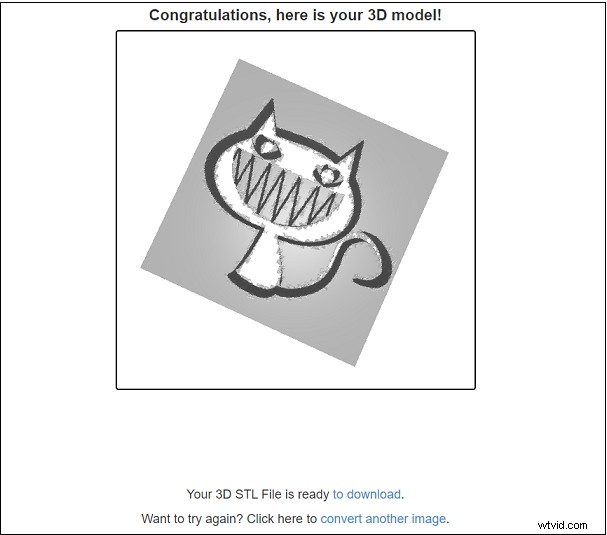
Step 3. Once the process is done, you can preview the 3D STL file and save it.
Convert Image to 3D Online Free with Anyconv
Website: https://anyconv.com/jpg-to-stl-converter/
Anyconv is an STL converter that supports STL conversions like JPG to STL, JPEG to STL, PNG to STL, GIF to STL, JEIF to STL, etc. It also supports image to OBJ conversions.
Here’s how to convert 2D images to 3D online.
Step 1. Go to the AnyConv website.
Step 2. Tap on CHOOSE FILE to upload the image.
Step 3. Press the CONVERT button to convert the uploaded JPG file to STL.
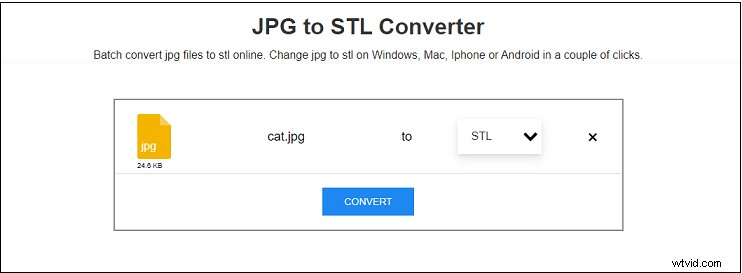
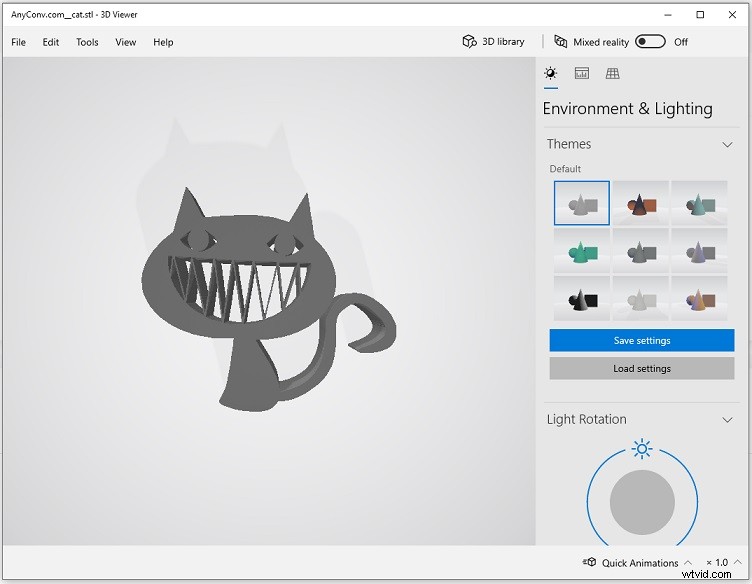
Step 4. After finishing the conversion, you can download the 3D file from this website.
Step 5. Then open it with 3D viewer.
See also: Top 3 Best 3D File Converters in 2021 [Reliable]
Convert Image to 3D Online Free with MiConv
Website: https://miconv.com/convert-png-to-stl/
Another file converter to convert image to 3D online free is MiConv. This converter can convert audio files, videos, images, eBooks, presentations, mesh and so on.
Take the following steps to convert an image to 3D model.
Step 1. Open the MiConv website.
Step 2. Upload the image file from your computer and select the output format STL under the Mesh.
Step 3. Convert and download the 3D file.
This post offers you some websites to get free images, you can download these images and convert them to 3D models: 5 Best Free Websites to Download Public Domain Vectors
Convert Image to 3D Online Free with 3Dforprint
Website: https://www.3dforprint.com/image-to-stl/
3Dforprint, a 2D to 3D converter, can generate STL geometry files from 2D images.
Here’s how:
Step 1. Visit the 3Dforprint website.
Step 2. Click on Image to STL converter and upload the image you want to convert.
Step 3. Adjust the output settings and click on Convert to STL.
Step 4. After a while, download the converted 3D file to your computer.
Conclusion
With the above-mentioned online 2D to 3D converters, you can convert image to 3D online free with ease!