
Images are captured and edited to show the best in them however sometimes we need to change the image background to meet the criteria we took that image for. It’s very common these days as with the normal pictures to remove image background and put some other color or image. Though it seems very hard to do remove image background and it is but with the emerging technologies you can remove image background free of cost and without having much technical knowledge.
In this article, you will learn the best ways to change the image background and put any color or image that you want to use as a background.
- Part 1: Remove Image Background for Free Using Online Tools
- Part 2: Bonus Tip--Change Video Background With Wondershare Filmora
- Part 3: Bonus Tip--Change Video Background With Filmora AI Portrait
You may also like:
- How to Make Image Transparent in 3 ways
- How to Remove Video Background Easily
Part 1: Remove Image Background for Free Using Online Tools
Getting a free tool is as complicated as removing image background without any software. But still, you can rely on these free tools that you can use to change image background. I will show you the steps to remove an image background as well.
1. Media.io Image BG Remover
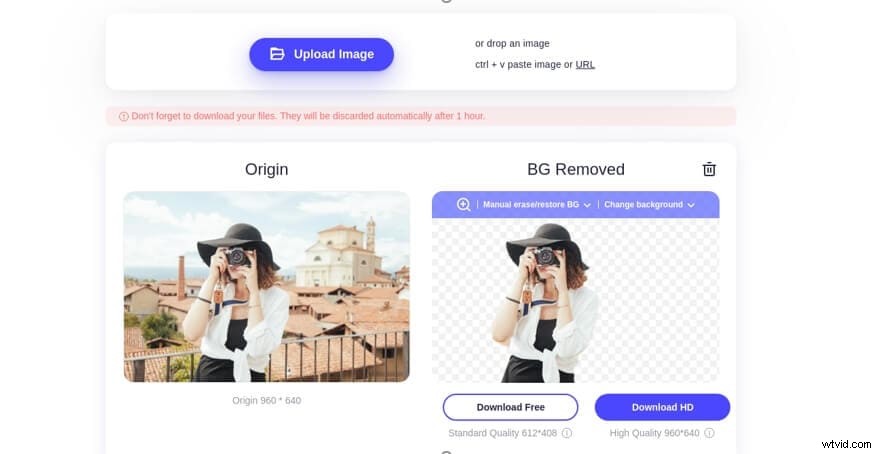
The image background remover tool by Media.io is yet another great option to get your favorite images extracted from those fizzy backgrounds. It removes the background of the image and makes it transparent to be used for constructing creative graphics, banners, and much more. Additionally, it helps in resizing images that fit the social media metrics.
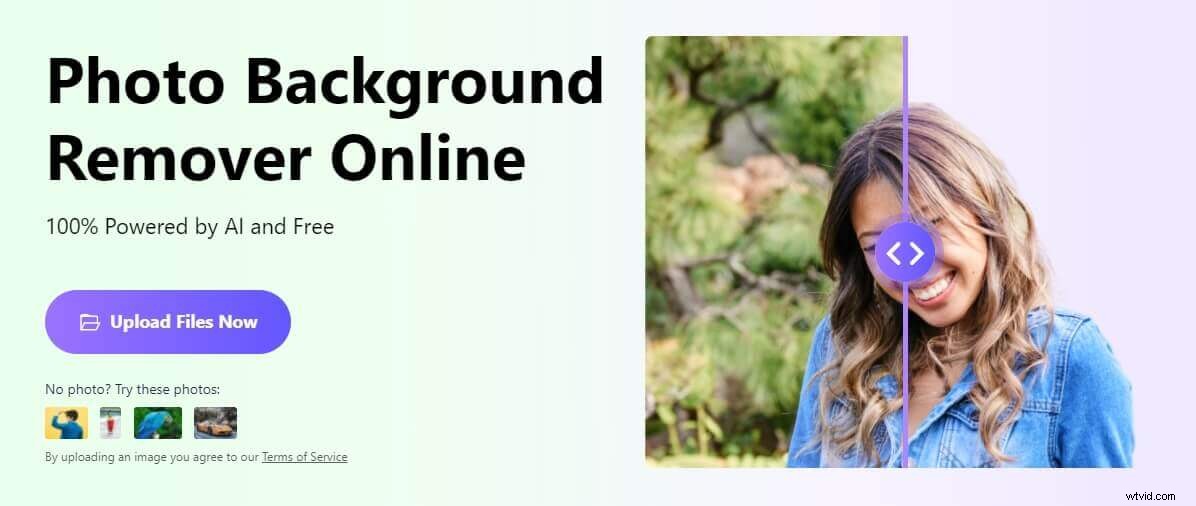
System Requirements: A system with an active internet connection is required to use the tool online and remove backgrounds.
Supported Formats: Every Image format is supported.
Key Features:
- High-Quality Images Available
- No Ads, Spam, or Annoying Pop-Ups
- Work done 100% automatically with AI
How to Use:
- Visit the Media.io Image BG remover tool: https://www.media.io/app/remove-image-background and select the Upload Files option. You need to pick your desired image to remove its background.
- Next, you will get the image with the removed background, and you need to select the ideal dimension of the dimensions as per your need.
- Once done, you can download pictures with either options Download Free or Download HD, depending on your needs. With this online image BG remover, you can also change the background with your image or the in-built image color and background.
2. Wondershare PixCut
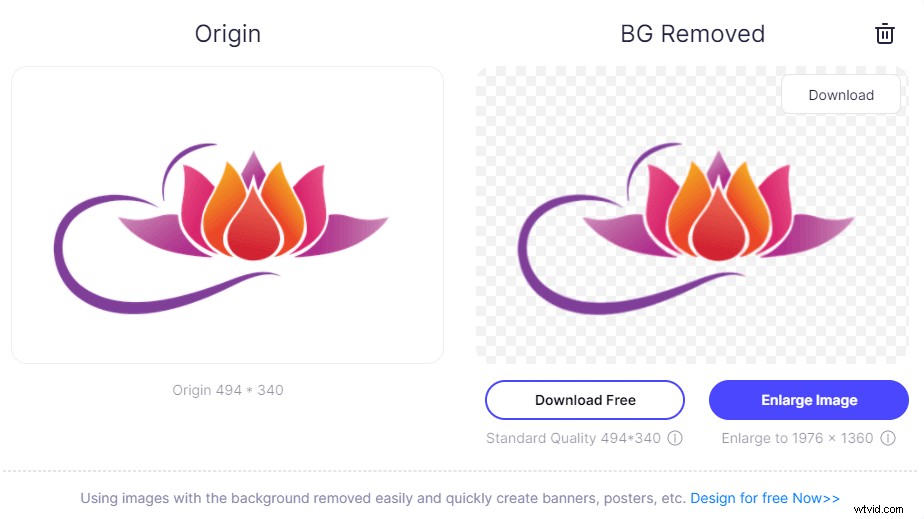
Wondershare PixCut is an online background remover that helps you remove the background from your image automatically with AI for free, and even you also can down the HD image at affordable prices as your requirement. The fantastic point of using Wondershare PixCut is that as soon as you upload your image, you can get the resulting image immediately without quality loss.
System Requirement: Internet connection and browser access to upload the files and change the image background.
Supported formats: All image formats supported.
Key features:
- Remove background automatically and immediately.
- Without quality loss.
- Allowed to remove background in bulks.
3. Remove bg
Remove bg is an AI-based tool that is super amazing in removing image background automatically. There are a lot of background images that you can use while changing the image background. You can download one image for free and then you can opt for the paid plan as per your requirements.
System Requirement: Internet connection and browser access are required to upload the files and change the image background.
Supported formats: All image formats supported.
Key features:
- Remove image background within 5 seconds automatically.
- Amazing quality.
- API integration with software workflow.
How to use:
- Upload an image online
- Now, your image has no background however you can add the background image given in the library.
- Click on edit and choose the background image and download your image.
4. Background Burner
Background burner is a free tool that automatically replaces background images with white or transparent background. The process involved in removing background is fully automated with AI technology that is capable of giving a wonderful output as the final image.
System Requirements: An internet connection and browser is required to login to the account
Supported formats:All image formats supported.
Key Features:
- Remove image and the white background automatically.
- Change or remove photo backgrounds.
- Save in different formats like png or jpg.
- Pan, zoom, undo facility inbuilt.
- Share your creativity on social media directly.
How to use:
- Upload your image by clicking on Choose a photo.
- Your image background will be made white automatically however if you still want to add something more to it then click on Touch up and increase the white background according to your requirements.
- You can use other image editing tools available on the Pixel Tools tab. Click on it and add more to your image and click on Finish.
- After clicking on the finish you will get the options to touch up or replace the background with an image. Click on Replace background and change image background from the images given in the library.
- Here you can edit your image background, now save & download your image by logging in to the account.
5. LunaPic
LunaPic is another great tool that you can use to create a wonderful picture by removing the background or replacing it with a white one. This tool is online and doesn’t require any software to download and the quality of this tool would make you fall in love with it.
System requirements: Internet connection and browser to upload files and get the final version of your image.
Supported formats: All image formats are supported.
How to use:
- Go to the website and upload the picture that you want to edit.
- Now, you have the image on the panel and you can use the tools given on the left side that you can use to edit, crop, zoom your image, or edit the background.
- Now, to remove the background of your image then go to Edit and click on a transparent background. Now, you will have the option to reduce or increase the transparency on the image.
- When you are done with editing go to File and click Save Image to choose the format that you want to download.
Part 2: Bonus Tip--Change Video Background With Wondershare Filmora
Wondershare Filmora is a great tool to edit videos and add effects with endless ways to express creativity. It has some unique features and qualities that make it stand out among its competitors. As mentioned, Wondershare Filmora has a green screen feature that would remove the video background. The tool is so unique in itself that you can change your video background with creative methods.
Key features:
- A lot of inbuilt video effects and creativity tools.
- Advanced green screen(chroma key) settings
- Adjust colors, add transitions and effects with pan and zoom facility.
- Directly upload the final file to YouTube or Vimeo.
How to use:
- Import the media files to the media library (one video that you want to edit and remove its background and the other image or video file that would be used as the background).
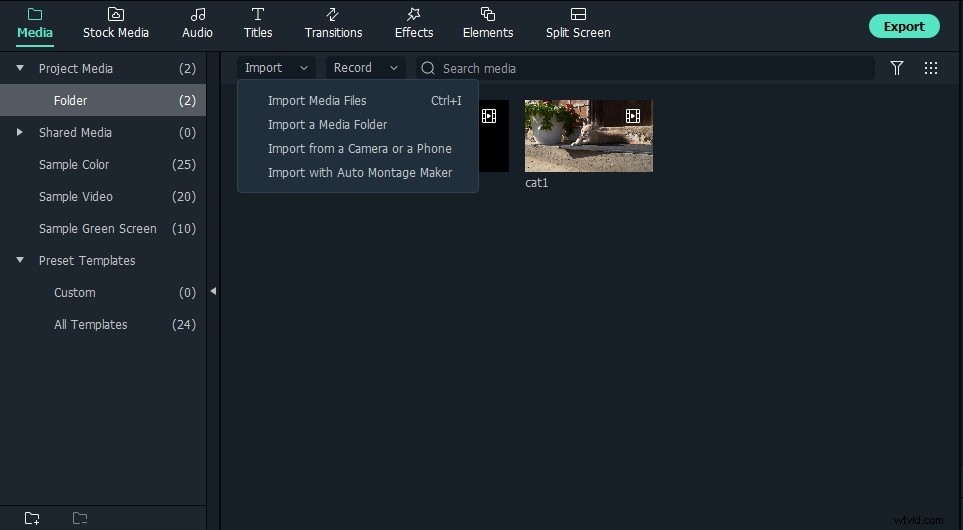
- Then drag the background video on the video track one and the green screen video on the second video.
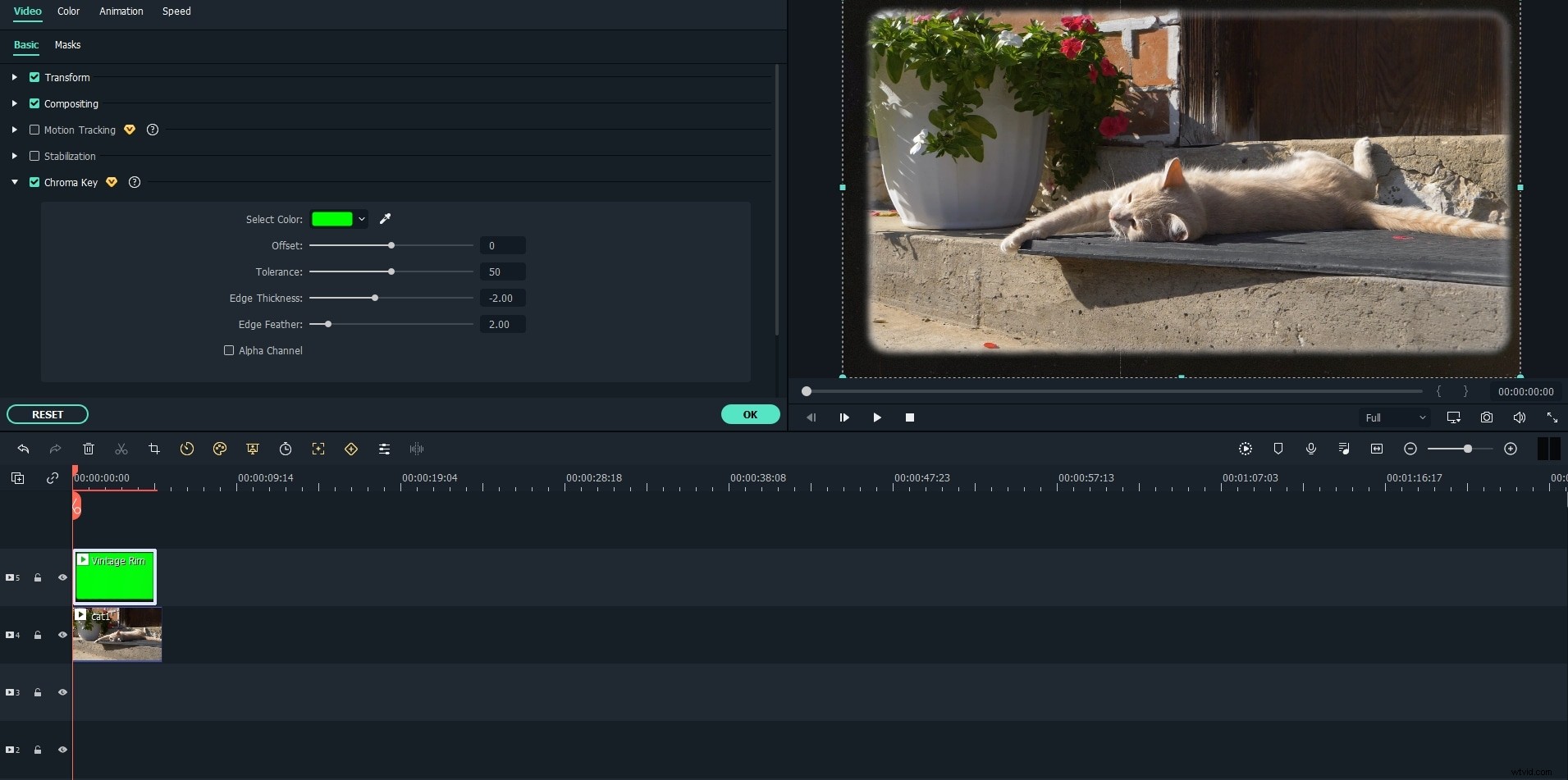
- Now right-click the video on the timeline, select Green Screen.
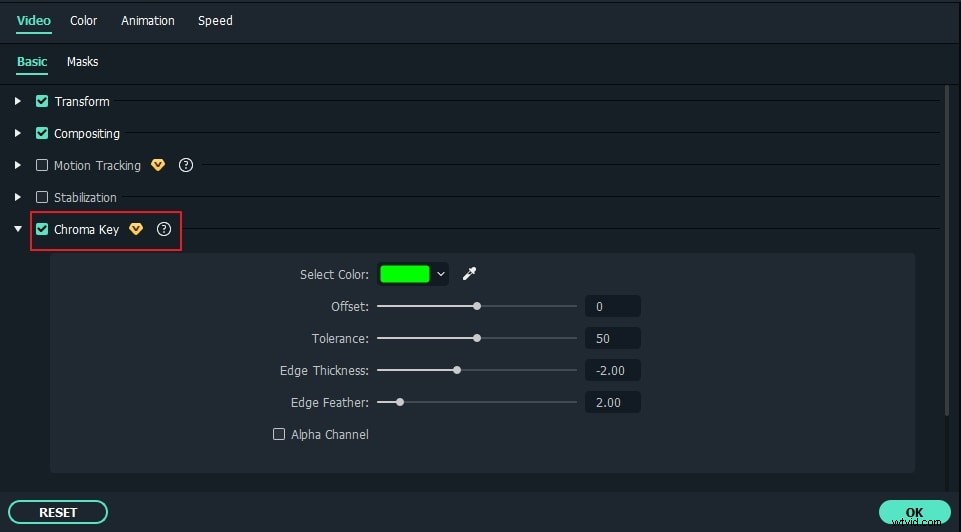
- Enable the Chroma Key option. You can now select a color that you want to apply as the background with the help of the eyedropper tool and make use of tools given there such as Edge, Tolerance, Offset, and Edge Feather to adjust the transparency. If you want to make it black & white then you can use the Alpha channel.
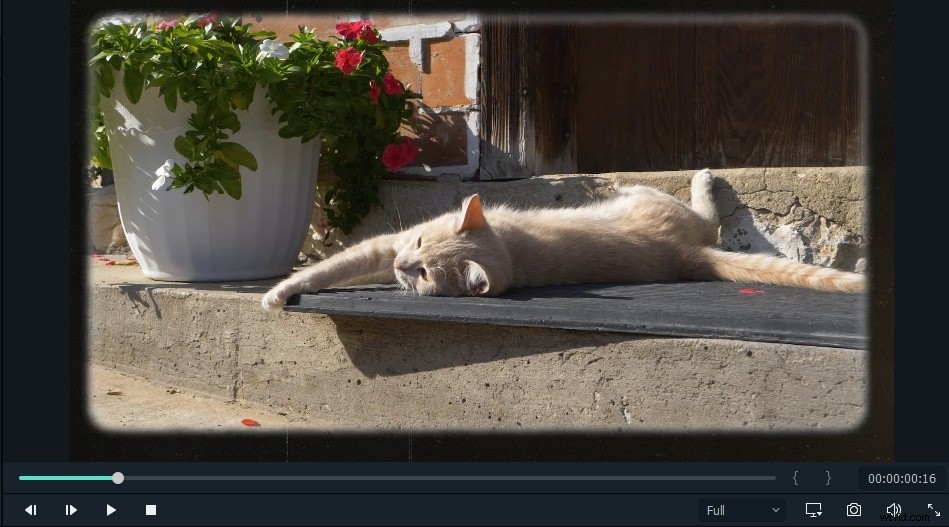
- Finally, you will see the video background was changed.
Part 3: Bonus Tip--Change Video Background Using Filmora AI Portrait
Filmora V10.5 with its newest feature AI Portrait, using ai to cut out the background automatically, grant you a satisfying result. You don't need to do anything that costs your time. All you have to do is to drag and drop the AI portrait effect on your clip and you're good to go.
How to use:
- Import the media files to the media library.
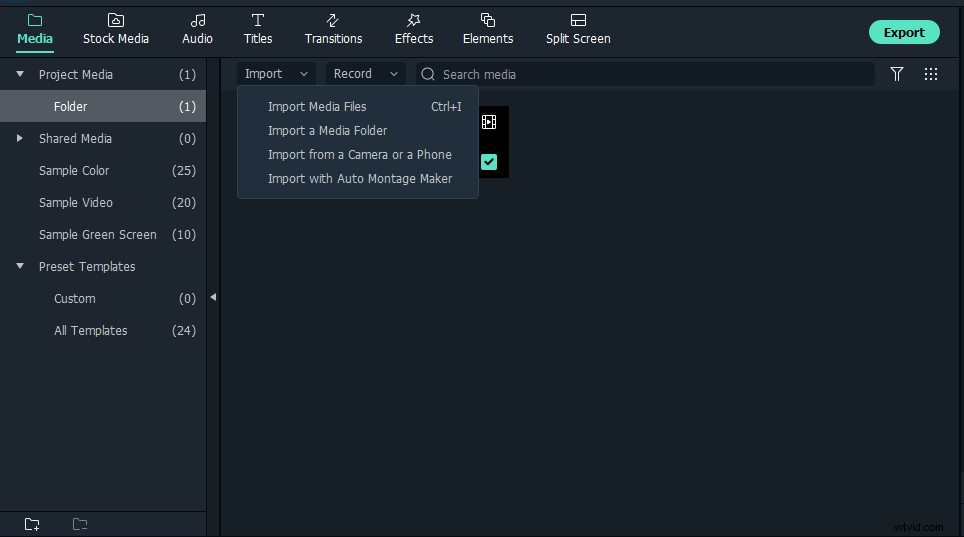
- Drag and drop Human Segmentation effects on the clip you want to remove your background.
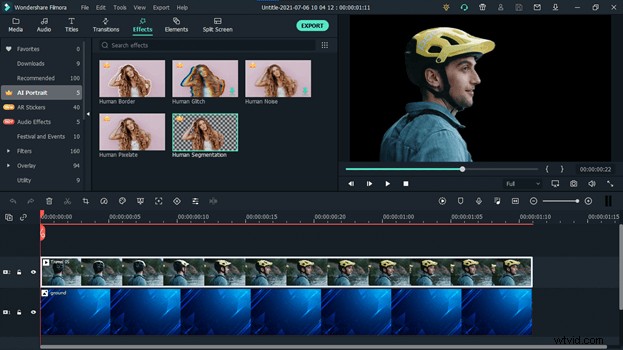
- Last, take a snapshot and find it in the folder.
Conclusion:
Now, you have learned to remove image background for free and change image background with wonderful online tools. There are a lot of complications that people face while editing an image and remove background image however this guide might be a lifesaver for those who are not so much into professional video editing but still want to show some creativity. If you have learned something from this guide then let us know in the comment section and your favorite tool too.