
With the open-source music software, you can download, view, and modify the source code without worrying about licensing and maintenance fees. What is the best open-source music software? This post gives 4 recommendations for you to choose from.
Considering the cost of music software programs, you can resort to open-source music software. The content below covers some of the best open-source music software that will help you achieve professional-grade results. Go through the post to know more about these software programs.
If you want to make short movies with the resulting music, you can try MiniTool MovieMaker, which is free and easy to use.
Waveform
Developed by Tracktion Corporation, Waveform is one of the best open-source music software that is full-featured for all music creators. It can serve as a digital audio workstation for different operating systems like Windows, macOS, and Linux.
Despite being completely free, it offers almost all the necessary features for effective work with soundtracks. With it, you can record audio and MIDI, mix audio, edit the music of various genres, and apply pre-designed effects to your creations.
More than that, you can also have access to other advanced tools such as track analysis, and automation. Also, you can install AU and VST plug-ins to improve your workflow.
LMMS
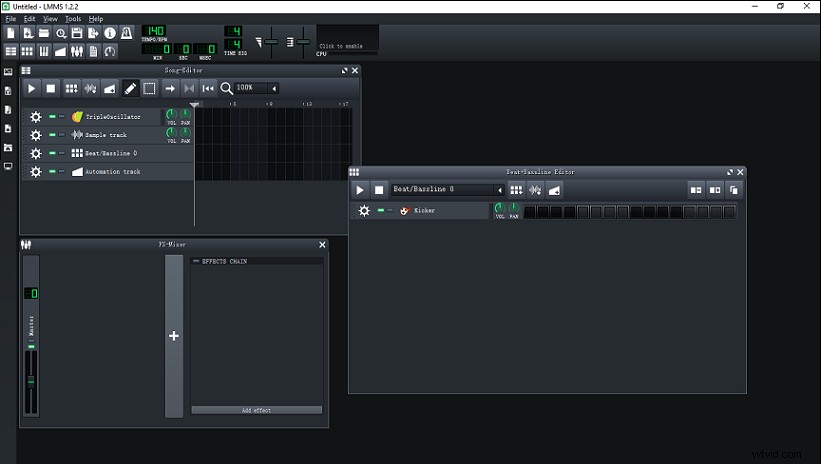
LMMS is also among the best open-source music software for Windows, macOS, and Linux. With a user-friendly and modern interface, you can compose music, generate beats, and make changes to the already existing music with ease.
To produce custom music, it offers multiple music editors along with multiple plug-ins to generate various sounds of musical instruments like drums, guitar, piano, etc.
If you want to make beats, you can use its dedicated beat creation editor that provides loop functionality to lock one or more beats in a continuous loop. The controller rack enables you to adjust the bass, tempo, and phase of your output audio file.
Studio One Prime
Studio One Prime is also an open-source music software for Windows and macOS. It is a well-designed DAW for recording sound and performing basic soundtrack mixing. With it, you can record, produce, and mix audio with drag-and-drop functionality and multi-touch support.
It also has a channel strip plug-in with EQ and compression, reverbing and delaying options, and adding flinger and chorus to your audio. You can also unleash your creativity with unlimited audio and instrument tracks, virtual instruments, and audio effect channels.
More interestingly, it allows for intuitive drum and melody composition via a familiar drum-machine inspired user interface. Furthermore, it provides a virtual sample player for keyboard and synth sounds.
MuseScore
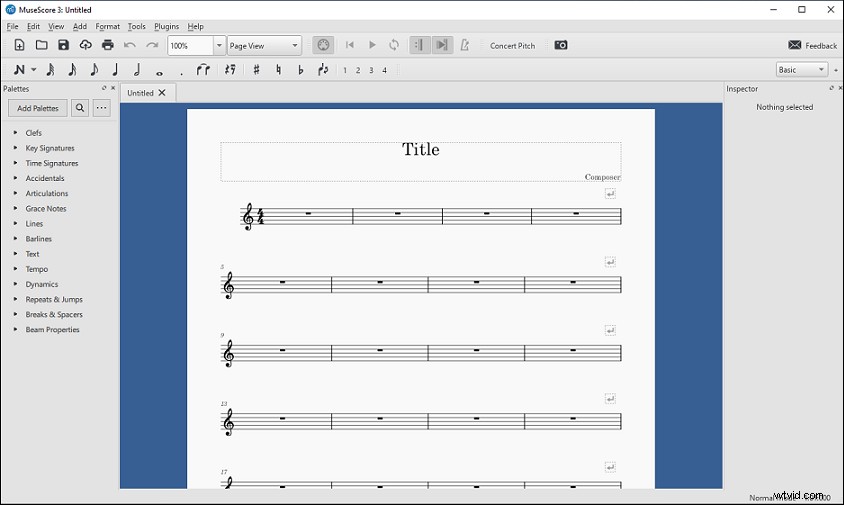
Last but not least, MuseScore is also a popular and free open-source music software that you can use on Windows, macOS, and Linux. It comes with powerful tools for creating, playing, and printing beautiful sheet music.
In addition, it can be used as a music notation software that lets you add and arrange music notations, signatures, instruments sound over the staves to make music easily. It supports input via the MIDI keyboard.
After creating, you can export the results in formats like MP3, FLAC, OGG, MIDI, etc. Additionally, you can save the sheet music in PDF, PNG, SVG, and some other printable formats.
Conclusion
In a nutshell, this post shares the 4 best open-source music software that will help you deal with music creation without restriction. What is your favorite one? If you have other great tools we missed in this post, welcome to share your ideas in the comments area below!