
Are you still looking for a nice wallpaper maker? If yes, then you’ve come to the right place. This post will introduce 10 wallpaper makers for desktop and mobile devices. And if you long to make a GIF wallpaper, you can try MiniTool MovieMaker.
Top 5 Wallpaper Makers for Desktop
1. Fotor

Fotor is an easy-to-use wallpaper maker that makes users create amazing wallpapers with its unique templates. This wallpaper creator offers many popular wallpaper styles. Besides, it’s also a powerful photo editor and so you can optimize your wallpapers with its comprehensive tools.
2. Canva
It’s a free wallpaper maker. This versatile wallpaper creator has a user-friendly interface and provides tons of images. And it’s also packed with various photo editing tools. And it’s also a photo collage maker.
Related article: Top 10 Online Photo Collage Editors
3. BioniX Wallpaper Changer
It’s a free GIF wallpaper maker that works with GIF and AVI wallpapers. Sometime you may wonder that how to how to set a gif as wallpaper on Windows 10. BioniX Wallpaper Changer can help you do it successfully.
4. PixTeller
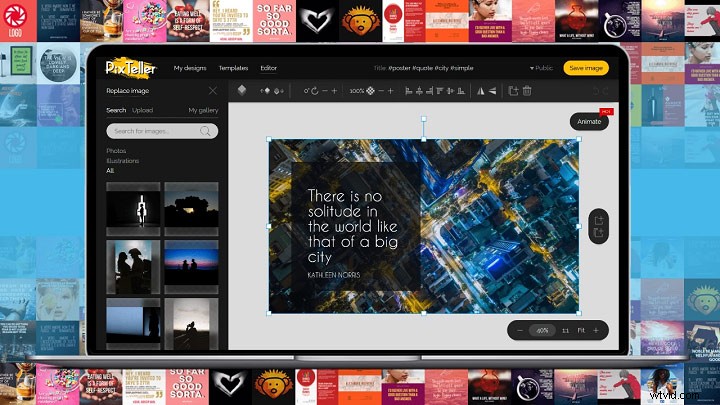
PixTeller, a free online wallpaper maker, provides clear steps for users to create fantastic wallpapers. This wallpaper creator offers 1,500.000+ photos and gradient colors. It can download wallpapers as JPG and PNG, and crop images.
5. Tenor
Do you desire to create gif wallpapers? Tenor can help you. It’s a perfect gif wallpaper maker. It offers a variety of GIFs from movies, TV shows, animals, etc.
Top 5 Wallpaper Makers for Mobile Devices
1. IntoLive - Live Wallpapers
Availability: iOS
It’s a free wallpaper maker but also offers in-app purchases and available to turn videos, GIFs, and live photos into wallpaper. And it gives some photo editing features, such as adding filters, rotating and flip photos.
2. GIF Live Wallpaper
Availability: Android
This GIF wallpaper maker is simple to operate and can enable users to choose any GIFs to be the phone wallpaper and a picture resizer. And it supports 5 languages.
3. Wallpaper Maker- Make Monogram
Availability: iOS
It’s a wonderful wallpaper maker to personalize your phone background and customize the lock screen. And it’s also a live photo editor like rotating and cropping photos, and adding filters.
4. KLWP Live Wallpaper Maker
Availability: Android
It’s a free wallpaper maker and allows users to make fabulous live wallpapers. This wallpaper creator is packed with many photo editing features. For example, users can add text with custom fonts, colors, and effects.
Related article: The Complete Guide on How to Add Fonts to Word
5. Clarity Wallpaper
Availability: iOS
This wallpaper creator can be used free but also provides in-app purchases. With this perfect wallpaper maker, users can create gradient backgrounds and blurry wallpapers for the home screen, and add text to wallpapers.
How to Set a GIF as Wallpaper
GIFs are very popular and many people want to create GIF wallpapers or set a GIF as wallpaper. But how to set a gif as wallpaper on the computer? Next, let’s see how to how to set a gif as wallpaper with BioniX Wallpaper Changer that works on Windows.
Step 1. Download and install BioniX Wallpaper Changer.
Step 2. Create or download some GIFs.
Step 3. Launch the gif wallpaper maker and click Tools > Wallpaper animator to select the GIF.
Step 4. Select the GIF to set as the wallpaper.
Bottom Line
This post provides 10 wallpaper makers including 3 GIF wallpaper makers and shares one way about how to set a gif as wallpaper on Windows. If you’ve learned other ways to set a gif as wallpaper, you can share your method in the below comments area.