
How to resize your video for YouTube
Before discussing how to do it, let’s define the permitted size of YouTube videos. It depends on the recording type:
Standard YouTube videos:
- Aspect ratio: 16:9 only;
- Dimensions supported (in pixels): 426 x 240, 640 x 360, 854 x 480, 1280 x 720, 1920 x 1080, 2560 x 1440, 3840 x 2160;
- Size limit: 128 GB maximum (or 12 hours irrespective of size);
- Best format choice: MOV, MP4, AVI, WMV.
YouTube Video Ads:
- Skippable in-stream ads: aspect ratio 16:9, size 128 GB, length 12 sec - 6 min;
- Non-skippable in-stream ads: aspect ratio 16:9, size 128 GB, length 15 sec;
- Bumper ads: aspect ratio 16:9, size 128 GB, length 6 sec;
- TrueView: aspect ratio 16:9, size 128 GB, length 12 sec - 3 min;
- Video discovery ads: aspect ratio 16:9, resolution 640 x 360, size 1 GB;
- Display ads: aspect ratio 4:3, resolution 300 x 250, size 150 KB, length 30 sec.
To adjust your video size for YouTube demands, you’ll need a special tool. Luckily, we have an online one.
Upload an initial file
Open the Online Video Resizer by Clideo in any browser. Click the “Choose file” button to, well, choose a file from your camera roll or computer folders.
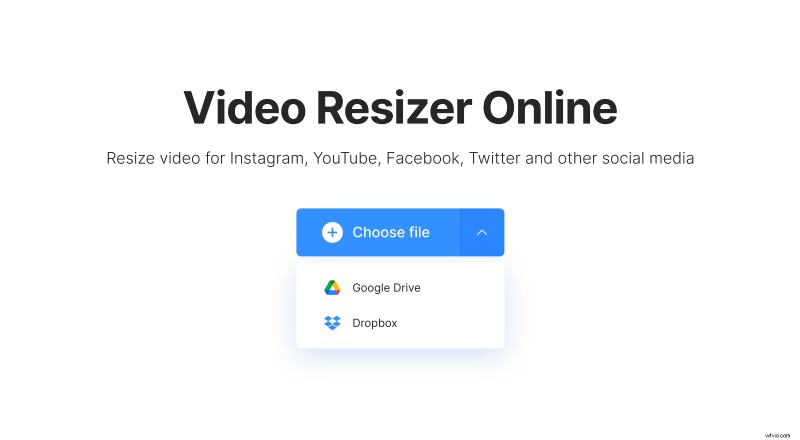
Click a small arrow on the right to upload a recording from Google Drive or Dropbox.
Choose the necessary size
Just select a ready resolution preset for YouTube. There are 5 other options, including resizing clips for Snapchat, Instagram, and Facebook.
Select the background color for the borders. Alternatively, you can zoom the frame and change its position.
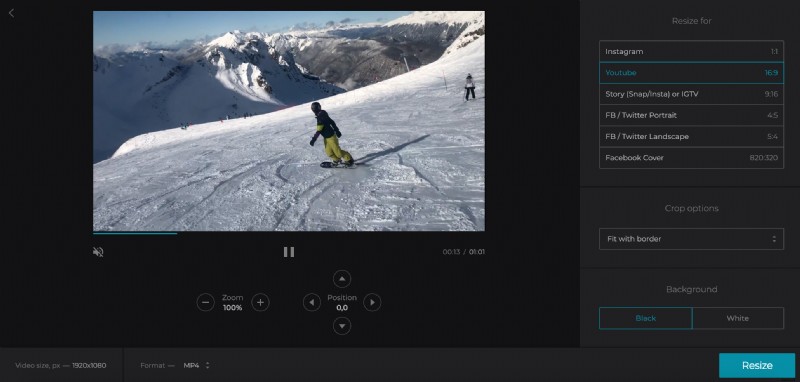
Change the output format or keep the initial one. For all the social media, it’s better to stick to MP4.
Click “Resize” and wait several moments.
Download the result
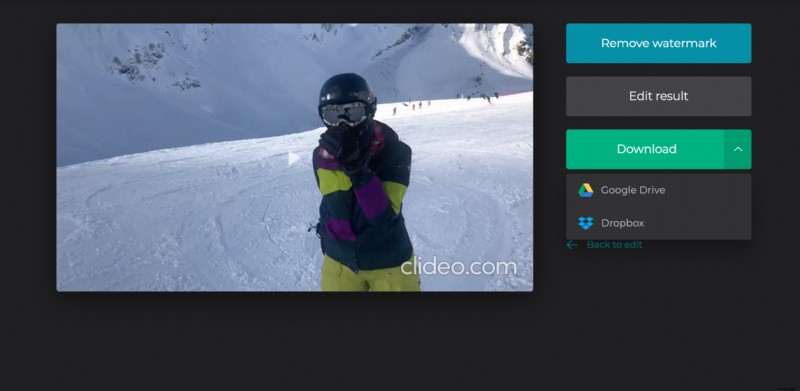
When your clip is duly processed, have a quick preview to get sure that you are happy with the result. If you are, indeed – save the recording to your personal device or upload it to one of the clouds.