In film theory, there are basically two types of cuts: visible and invisible. The visible cut (used frequently in music videos and experimental films) is highly noticeable, while invisible cuts are all about smoothly transitioning from one scene to the next, so as not to distract from the story.
Invisible cuts are frequently used in feature-film editing to provide consistency and believability, the building blocks to creating an emotional connection with the viewer. In this article, we present four essential tips for crafting invisible cuts, offering some useful tools for telling a convincing story without distracting the viewer’s attention.
http://vimeo.com/75801054
Tip 1: Cutting Into Movement
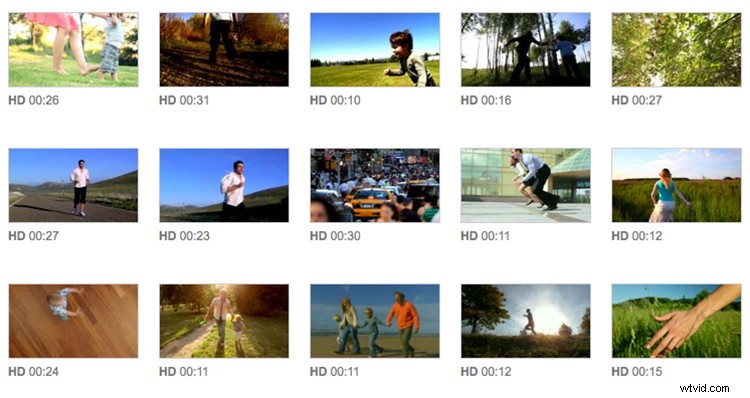
Almost every clip in the above video features a different person. The challenge is to connect their separate “stories” into as cohesive a narrative as possible. In the three opening shots, we bring the movement of each of the characters together — creating a fluid sense of motion from one clip to the next — by cutting into their walking/running.
http://vimeo.com/75803172
Notice that the first cut, at the end of clip 1, is made while the boy’s foot is in the air, not on the ground, and that in clip 3, the boy’s hands are about to move up as the cut is made. Our eyes follow movement. When there is no movement to follow, viewers can become briefly disengaged, making it more likely that they’ll be distracted by a transition to a new scene.
http://vimeo.com/75809212
We use the same technique — cutting into the movement of the main character — when selecting the best transition point from clip 14 to clip 15: the moment just as the woman lifts her head to look into the camera, the sun shining into the lens over the man’s head.
http://vimeo.com/75810154
Tip 2: Aligning Camera Movement
Cutting between dynamic camera movements, much like cutting when the people in disparate clips are moving, creates a similarly smooth transition. Notice how the jump to a different scene feels unforced in this cut between clips 15 and 16 — a nice result of matching the similarity in the movement of the cameras when the cut is made.
Tip 3: Following the Direction of the Action
Aligning the direction in the action (which way characters are running/walking/moving) is a great way to tie shots together, and supports cohesion in the storytelling. The transition from clips 2 – 4 is less than ideal in this version, as the action of the boys moves in opposing ways.
http://vimeo.com/75810350
Flipping clip 3 horizontally — so that the boy runs from left to right — provides more consistency between these three clips, strengthening the connection between them in the eyes of the viewer (thus making the story more convincing and easier to follow).
http://vimeo.com/75810274
Tip 4: Using Establishing Shots to Form Bridges
Finally, you’ll notice that there are a handful of clips (5, 8, 11, 13, and 19) in this video that establish a new environment. These transitional moments function to create “chapters” in the story, maintaining an overall rhythm and giving the viewer a moment to breathe between the action-oriented shots. While it’s fun to compile a bunch of high-intensity, action-packed clips in a sequence, establishing shots like these help viewers to fill in the story around the action, painting a fuller picture of the world in which the story transpires.
For a more in-depth look at how to use these techniques, preview the full video tutorial on Skillfeed »
Check out all of the clips used in this post in our “Invisible Cuts” clipbox »