
Learn how to design and animate split horror titles with custom shading and textures, inspired by M. Night Shyamalan’s Split.
Does your video project require a serious suspense or horror feel? Creating custom horror titles can sometimes be a struggle — after all, there are a million ways to go about it.
In this After Effects tutorial, we’ll take a look at recreating the main title from M. Night Shyamalan’s new movie, Split. This tutorial covers basic principles of suspense design like applying textures, splitting text, and adding shadows to separate the cuts.
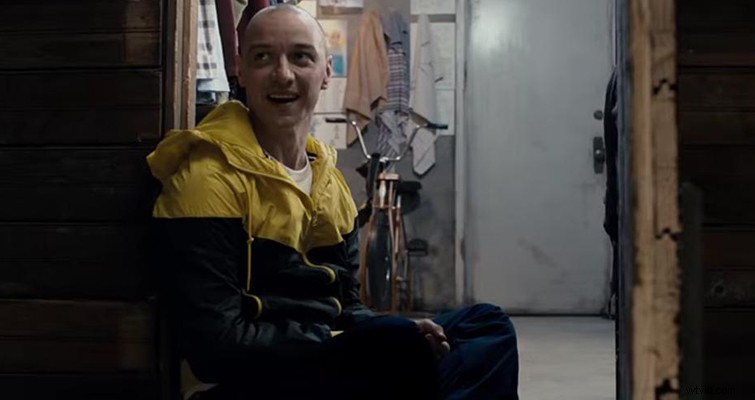
Image: James McAvoy in M. Night Shyamalan’s Split via Universal
Suspenseful/horror titles follow a general philosophy of design — they need to be eerie and unsettling to your audience. The titles should represent what your story or message is about. The movie Split is based on an antagonizing multiple personality villain who abducts three women.
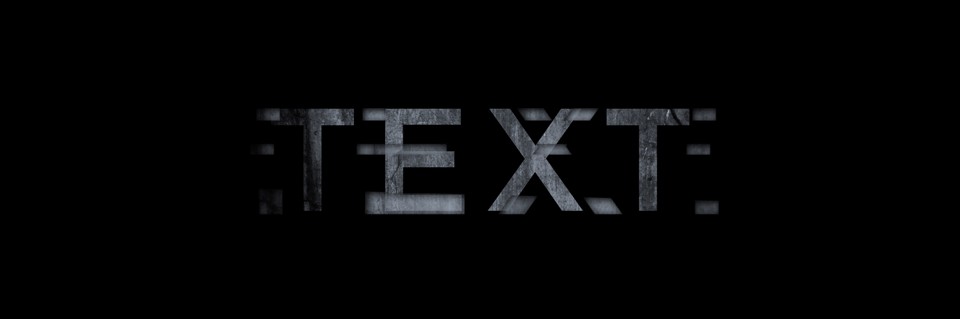
The title design clearly represents the antagonist (or, really, in Split’s case, antagonists) and the theme of split personalities through the split-shadowed ridges within the text. Furthermore, the title design indicates the genre of the film. You’ll see in our tutorial how to grab the audiences attention with your title by adding a touch of distortion to the beginning of the animation in order to create a jarring offset.
Here’s a quick preview of the final horror title result:
Here’s what you’ll take away from this exciting Split Horror Text After Effects tutorial:
- How to design textured titles
- Create shadow shading for depth
- Create a replaceable text workflow
- Distort and split text
- Create an awesome title animation
Download the Free Project File
DOWNLOAD FREE ‘SPLIT’ TITLES PROJECT FILE
Creating horror titles can lead to a road of endless possibilities. Keep in mind that titles should always complement your story, represent your genre, and set the mood of your product. So have fun and be sure to experiment with these concepts to create your own unique horror/suspense titles.