iPhones have always stood out from other devices, offering unique capabilities and a distinct ecosystem. Understanding which video formats they support, along with the best tools for editing and converting footage, is essential for every user.
Part 1 – iPhone Video Formats: Playback & Recording
iPhones support a wide range of video codecs, but a few are still incompatible. The device natively plays MP4, MOV, and M4V files encoded with H.264/H.265 up to 4K resolution at 60 fps, High‑Profile level 4.2, and audio up to 160 kbps at 48 kHz stereo. It also handles MPEG‑4 (Simple Profile) at lower bitrates (≈2.5 Mbps) and 480 p/30 fps. Older AVI files are not supported natively, and videos encoded with the VP9 codec (common on YouTube’s 4K streams) cannot be played directly on an iPhone.
Supported Formats – Playback
- MP4/MOV/M4V: H.264/H.265 up to 4K/60 fps, High‑Profile level 4.2; audio up to 160 kbps, 48 kHz stereo.
- MP4/MOV/M4V: MPEG‑4 (Simple Profile) up to 2.5 Mbps, 480 p/30 fps; audio up to 160 kbps, 48 kHz stereo.
- AVI: Not supported natively on iPhone.
Supported Formats – Recording
- 720 p HD – 30 fps.
- 1080 p HD – 30 fps.
- 1080 p HD – 60 fps.
- 4K – 24 fps, 30 fps, or 60 fps.
- High‑Efficiency mode reduces file size without compromising quality.
Part 2 – Top iPhone Video Editors
Editing on the go is now easier than ever. Below are three editors that combine powerful features with an intuitive interface.
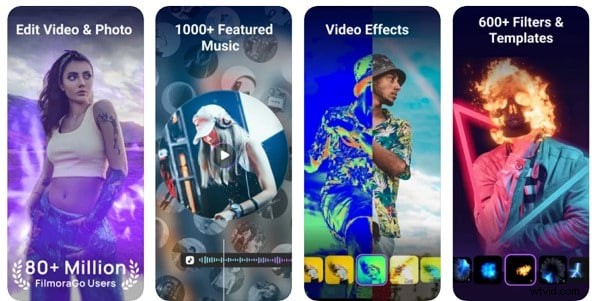
1. Filmora – Video Editor & Maker
Rating: 4.6/5
Filmora offers a clean, drag‑and‑drop workflow with advanced tools such as speed‑control, cuts, merges, effects, and an extensive sound library. The app lets you export directly to YouTube, Instagram, or Facebook, and its “High‑Efficiency” option keeps file sizes manageable.
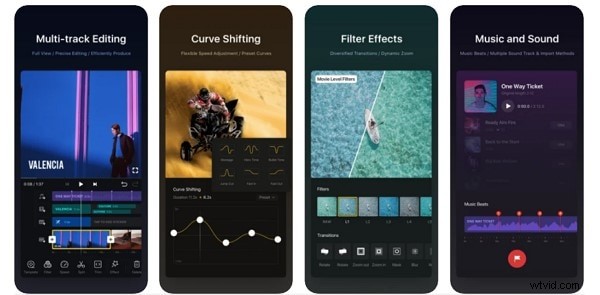
2. VN Video Editor
Rating: 4.7/5
VN is praised for its precision editing, allowing frame‑by‑frame trimming at 0.05‑second increments. It auto‑saves progress, supports multiple audio tracks, built‑in transitions, and easy addition of text and emojis.
Part 3 – Leading iPhone Video Converters
When your footage isn’t in a compatible format, a converter is essential. These three apps handle the most common scenarios.
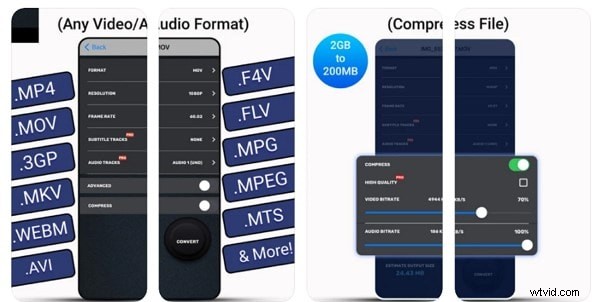
1. Video Converter and Compressor
Rating: 4.7/5
Developed by Inverse.AI, this tool supports M4V, WAV, FLAC, M4A, AC3, MPG, and MTS. It offers fast conversions for MP4, FLV, MP3, MOV, AVI, MKV, and 3GP, with options to retain or drop subtitles and flip videos. Resolution can be set from 240 p to 4K.
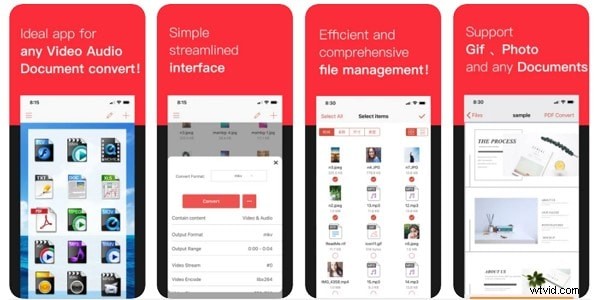
2. iConv – Video & PDF Converter
Rating: Not Rated
iConv handles batch conversions, compression, and decompression for iPhone video formats. Its drag‑and‑drop interface and customizable trim settings make workflow efficient, especially on split‑screen setups.
3. The Video Converter
Rating: 4.3/5
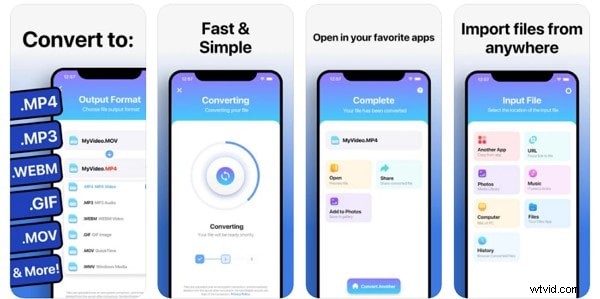
Capable of converting to WebM, FLAC, GIF, MOV, WMV, AVI, 3G2, FLV, M4A, MP4, MKV, WAV, MP3, and MPG. Cloud‑based processing means the app is battery friendly, and most conversions complete in about 15 seconds. Files can be AirDropped to any Apple device.
Bottom Line
Mastering iPhone video formats and choosing the right editor or converter empowers you to capture, edit, and share high‑quality content effortlessly. Whether you’re a casual user or a content creator, the tools above provide reliable, professional results.
Wondershare Filmora
Get started easily with Filmora’s powerful performance, intuitive interface, and countless effects!