
Want to create scroll-stopping videos on TikTok? Try out the reverse video TikTok feature.
In just a few taps, you can turn your ordinary TikTok video into an on-trend masterpiece. Whether you’re spicing up your workday or recreating the TikTok trend #avengerschallenge, content creators can reverse absolutely any video on the popular video-sharing app.
Let’s discuss how you can reverse a video on TikTok, video ideas using the video reverser and some frequently asked questions. Read on to explore:
How to reverse a video on TikTok
TikTok video ideas using the video reverser feature
FAQ1: How to add captions to TikTok videos
FAQ2: How to create the 3D video effect on TikTok
How to reverse a video on TikTok
Using TikTok’s Video reverser can add a whole new level of fun to TikTok trends and videos. Learn how to use TikTok’s in-app video reverser below.
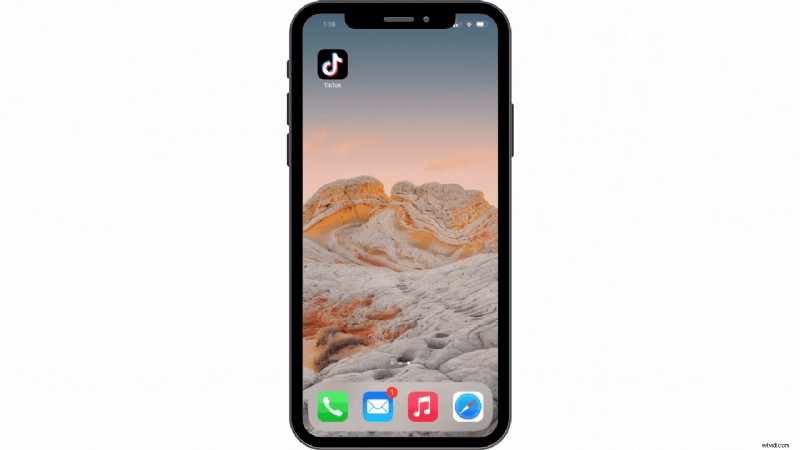
Step 1. Launch your TikTok app
Click on the TikTok app. TikTok will open to your feed page.
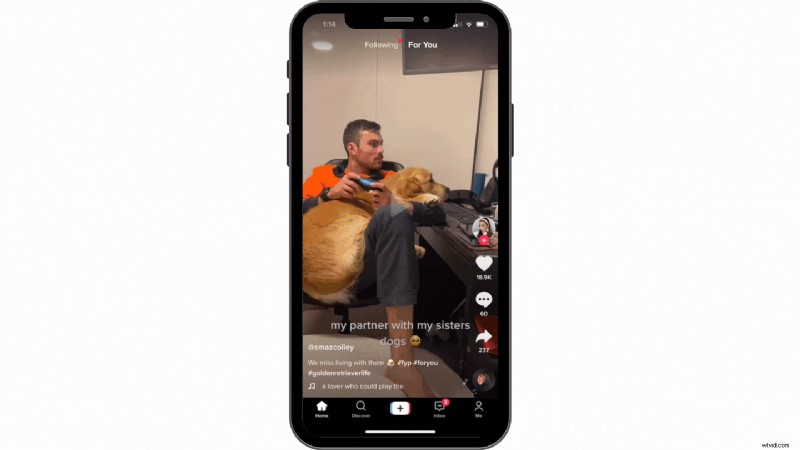
Step 2. Create a new TikTok video
Click on the + button at the bottom center of your screen. Either record a new video or upload a video from your camera roll that you would like to reverse. Feel free to use video clips from our extensive range of stock footage.
Click Next at the top right corner when you’re ready to proceed to the next step.
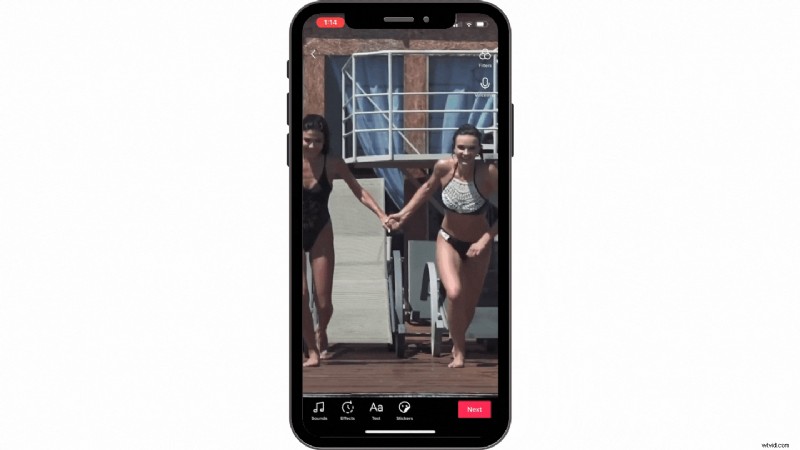
Step 3. Add reverse TikTok effect
At the bottom of your screen, you will see four editing options. Sound, Effects, Text and Stickers. Click on Effects. A pop-up tab will appear.
Click on the Time option. There will be three, time-warp effects to choose from. Video reverser can be found under the Reverse button. Once you have clicked on reverse, click Save.
Your reversed video is now ready for posting.


 Free in-browser video editor
Make professional videos in minutes
Try for freeTikTok video ideas using the video reverser feature
TikTok’s video reverser is super #ontrend right now. If you’re a content creator looking for some inspiration, take a look at our collection of TikTok video ideas and TikTok trends below.
1. Makeup video reverser
2. Superhero video reverser
3. Work in reverse
4. #reversechallenge video ideas
FAQ1: How to add captions to TikTok videos
Many of us watch TikTok videos on our daily commute or late at night, so the sound is usually turned off. Using captions in your TikTok uploads can increase your video reach as more users are likely to keep watching. 40% of people said they’re more likely to watch a video if it has captions, so use them to your advantage.
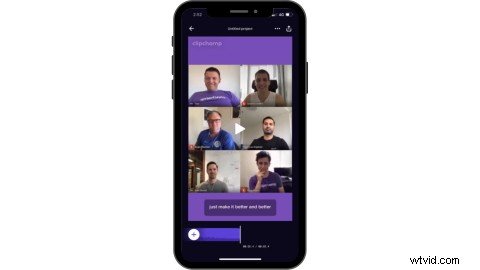
Adding captions to TikTok videos is easy when using Clipchamp’s iOS app. Content creators have been raving about it! All you have to do is use our auto-captioning tool called text-to-speech, and we do the rest for you.
The Clipchamp iOS app is free to download, extremely user-friendly, and fast when you want to batch create content.
FAQ2: How to create the 3D video effect on TikTok
The 3D photo trend is just as popular as the video reverser feature. Add a little bit of spice to your profile by making your pictures look like their multidimensional videos. Clipchamp online video editor has all the features you’ll ever need to create the 3D video effect.
Following trends on TikTok can increase your profile's engagement as video is the future of video marketing.
Create TikTok trends using Clipchamp
We told you using TikTok’s video reverser would be easy. Hopefully, you've learned a new trick or two about using the video reverser and are now inspired to make your very own with our TikTok video ideas. Easily create your next TikTok with captions or try out the 3D photo trend using our online video editor.
Should you be posting your new reversed video to TikTok and Instagram? Find out in our TikTok vs Instagram Reels for Business blog.