
Snapchat’s rapid‑fire sharing makes it a favorite for quick moments, but the platform’s built‑in notifications can turn a simple recording into a social awkwardness. Whether you’re documenting inappropriate behavior or preserving a friend’s clip, this guide shows you how to capture Snapchat content without triggering alerts.
Is it Possible to Record Snapchat Without a Trace?

Yes – with the right tools and techniques you can record a Snap covertly. Below is a comparison of the most effective methods.
| Method | Effectiveness | Limitations |
|---|---|---|
| Use reputable third‑party software | Highest quality, full control | Free versions may limit duration or add watermarks |
| Airplane mode during capture | Very reliable, no notification | Requires toggling connectivity each time |
| Mirror phone to PC and record on desktop | Decent quality, no phone alert | Setup can be involved; desktop recorders may lack advanced features |
| Record with a second device | Simple, quick | Lower resolution and audio fidelity |
Method 1 – Record Snapchat with Third‑Party Software
For the best blend of quality and flexibility, software like Wondershare Filmora offers a robust screen‑recording suite plus editing tools.


- Choose the recording area: full screen, window, or custom rectangle.
- Set an automatic stop timer if needed.
- Trim, split, or crop footage directly in the editor.
- Blur sensitive content with a mosaic tool.
- Use AI object removal to delete unwanted elements.
- Access 2.9M+ visual assets to enhance your clips.
Steps to capture a Snap:
- Download and launch Filmora.
- Click New Project.
- Navigate to File > Media > Record PC screen.
- Select the Snapchat window and press the Start Recording button (or hit F9 if you prefer hotkeys).
- Play the Snap on your phone.
- When finished, click Stop or press F9 again.
- Export or edit your recording as desired.
Filmora’s intuitive interface, AI‑enhanced editing, and cross‑platform availability (Windows, macOS, iOS, Android) make it the top recommendation for users seeking a professional‑grade workflow.
Method 2 – Use Airplane Mode While Recording
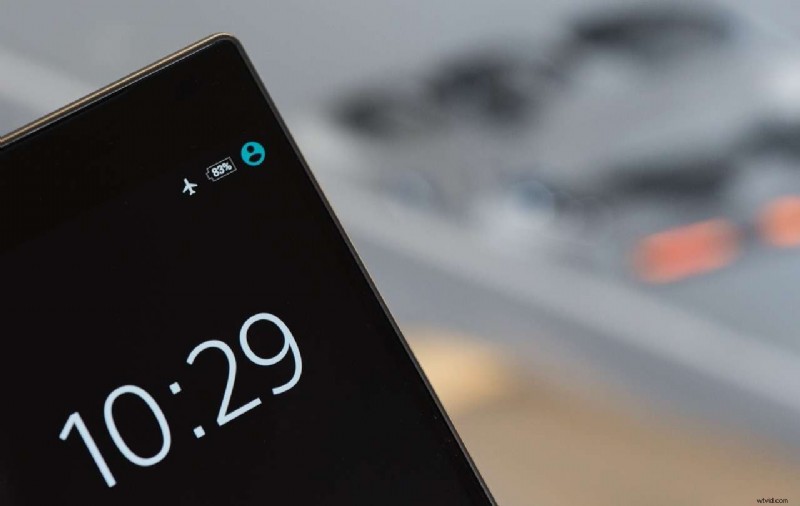
Turning off cellular and Wi‑Fi signals ensures Snapchat cannot detect the recording. Follow these steps:
- Open Snapchat and refresh your feed.
- Locate the Snap you want to save but do not play it yet.
- Activate Airplane Mode from Settings (Android) or the Control Center (iOS).
- Open your device’s native screen‑recording feature and start recording.
- Navigate back to Snapchat and play the Snap.
- Stop the screen recorder when the video ends.
- Disable Airplane Mode.
Timing is crucial: load the Snap before enabling Airplane Mode, but avoid playing it until the recorder is ready.
Method 3 – Mirror Your Phone to a PC and Record There

Mirroring allows you to capture a Snap entirely from your computer, eliminating any phone‑side notifications.
For macOS Users
- Open the AirPlay icon in the Dock and select your iPhone.
- Launch QuickTime Player, then choose File > New Movie Recording.
- Adjust audio and quality settings.
- Press the record button and play the Snap on your phone.
- Stop recording when finished.
For Android Users
- Launch the Phone Link app from the taskbar.
- Select Android and scan the QR code displayed on your phone.
- Open the Snipping Tool (or another screen‑capture utility).
- Define the recording region and start the capture.
- Play the Snap and stop when done.
While this method is straightforward, desktop recorders often lack advanced editing features, so you may need additional software to polish the footage.
Method 4 – Record with a Second Device
As a quick and low‑tech fallback, simply use a camera or second phone to film the Snap on screen. Expect lower resolution and potential audio distortion, but it works when other methods are impractical.
Conclusion
There are four reliable ways to record Snapchat content without triggering notifications. For the best balance of quality, control, and post‑processing options, we recommend using Wondershare Filmora. Always remember to set up your recording environment before playing the Snap, as the moment the video starts, you lose the chance to capture it again.
Frequently Asked Questions
- Can someone tell if I screen record on Snapchat? If you use the phone’s native recorder without precautions, Snapchat will notify the other party. The methods above bypass that alert.
- Is it safe to stealth record Snapchat? Yes—when performed correctly, your recording remains undisclosed. Still, use the footage responsibly and respect privacy.
- What are the top tools for screen recording?
- Wondershare Filmora – high‑quality recording + advanced editing.
- VLC Media Player – free, cross‑platform recorder.
- QuickTime Player – simple macOS option.
- Can I record Snapchat on my mobile? You can, but it will trigger a notification. Airplane mode can hide the alert if you must.