
A video tutorial is a type of video that teaches viewers how to do a particular thing. These videos can be done to demonstrate a new skill or tips on how to complete simple or complex tasks, and range from a few seconds to several minutes in one video. Some are even filmed in series.
The type of video tutorial you intend to create influences how you will shoot and create the tutorial video. But then, regardless of what type of video you want to create, one constant thing is that you will have to edit your video tutorials and add special elements to make them more engaging and attractive to your audience.
In this guide, you will learn how to make video tutorials that stand out every time. Let’s get into it.

In this article
- Most Common Types of Video Tutorials
- How to Make a Tutorial Video Easily
- How to Edit Tutorial Videos and Make Them Stand Out
Part 1: Most Common Types of Video Tutorials
Video tutorials are a powerful way to educate, inform, and guide audiences through a wide variety of topics and processes.. So, before you get into how to make video tutorials, here are some of the most common types of video tutorials:
- Explainer Videos: Explainer videos are short, concise tutorials that simplify complex concepts or demonstrate how a product or service works. These videos are typically under a minute long and are designed to capture attention quickly. Common examples include DIY tips, “how-to” segments, and brief product demonstrations. Their straightforward format makes them ideal for social media and marketing campaigns.

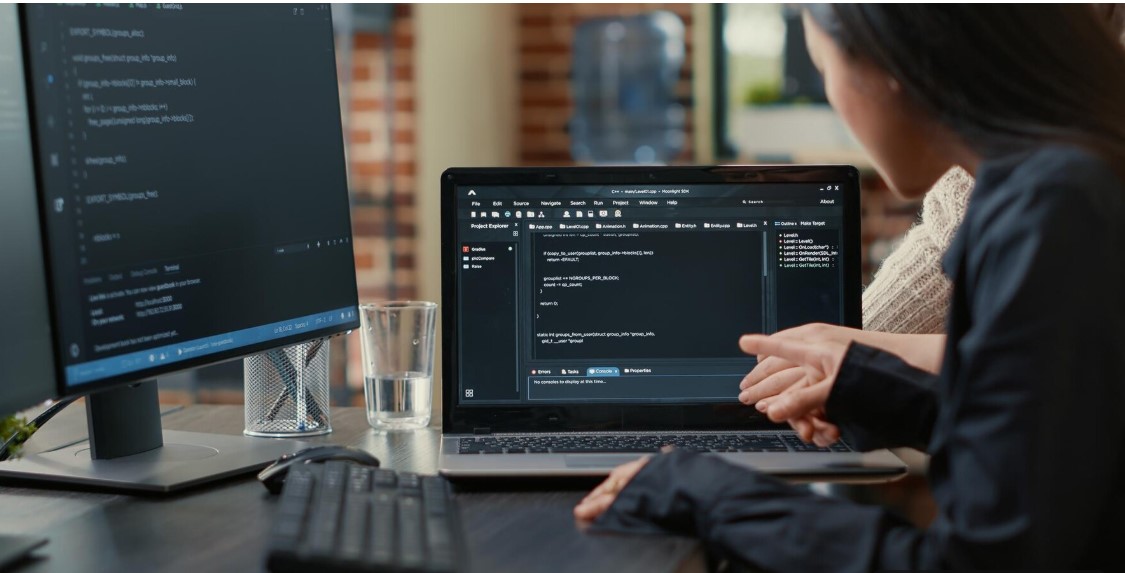
- Software Demos: Software demotutorials focus on guiding users through the interface and functionalities of an app or program. These often walk viewers through each step of using the software. These videos help onboard new users or introduce updates and new features.
- Product Tutorials and Unboxings: These videos often combine two formats: the unboxing and the tutorial. The unboxing portion highlights first impressions, packaging details, and product presentation, while the tutorial shows the product's features and usage. This format is commonly used in tech, beauty, and lifestyle industries to give potential buyers a comprehensive view of what to expect and how to get the most out of a product.

- Educational Videos: Targeted primarily at students, educational video tutorials are structured to teach specific subjects. These videos are created by educators and are designed to be clear, organized, and easy to follow. Using simple language and visual aids, they aim to support both classroom learning and independent study.

- Cooking Tutorials: Cooking videosguide viewers through recipes step by step, from listing ingredients and explaining measurements to demonstrating preparation techniques and plating. They are particularly popular on platforms like YouTube and Instagram.

- Interactive Tutorials: These tutorials encourage viewer engagement through clickable elements, quizzes, and decision-based pathways. These are useful for e-learning, corporate training, and children's content, as they allow the audience to participate actively and reinforce their understanding through feedback and repetition.
Part 2: How to Make a Tutorial Video Easily
Now that you’ve seen the different types of tutorial videos out there, it’s easier to figure out where your own content fits. Once you’ve picked the right category, it’s time to start thinking about how to actually make your tutorial video. So, here’s how to make video tutorials from scratch:
Step 1. Plan Your Video- Identify your target audience.
- Write out your idea and divide the video into sections.
 Step 2. Generate a Script
- Write a script that includes your introduction, your timestamps, notes, instructions, transitions, and the closing.
- To do this, it’s recommended to use an automated tool like Filmora’s speech-to-text feature.
- You can also write it on a blank Word document.
 Step 3. Practice Your Script
- Go over your script to build your confidence,.
- Cross out any unnecessary filler words or stammering.
- You can record yourself doing this or use a friend as your viewer to practice.
 Step 4. Shoot the Video
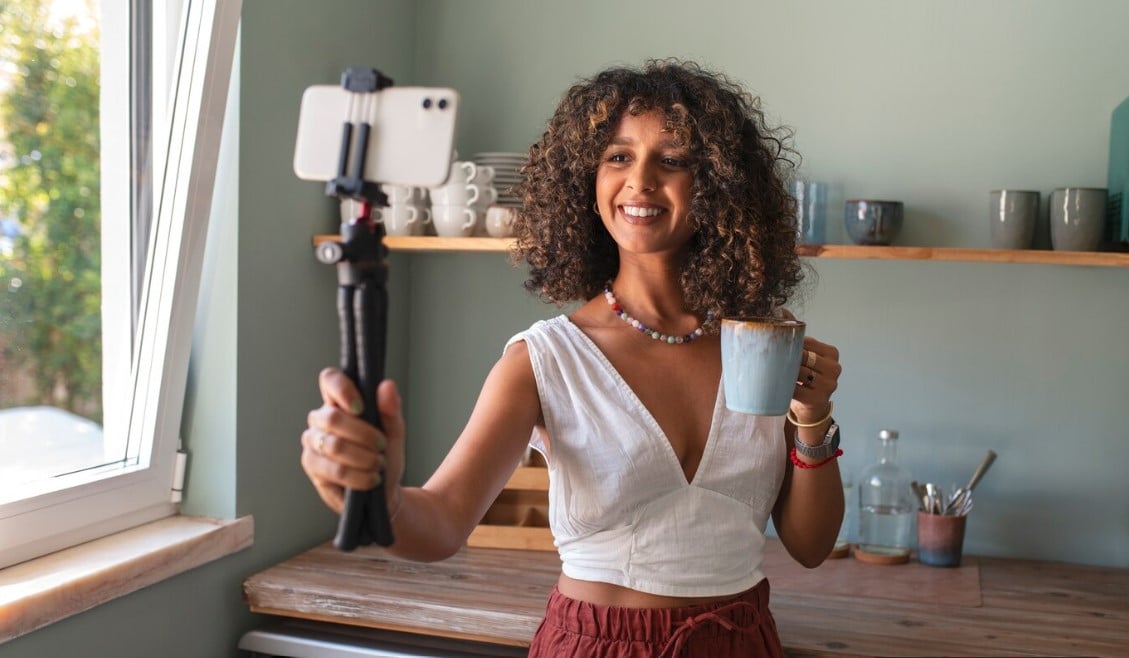
- Separate your entire video into different clips and shoot each differently.
 Step 5. Edit the Video and Publish it
- Import all your clips into a reliable editor like Filmora.
- From here, you can adjust the positions and add effects, transitions, sound effects, or music, as well as captions.
- Save your final video to post on social media.

The steps to create tutorial videos are that easy!
Part 3: How to Edit Tutorial Videos and Make Them Stand Out
In truth, for any tutorial video to turn out amazing, you need the right tools, especially for steps like editing and generating scripts for it. And the fact is, using the wrong tools can make the whole process harder than it needs to be. That’s why Wondershare Filmora comes highly recommended.
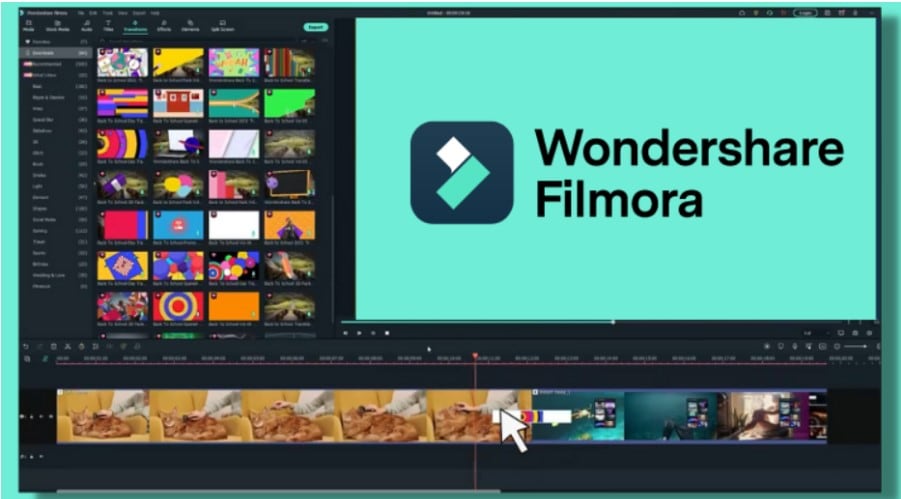
This all-in-one video editor helps you get great results without needing a ton of experience or extra apps. It’s also built for creators like you who want pro-looking videos without the steep learning curve. Here are some features that make Filmora the perfect tutorial video creator:
- Video to Text: It turns your video’s audio into an editable script using AI. This is perfect for captions or repurposing your content to reach a wider audience.
- Multicam Editing: Filmora also combines footage from multiple angles or cameras to create one perfect, polished tutorial video.
- Captions: It lets you easily add captions, manually or with AI, so your viewers can follow along and stay engaged.
- Sound: Filmora offers built-in music, voice enhancement, noise removal, and sound effects to give your videos a clean, professional audio finish.
- Effects & Transitions: It includes a wide range of drag-and-drop effects, filters, and smooth transitions that help your videos feel dynamic and polished.
Make Videos with Wondershare Filmora
- Vast video/audio effects and creative assets.
- Powerful AI for effortless content creation.
- Intuitive, professional yet beginner-friendly.
- Works on Mac, Windows, iOS, and Android.


Now that you know about the features, here’s a step-by-step guide on how to make video tutorials with Filmora:
Step 1: Download Filmora from the official website and launch it. Step 2: Click on New Project.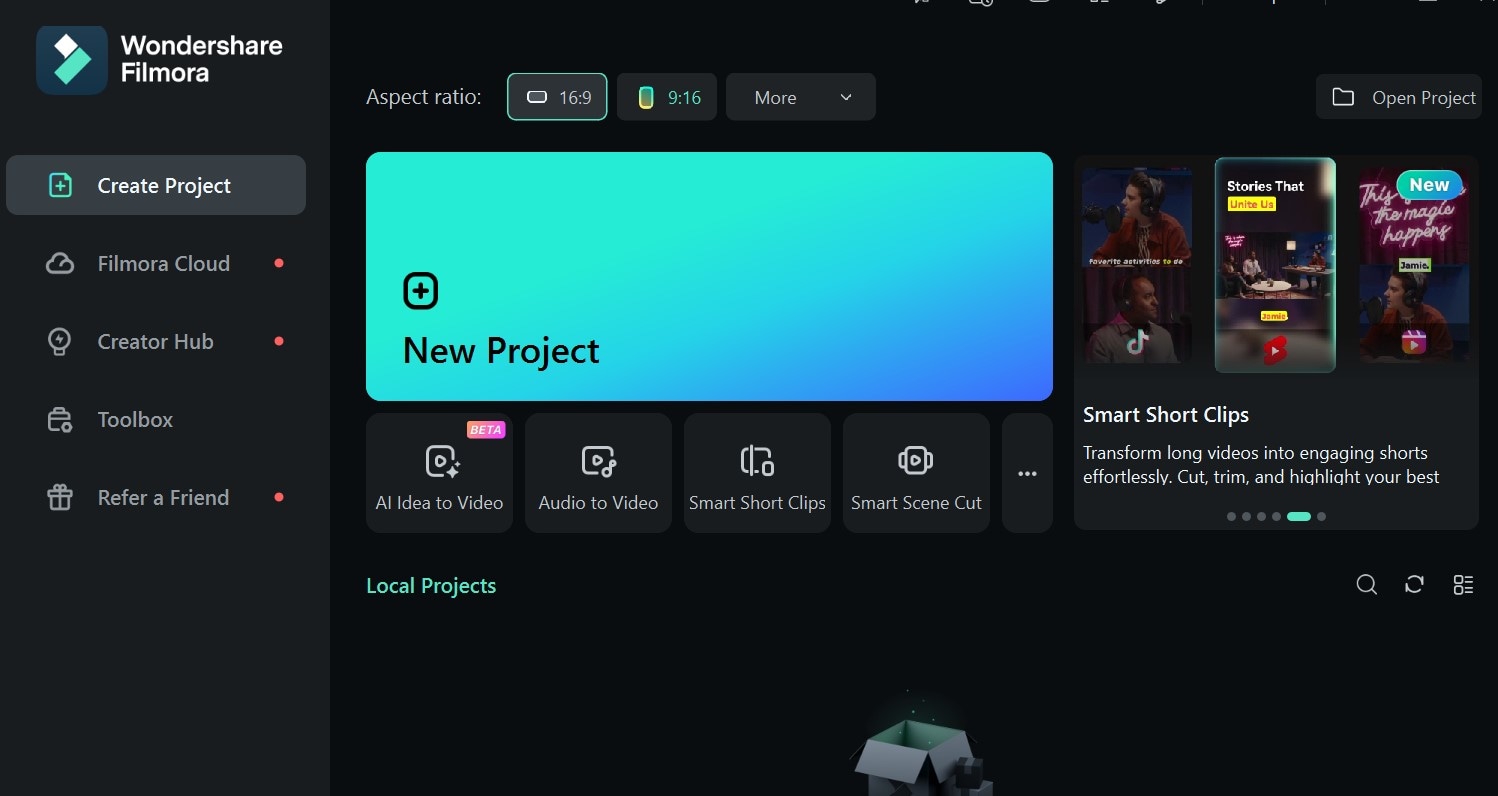 Step 3: Import your tutorial video clips and adjust them in the timeline.
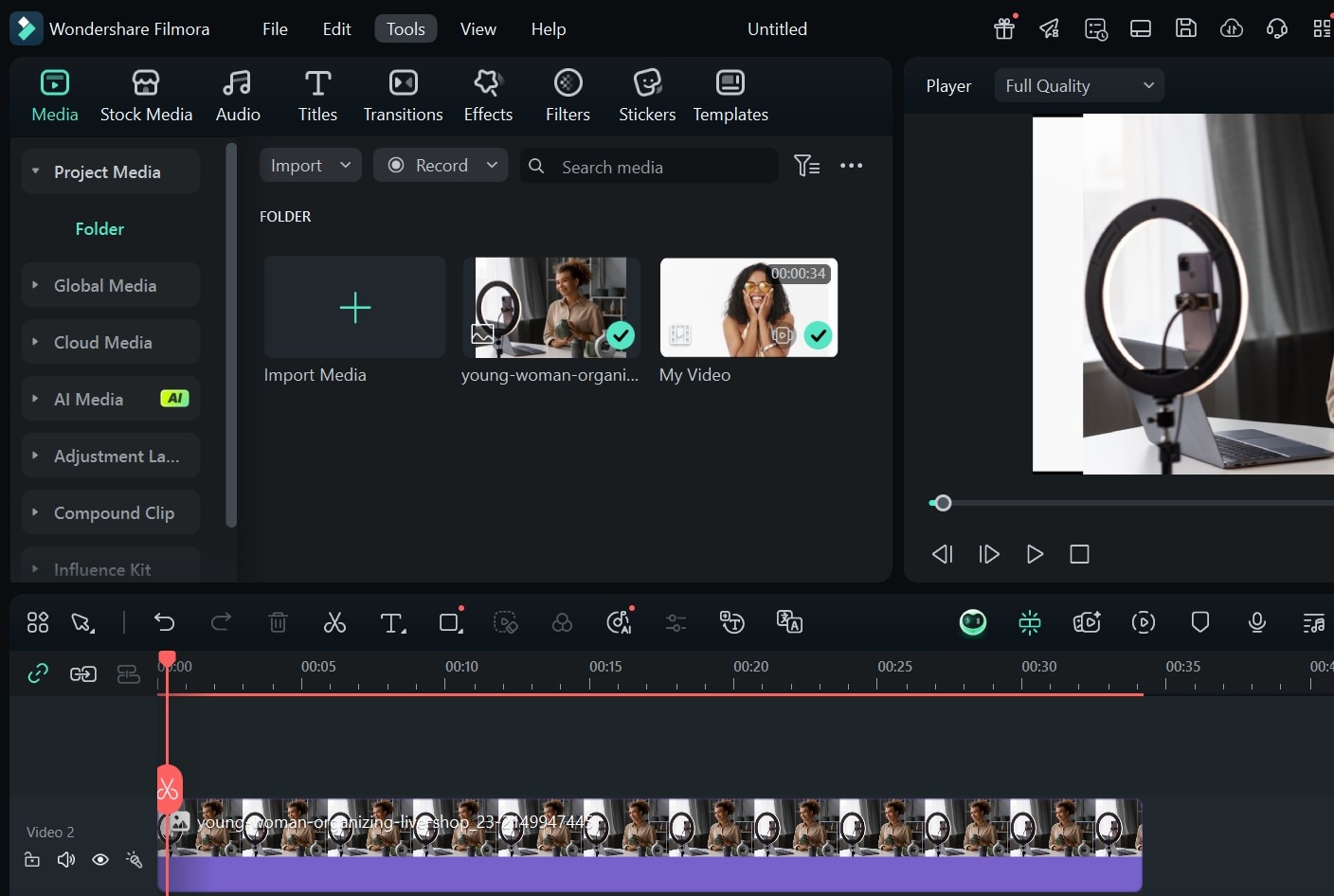
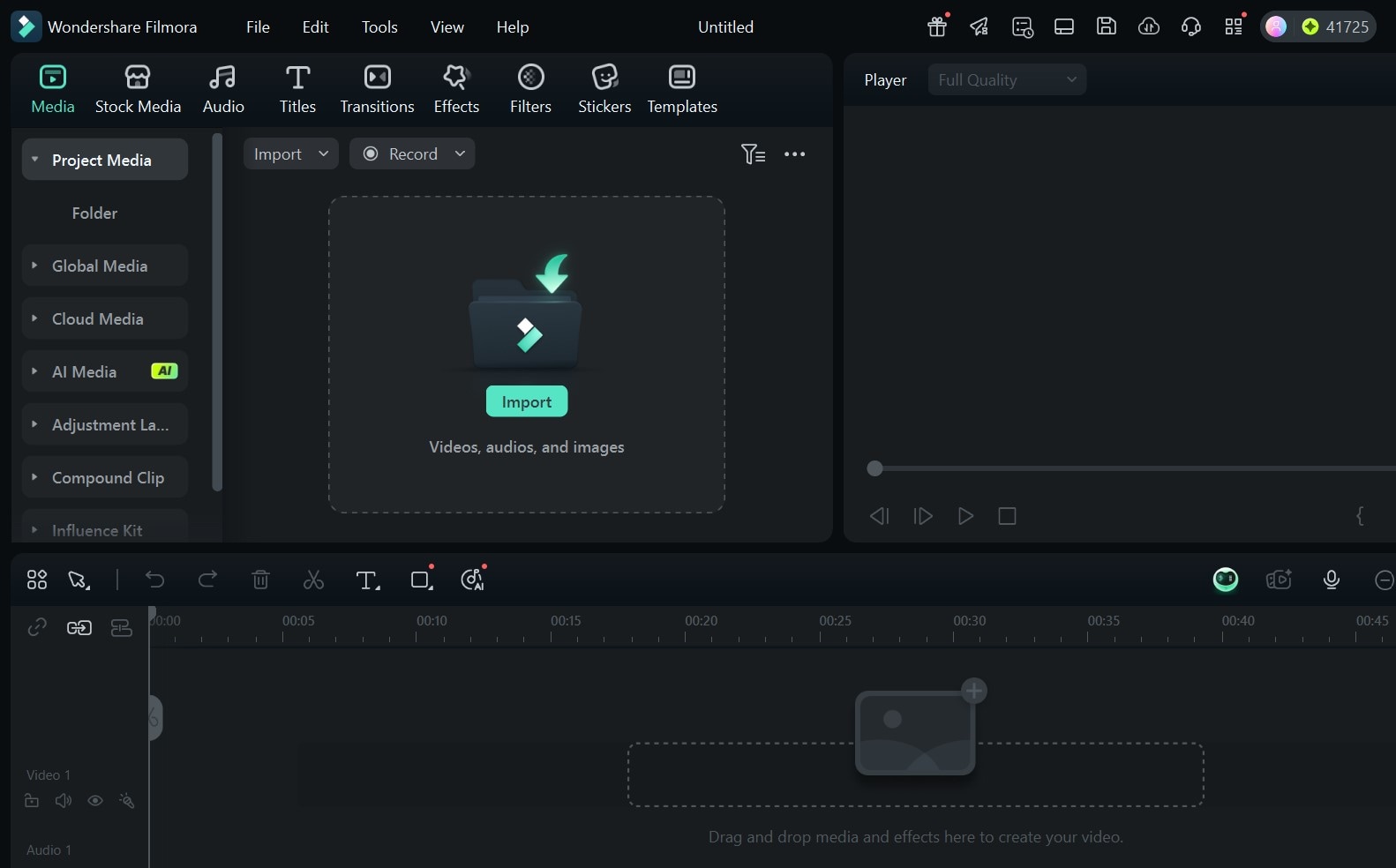 Step 4: To get a script for the video, select Tools from the top of the screen.
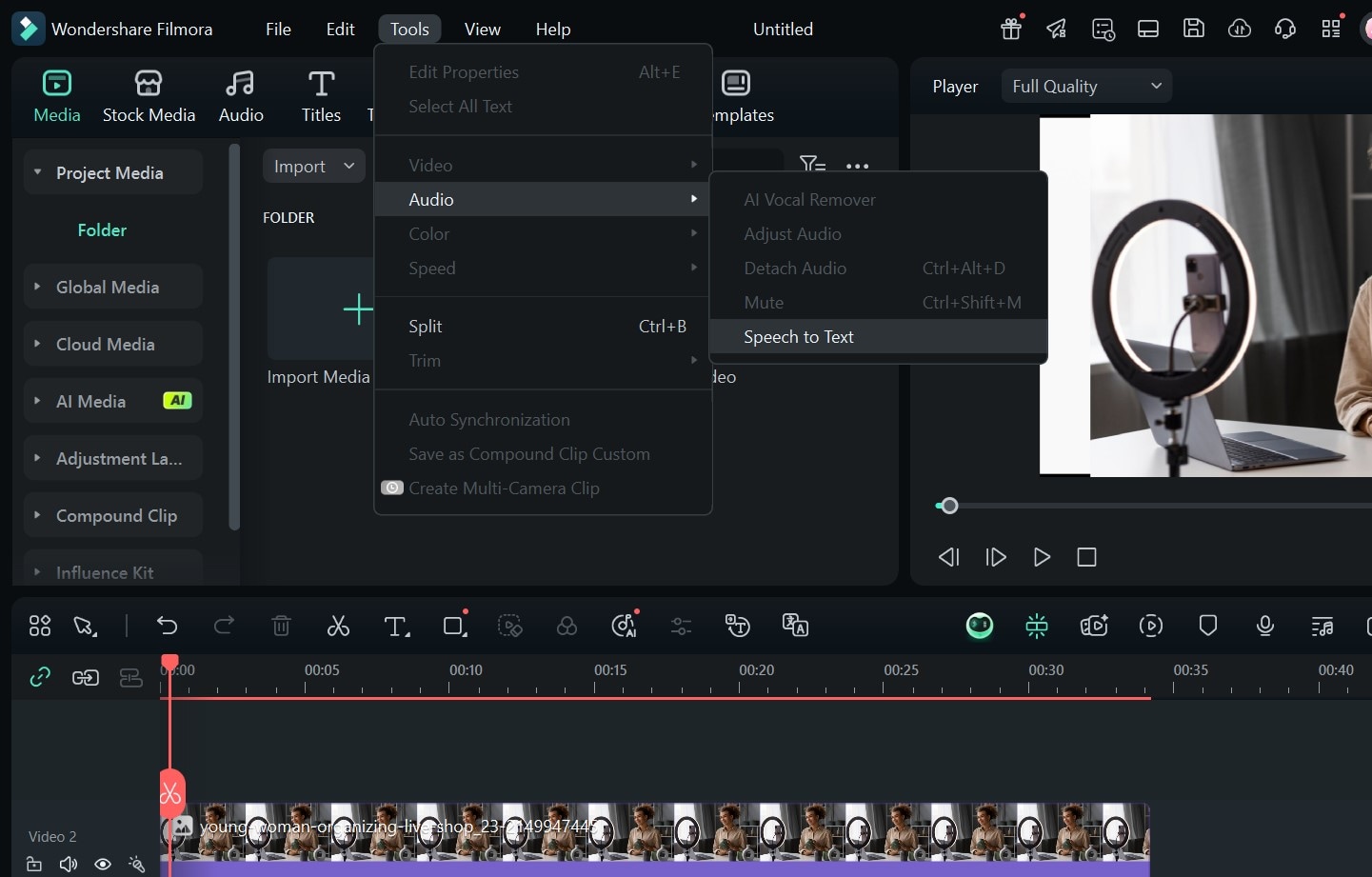
 Step 5: Go to Audio > Speech to Text.
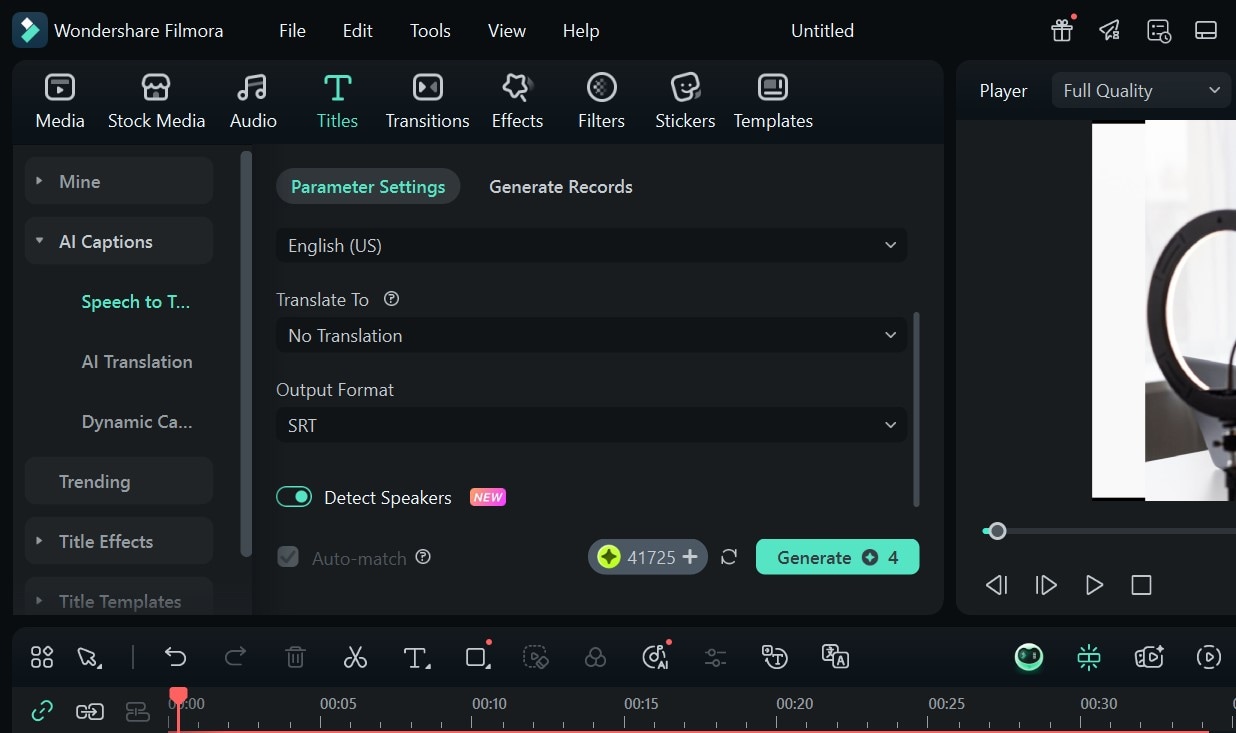
 Step 6: Set the transcription language > toggle on Detect Speakers > Generate.
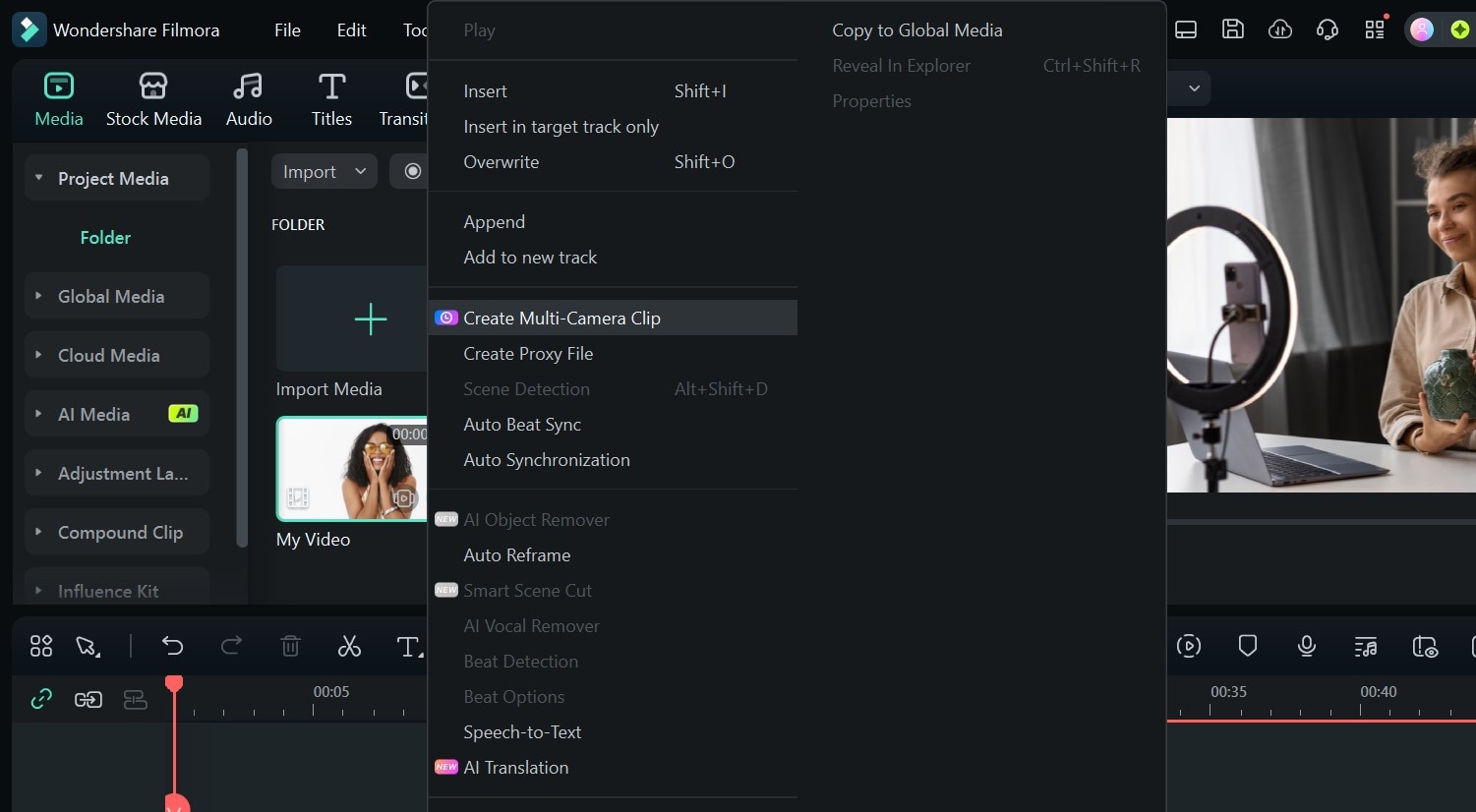
 Step 7: For multicam editing, select multiple video clips from your media and right-click.
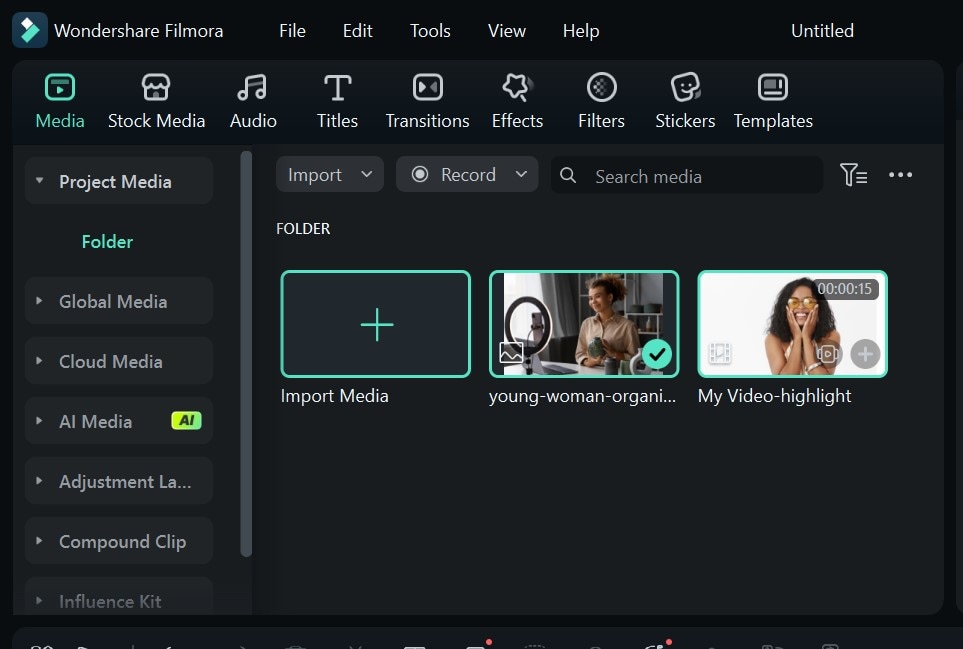 Step 8: Select Create Multi-Camera Clip.
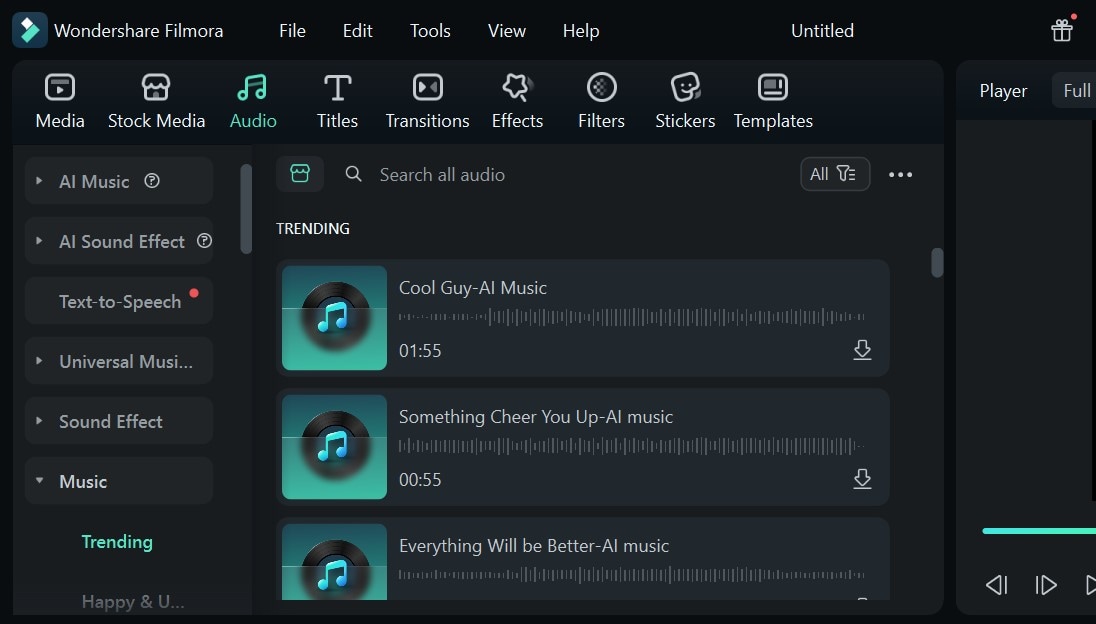
 Step 9: Go to Audio at the top panel and add Music or Sound Effects to your video.
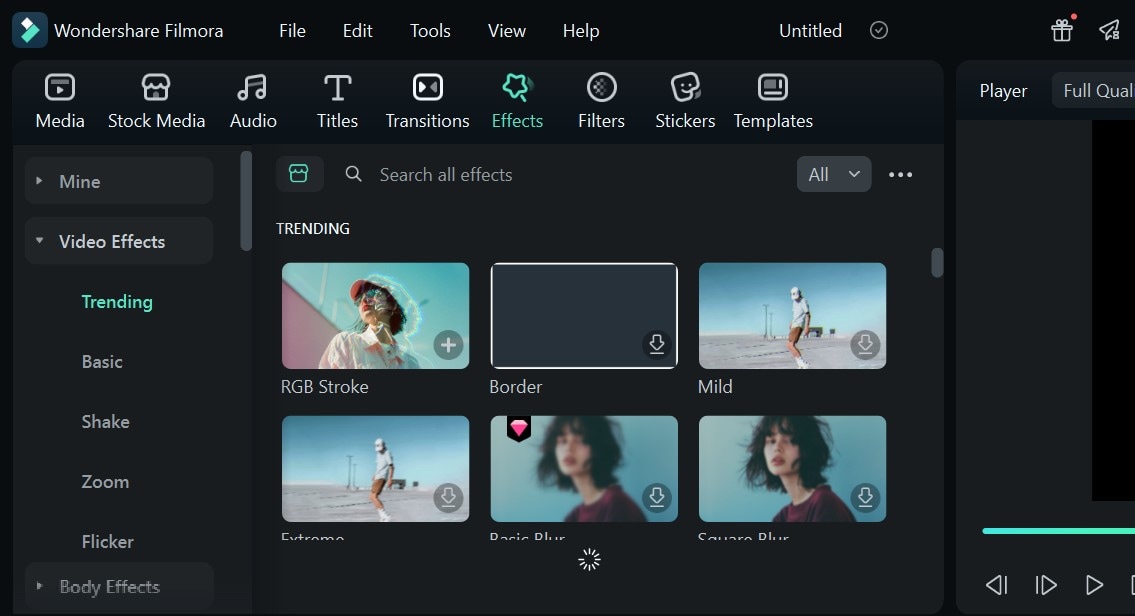
 Step 10: You can also add Effects, Transitions, and Filters to your tutorial video from the top panel.
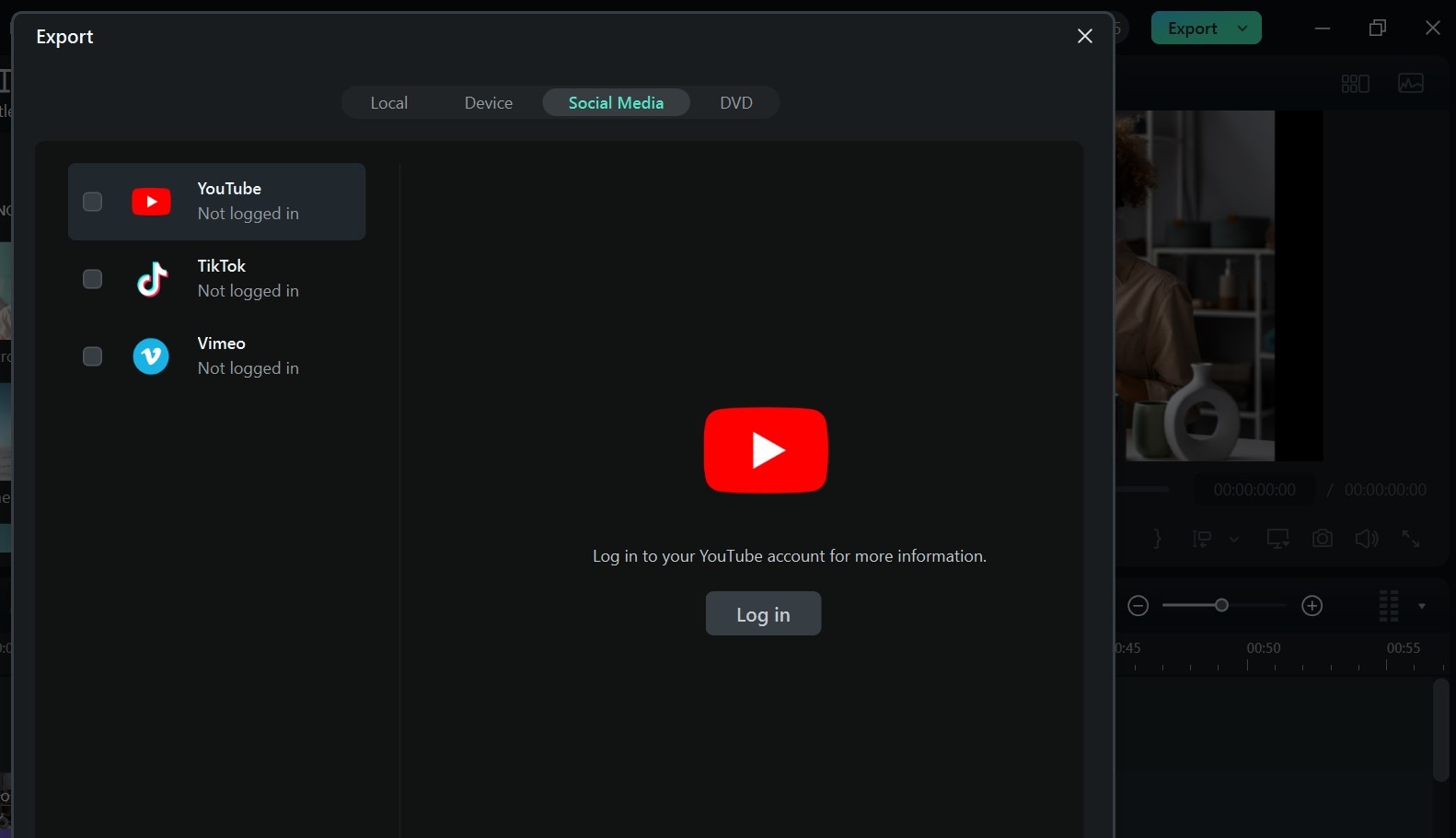
 Step 11: Save your video or go to Export > Social Media to upload it online directly.
Conclusion
Creating a tutorial video can feel overwhelming, especially when you’re not sure where to start, what tools to use, or how to put everything together. Without the right support, the process can quickly become frustrating and time-consuming. But when you have the right tools, it gets a whole lot easier, and even fun.
Wondershare Filmora is the perfect tool to simplify everything. And while it's not fully a free tutorial video maker, it offers world-class features that are worth it. From script generation, to music, effects, transitions, and multicam editing, for seamless editing, it helps you bring your tutorial videos to life with no stress. Download it today to start creating outstanding video tutorials.

Filmora
⭐⭐⭐⭐⭐
The Best AI-powered Video Editing Software and App