
Creating great instructional videos doesn’t start when you hit record. For the best success during production and beyond, good planning is essential.
Planning and following a set process are key to producing consistently high-value tutorial videos. From scripting to research and analysis to drafting, the better foundations you can lay with your work, the easier it is to scale your videos and achieve the desired effect with your audience.
Chandra Owen, Instructional Designer at TechSmith, joined this episode of The Visual Lounge to share her processes and insights behind planning to scale your videos.
Chandra’s work as an Instructional Designer means she creates content for TechSmith’s customer education team, including video, written tutorials, and webinars. Prior to joining TechSmith, she worked for 13 years in higher education, managing training, and social media.
How to decide between video and written instructions
One of the first steps in creating educational content is to decide on the format. Will this work better as a video or as written instructions?
Chandra’s advice for someone who is unsure is to try writing it out first and see if you feel like it could do with some visuals. If you need something that shows a step-by-step instruction, video may be a better option.
However, there are plenty of other scenarios that Chandra says are better suited for written instructions, for example, settings and system preferences.
If you have access to data that helps you decide, even better. Chandra’s team likes to use a lot of data-driven feedback, which is typically taken from webinars. When collecting feedback, you can also get a good idea about what content type people want to see more of.
The process behind a tutorial video schedule
For those who need to create multiple tutorial videos on a regular basis, a solid process is much needed. This can help make the whole production and distribution much more efficient and effective.
But where do you start?
Chandra likes to start with research and analysis to come up with topics and also work with subject matter experts. Once she has a list of topics, her team turns to Asana, the project management software, to build out cards for each topic.
Next, it’s over to Google Docs for script templates which include the objectives of each tutorial and special notes. For example, if the marketing department wants to emphasize something, this will be noted here.
The next step is to write the scripts, and then everything is put through a thorough review process.
Starting with objectives in the scripting process
Everyone approaches the scriptwriting process slightly differently, but Chandra likes to start with objectives before anything else.
Others in her team like to take a co-writing approach where they’ll go away and write as a duo or small team. It’s whatever works best for you.
Chandra’s tier system for creating videos
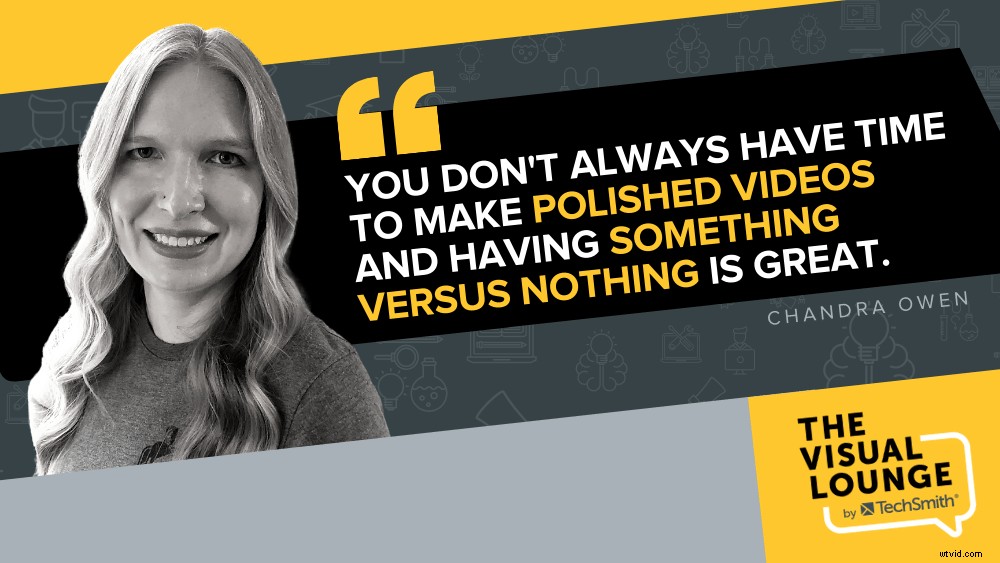
The average length of time it takes Chandra’s team to create a polished tutorial video is about two weeks. However, there are some instances when video content is required more quickly or simply doesn’t require that same level of polish.
This is why they use a tiered system for each video.
- Tier 1: This is the most polished type of video where you want to give it more time and attention to make sure it’s perfect
- Tier 2: This type of video probably has a script but goes through a little less polishing
- Tier 3: This is where you just start recording and talk through it. Scripting is not necessary.
The challenge of creating evergreen content vs. updating existing content
In an ideal world, you’d create the perfect set of videos and never need to update them. However, things change, advice becomes outdated, and you sometimes need to edit existing content. That’s why some teams like to focus more on making content evergreen to save time in the future.
Chandra prefers to spend more time on new content that people want versus spending time on a video series that needs a few edits.
Her team started making some changes to the way they created videos to make them more evergreen.
Simple changes like this to your process can extend the life and relevancy of your videos.
The journey from script to production
Once all the planning, research, and scripting are covered during the early stages of production, what next? Chandra’s team still has a few steps before actually creating the tutorials. One is that they gather the assets and tools needed for the video.
This can be a time-consuming part of the process. However, Chandra has a way to reduce it – create an asset library.
This is where Camtasia becomes very handy. Chandra has themes, branding colors, cursor icons, and so on already saved. These can be pulled straight into the timeline to start creating.
Use scratch audio tracks to make the editing process easier
Another key part of the process for Chandra is to create scratch audio tracks.
These are draft audio tracks that she works with while getting the visuals produced. Once the visuals are done, she then records a polished version of the audio to put it all together.
Chandra does this because she has had difficulty matching up her audio perfectly. Sometimes when editing, she realized she should have put more context into one section, or there were long gaps. In cases like these, it’s much easier to work with draft audio than editing the final version.
Creating a truly helpful tutorial video series starts with a good foundation, proper planning, and a streamlined process. Not only can this save you time from having to revisit content and make major edits, but it also ensures your message gets across clearly and efficiently.
If you’re already a tutorial video creator or are planning to create a video, make sure you check out TechSmith Academy for lots of free resources to help with planning and production.
For more expert advice and tips visit TechSmith Academy on YouTube or listen to the Podcast.