
Spectrum TV offers more than 200 live television channels, which is a famous app in many religions. Also, the Spectrum TV app can be watched on devices like laptops, smartphones, and tablets. So, if you want to record your favorite shows on it, it's really easy as you can choose to record shows on TV devices or laptops.
Here, this post introduces two methods on how to record on Spectrum, including using the DVR settings and the third-party recorder. You can look at these two methods and choose the most suitable one.

- How to Record on Spectrum Built-in DVR
- How to Record on Spectrum on Windows/Mac
How to Record on Spectrum Built-in DVR
You need to know that Spectrum has the built-in Cloud DVR, which is a hard device for recording and saving TV programs. Also, you can schedule a recording or record a series with the Cloud DVR. After recording, you can watch the saving shows remotely.
Before recording, access the Cloud DVR on https://spectrumtv.net/ or use Spectrum TV app on Apple devices, Apple TV, Xbox, etc. Then, follow the below steps on how to record shows on Spectrum DVR.
Here is a list of steps on recording on Spectrum DVR:
Step 1. When watching live TV shows on Spectrum, you can record them by using the DVR settings. Here, ensure you want to schedule a recording or record a series.
Step 2. Depending on your recording, select the method. (1) For you to schedule a recording, navigate to the show you wish to record and then choose the program to check the information page. After that, click "Record".
(2) To record a series, search for the target series at first. Then, choose the program to look for the information page. Click the option "Record Series". Here, you need to choose to capture all episodes or new episodes. Meanwhile, choose the start and end times for the recording. Following, click "Confirm" or "Record".
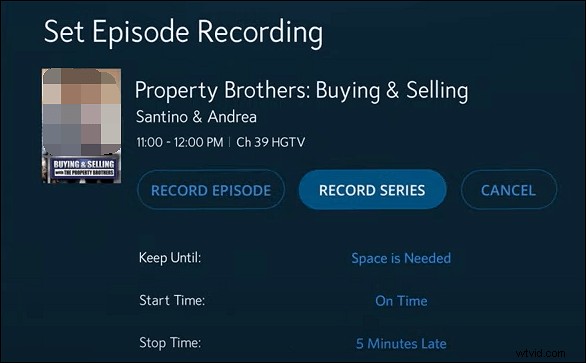
Step 3. After recording, you are allowed to watch or delete recordings. To watch recorded programs, click "DVR" > "My Recordings". Hit the "Play" button to watch the shows. Or click "Delete Recording" to save more space.
How to Record on Spectrum on Windows/Mac
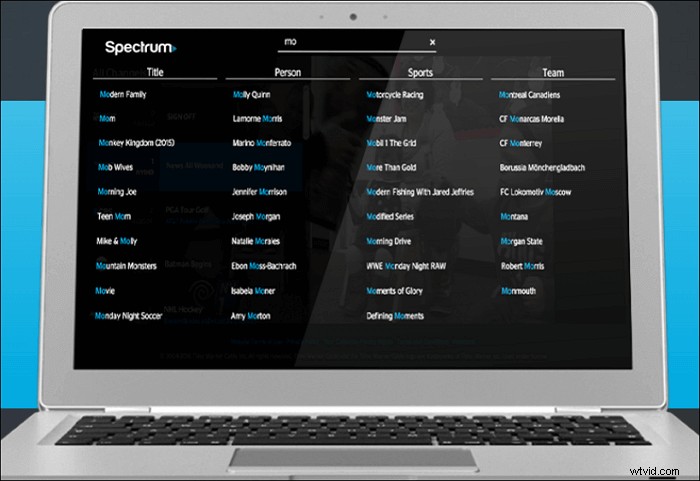
Spectrum TV streaming service can be used on your computers, so you can easily watch shows at home. To access TV shows from Spectrum, you need to sign in to your account. Then, watch your desired channels at home under a WiFi connection. If you want to record streaming shows on a desktop, there is a much easier function, which is recording with a third-party recorder instead of a DVR recorder.
A recording software recommended here is EaseUS RecExperts, which can be used on Windows and Mac. With it, you can record streaming videos with app and external audio. Also, it allows schedule recording function to deal with series videos. You can also choose the start and end time as the streaming platform provides.
Key Features of EaseUS RecExperts:
- Screen record YouTube TV
- Record video, audio, and webcam
- Record Prime Amazon video
- Take a screenshot without a black screen
- Support built-in trimmer to edit video
Now, try this streaming video recorder on Windows/Mac and No registration is needed!
Follow the below guide to know how to record shows on Spectrum:
Step 1. Launch EaseUS RecExperts on your computer. The first option, "Full Screen", can help you capture everything on your screen. If you play the streaming video in full-screen mode, this is suitable for you.
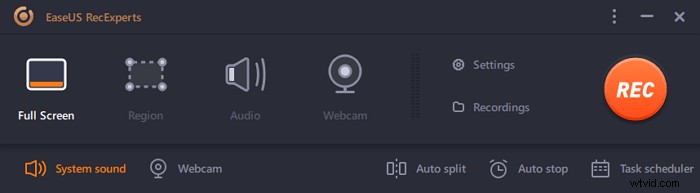
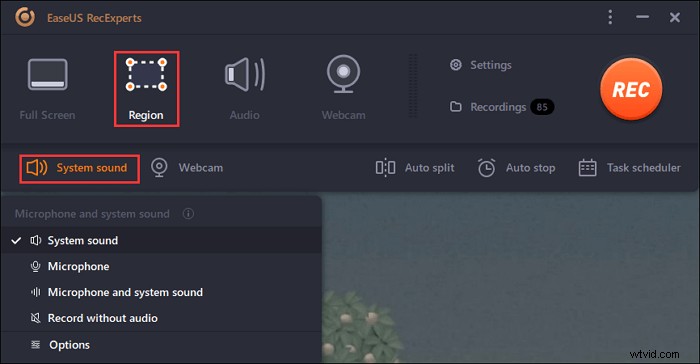
Step 2. If you play the streaming video in a window, it would be better to select the "Region" option to record only the specific area.
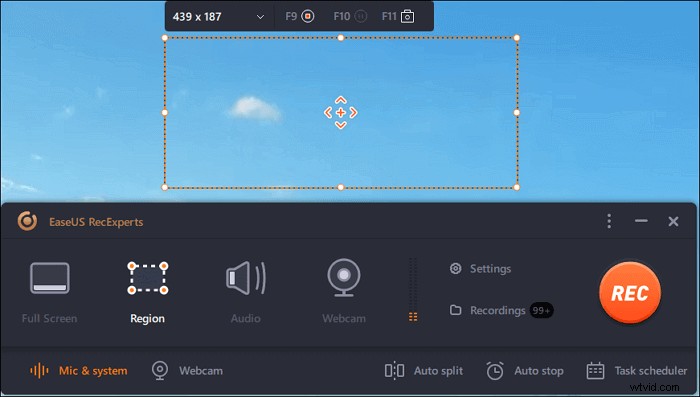
Step 3. Ensure that you are in "Region" mode. Then, click on the button in the bottom right-hand corner to select a suitable sound source and adjust the volume. After that, click on the "REC" button to start recording.
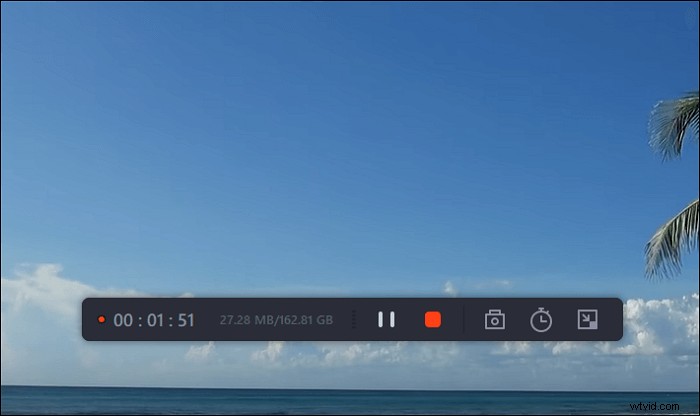
Step 4. There will be a floating toolbar on your screen when you are recording the video. The two buttons on it can help you pause or stop the recording.
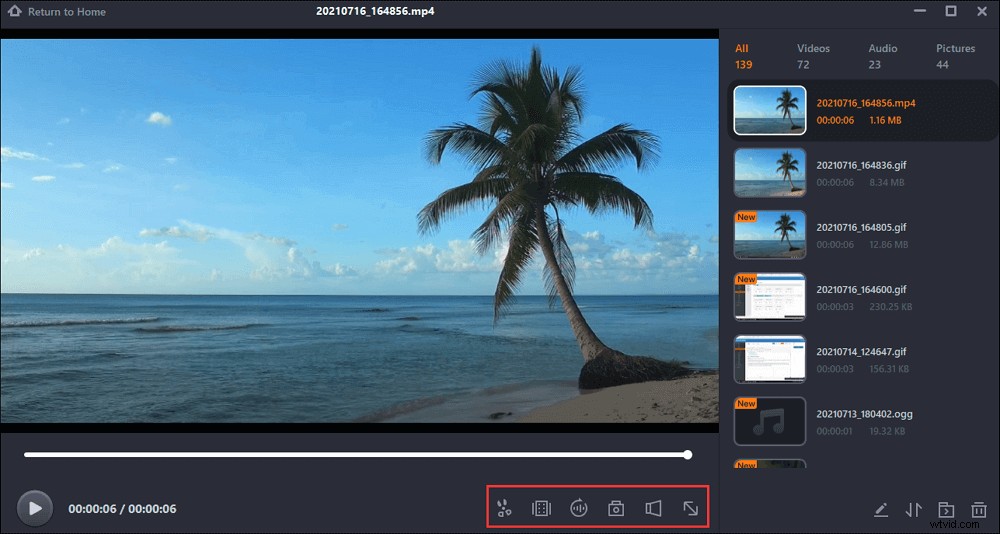
Step 5. If you click on the red stop button, the recording will be ended, and the captured video will be saved on your computer. When the built-in media player pops up, you can view the recording and use tools to trim it, extract audio from it, or add an opening and ending part.
Conclusion
Believe that you know how to record on Spectrum, including using the built-in DVR and the third-party screen recorder. If you usually watch Spectrum shows on TV devices, then choose the DVR method. However, when you choose to watch shows on a laptop, then a third-party screen recorder like EaseUS RecExperts.
Here, you can try EaseUS RecExperts to record streaming videos as you like.
FAQs About How to Record on Spectrum
Some related information gathered from the public is listed here.
1. Why can't I record shows on Spectrum?
There're several reasons why Spectrum recording may fail. The most likely reason is that the DVR device doesn't have enough storage space. To solve it, you can delete some recordings to have more space. Or you can look for more hard disk storage via https://www.spectrum.net/support/tv/dvr-external-hard-drive-port-esata.
2. Can you record using Spectrum?
Spectrum offers a built-in DVR device for you to record and save shows. It can deal with movies, live events, and even a series. So, it's helpful to create a series recording or only the current shows. With it, you don't need to worry about missing any shows. To know how to record with it, go to Part 1.