
How to easily and quickly record audio when screen recording? It is so easy, and you only need a powerful screen recorder that can help capture the screen and audio at the same time. The 5 best software are introduced in this post. Follow this post, and you know how to record audio when screen recording on Windows and Mac.
How to Record Audio and Screen on Windows and Mac
If you want to find a powerful screen recorder, EaseUS RecExperts can be your first choice.
It is an all-in-one screen and audio recorder. This software is featured with many powerful screen recording functions, whatever you use in business, working, meeting, or entertainment. You can record the video, audio, webcam, and gameplay. Most importantly, recording audio with the screen is easy.
Also, you can record full screen on Windows 10, partial screen, or custom area of the PC screen. Regarding the audio resources, it's optional to choose the system sound or external audio as you like.
To capture the screen and audio simultaneously, click the button to have a try!
The steps of recording screen and audio using EaseUS RecExperts:
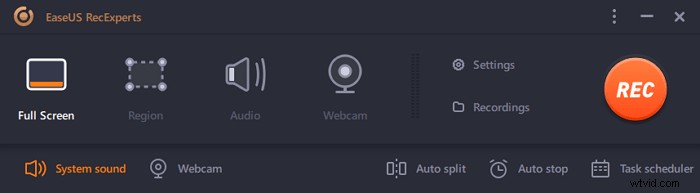
Step 1. Launch EaseUS RecExperts. There are two different options for screen recording, i.e., "Full Screen" and "Region". If you select "Full Screen", you will capture the whole screen.
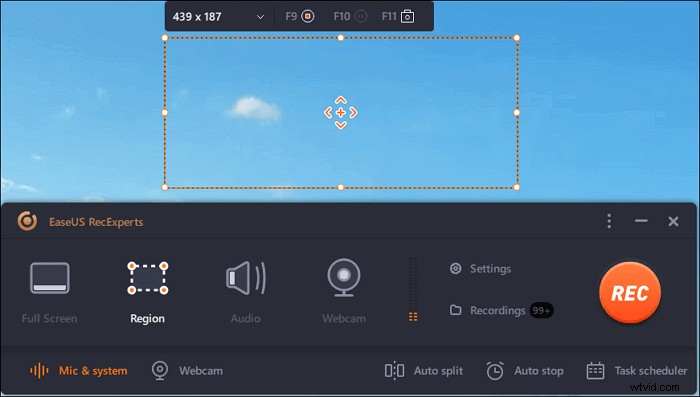
Step 2. If you select the "Region" option, this software will ask you to customize the recording area. Make sure that everything you want to capture is within the bounds of the select box.
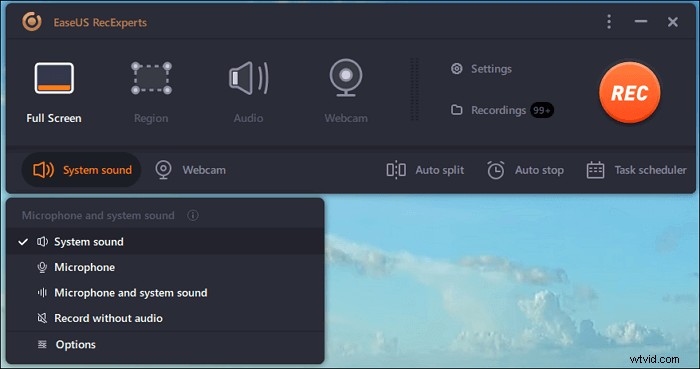
Step 3. Tap on the button at the bottom left side of the main interface, and there will be many options you can select. This recorder supports recording microphone and system sound separately or simultaneously. The "Options" button is for you to adjust the volume and microphone device.
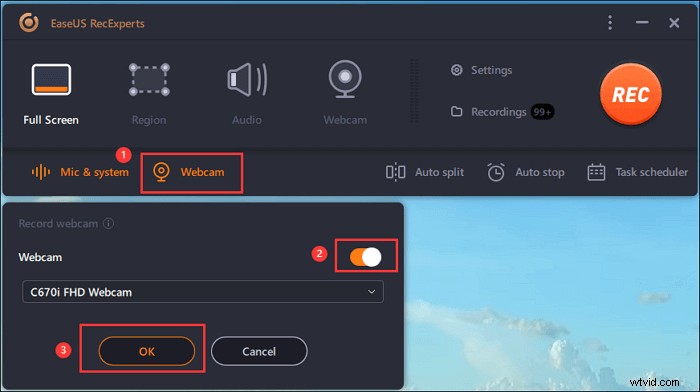
Step 4. To record the webcam simultaneously, click on the "Webcam" icon at the bottom of the interface. Tap on the button to enable the webcam recording, and there will be a drop-down menu to select the recording device. Click on "OK" to confirm your settings.
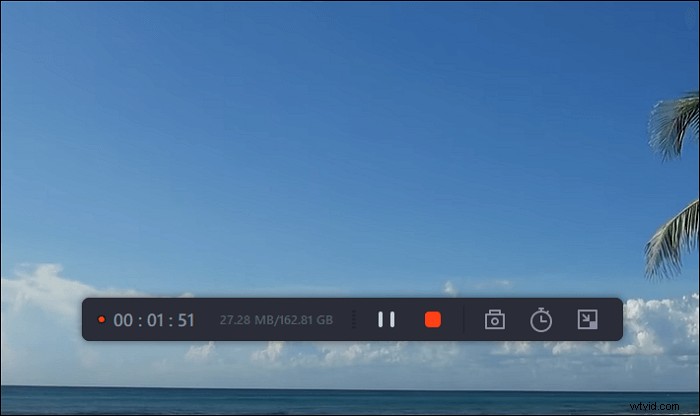
Step 5. When you turn back to the main interface, click on the "REC" button to start recording. A floating toolbar offers you buttons to pause or stop the recording during the recording process. In addition, the camera icon can be used to take screenshots, and the timer icon can help stop it automatically.
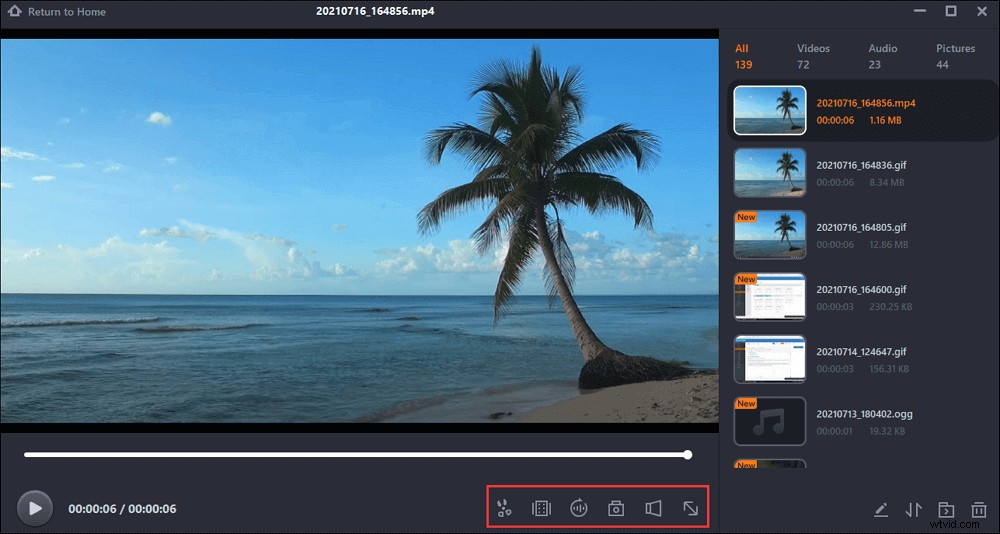
Step 6. The recorded video clips will be saved on your computer. When the media player appears, you see a set of tools you can use to trim the recordings, extract audio, and add opening title & closing credits to the savings.
How to Record Audio When Screen Recording with Other 4 Best Software
Besides the above tool, you can also use other tools to record screen and audio simultaneously.
1. Icecream Screen Recorder
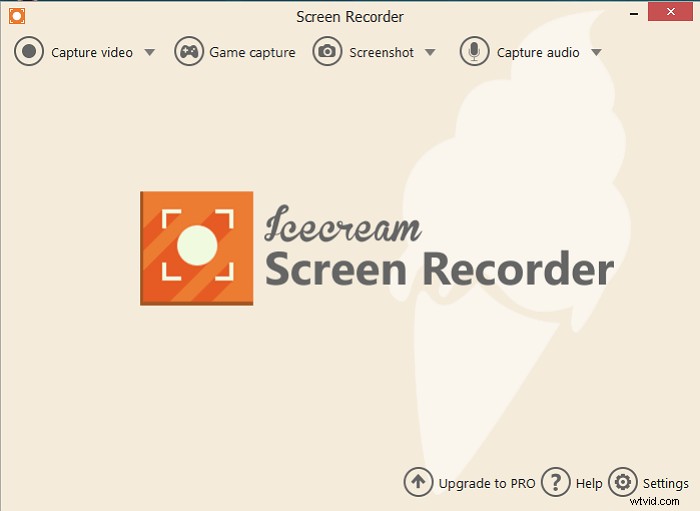
Icecream Screen Recorder is another powerful screen recorder. This software has a user-friendly main screen, and it is also easy to use. When you launch this software, the main functions of this software will show on the interface. You select what functions you need and click the button that you want to apply.
This software supports recording audio, video, and game. You can use these recording functions to capture gameplay videos, video tutorials, webinars, live streams, Skype calls, and much more. And it's easy to record audio while recording the screen.
Features:
- Support full recording screen or select the area you'd like to record
- Capture the webcam easily
- Record audio when recording the screen
- Add your watermark to the screen recording
2. OBS Studio
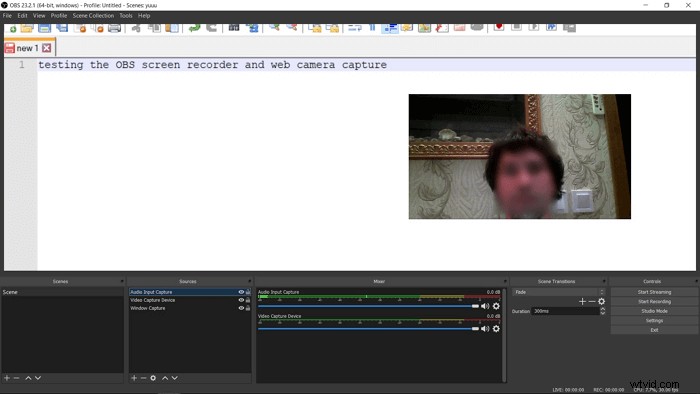
OBS Studio is one popular open resource screen recorder, which can be used on Windows, Mac, or Linux. And this program has a lot of recording tools that users can apply to record video, audio, gameplay, and even supports recording audio while recording the screen. But, this software may be difficult for beginners. If you are a novice, you'd better find some tutorial pages or videos to learn how to use this software correctly.
Features:
- Support recording audio when screen recording
- Record streaming audio and video effectively
- Advanced settings for recording a video in high quality
3. QuickTime Player
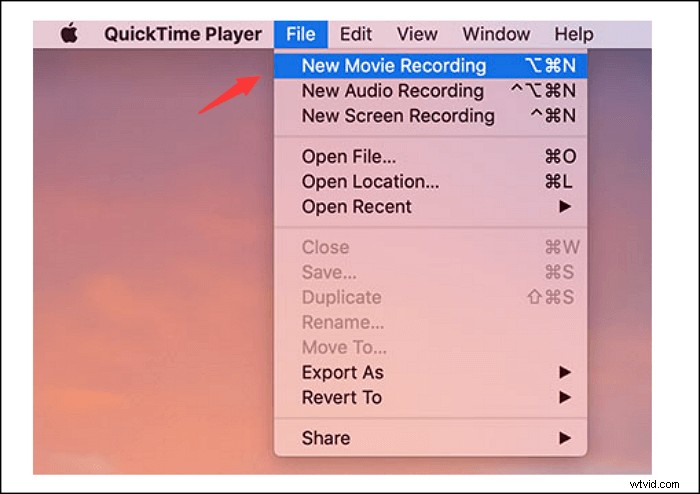
QuickTime Player is a built-in software for Mac. If you are a Mac user, you must know it. QuickTime Player is a powerful multimedia framework, which is developed by Apple Inc. This software supports playing films, editing videos, and also recording the screen with external sound. For its recording function, this software can record screen video, gameplay video, and webcam. The only limitation is that it cannot record internal audio.
Features:
- Support recording audio with video simultaneously
- Support Mac users to use for free
- Record Zoom meeting easily
4. VLC Media Player
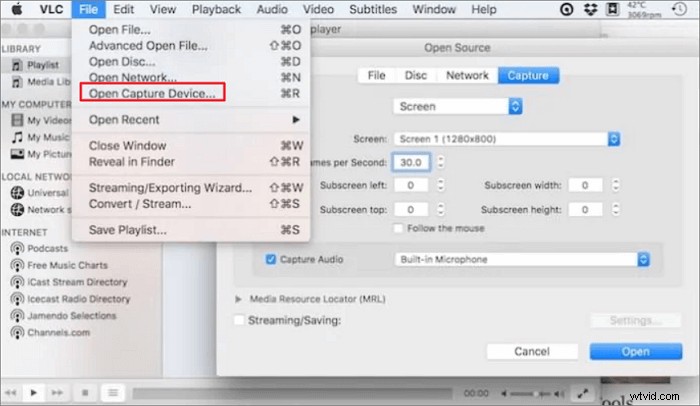
VLC Media Player is another open resource multimedia player. This software supports playing most multimedia files and DVDs, Audio CDs, VCDs, and various streaming protocols. This software can nearly run on all platforms, such as Windows, Linux, macOS, and more. Besides playing or editing videos, this software also supports the recording screen.
Features:
- Stream media over the network or internet
- Free to use
- Conversion for media files
Conclusion
Believe that you have known how to record audio when screen recording. Here, the best five screen recorders are mentioned, with the ability to record audio and video at the same time. You can choose a suitable tool. Among the 5 screen recorders, EaseUS RecExperts is the recommended tool. With a simple interface, you can find the operation quickly and capture the screen with sound easily.