 Posted by: Lyle Schrock 10 months ago
Keeping your devices cool is more important than you might think. From smartphones and laptops to gaming consoles and tablets, modern electronics generate a lot of heat. If that heat builds up too much, it can slow down performance, cause battery issues, or even lead to permanent damage.
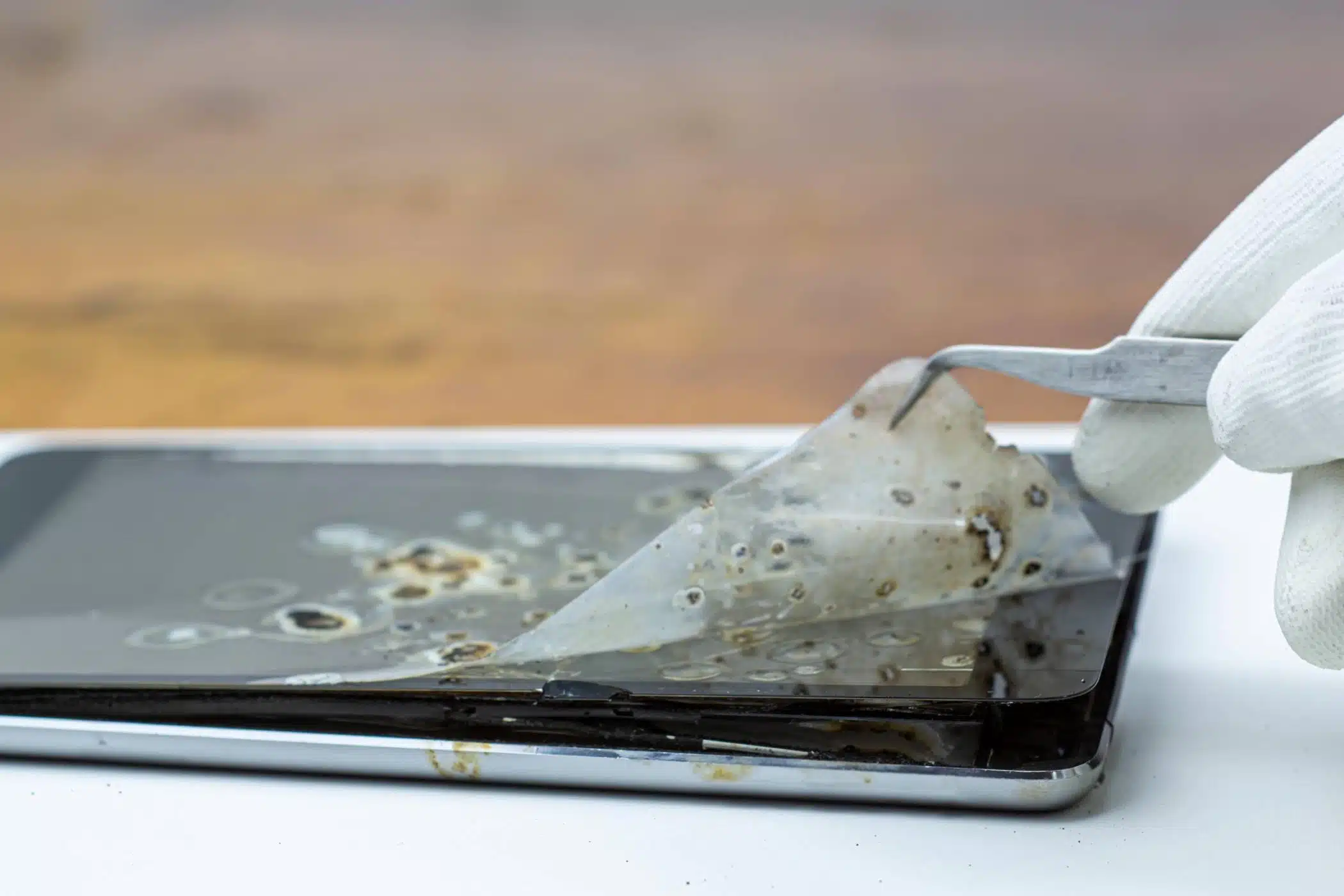
At The Lab, we help people protect their devices and make them last longer. Here’s what you need to know about avoiding heat damage and what steps to take if your device overheats.
Devices overheat when they work harder than usual or don’t have enough ventilation. Common causes include heavy app usage, high screen brightness, poor airflow, direct sunlight, and even charging habits. Overheating can reduce a device’s efficiency, drain the battery faster, and in some cases, cause the internal hardware to degrade over time.
Signs Your Device Is Too Hot
Sometimes, you can feel the heat. Other times, your device will tell you it’s overheating. Look for these signs:
- The back of your phone or laptop feels unusually hot to the touch
- The fan in your laptop is constantly running at high speed
- Apps crash or lag more than usual
- Your screen dims automatically to cool down
- You receive a warning message telling you the device is too hot
What to Do When It Happens
If your device starts to overheat, take immediate action to cool it down:
- Turn it off or put it in sleep mode to reduce activity
- Move it to a cooler location away from direct sunlight or hot surfaces
- Unplug it from the charger to avoid additional heat buildup
- Close unnecessary apps or programs that may be straining the processor
- Remove any case or cover to let the heat dissipate more easily
Never try to cool your device with extreme measures like putting it in the fridge or freezer. Rapid temperature changes can cause moisture to build up inside the device, leading to more damage.
How To Prevent Overheating
Preventing heat damage starts with everyday habits. Here are some simple tips to keep your devices running at a safe temperature:
- Avoid using your device in direct sunlight
- Keep air vents clean and unblocked
- Use a cooling pad for laptops
- Take breaks during intense usage, especially while gaming or video editing
- Don’t charge your device under pillows or blankets
Keeping your software up to date can also help. Many updates include fixes that improve battery performance and heat management.
When To Get Help
If your device overheats often or shuts down regularly due to high temperatures, it may have an underlying issue. A faulty battery, blocked fan, or software bug could be to blame.
At The Lab, our technicians can run diagnostics, repair hardware problems, and clean out internal dust or buildup that may be trapping heat.
Protect Your Tech At The Lab
Heat damage is more than an inconvenience. It can shorten the life of your device and affect your productivity. By knowing the warning signs and taking smart steps to cool things down, you can avoid costly repairs or replacements.
And when you need expert help, The Lab is here to make sure your tech gets the care it deserves.
Have questions about your devices overheating? Stop by The Lab in downtown Warsaw or contact us tos schedule an appointment today.
Our Hours
Monday: 9am – 6pm
Tuesday: 9am – 6pm
Wednesday: 9am – 6pm
Thursday: 9am – 6pm
Friday: 9am – 6pm
Saturday: 10am – 4pm
Sunday: Closed
Previous How To Fix Water Damage From Lakeside Accidents
Next Avoid Moisture Damage from Sudden Temperature Changes This Summer