
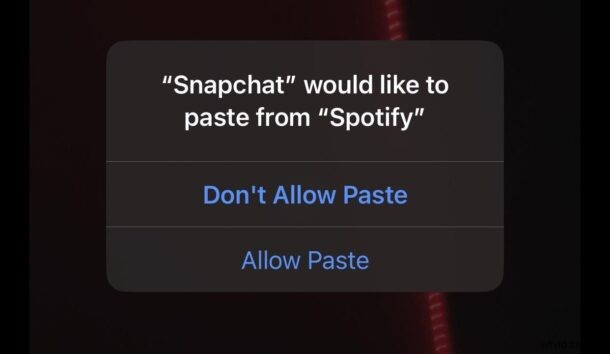
Many iOS 16 users on iPhone have noticed a goofy “Allow Paste” but on their devices that comes up when you attempt to use copy and paste between two different apps, say Messages and Notes, or from Safari to Notes, or Messages to Instagram, etc. Any built-in apps or third party apps seem to be subject to the issue.
The bug is not subtle, and if you experience it you’ll see frequent messages like ‘”Messages” would like to paste from “Safari”‘, “Do you want to allow this?” with two options for “Don’t Allow Paste”, or “Allow Paste”, neither of which serves to dismiss the popups from coming up again in the future.
Curiously, not every user is experiencing the iOS 16 paste bug, making it unclear what exactly the problem is driving the issue, and making it difficult to troubleshoot and resolve.
Some users have reported success by updating their apps, which may make the popup go away fro those particular apps anyway, while others report restarting their iPhone to help. Then, there are plenty more users who have tried everything only to find the “Allow” paste popup comes up constantly any time the clipboard is being used between different apps.
At the moment there is no way to disable the “Allow Paste / Don’t Allow Paste” popup on iOS 16, but it’s likely that a bug fix is arriving soon from Apple to address the issue.
MacRumors obtained an email between an annoyed user and an Apple manager, who stated:
So for now, if you’re experiencing the iOS 16 copy / paste bug, sit tight and deal with it, because a bug fix update should be arriving in the near future.